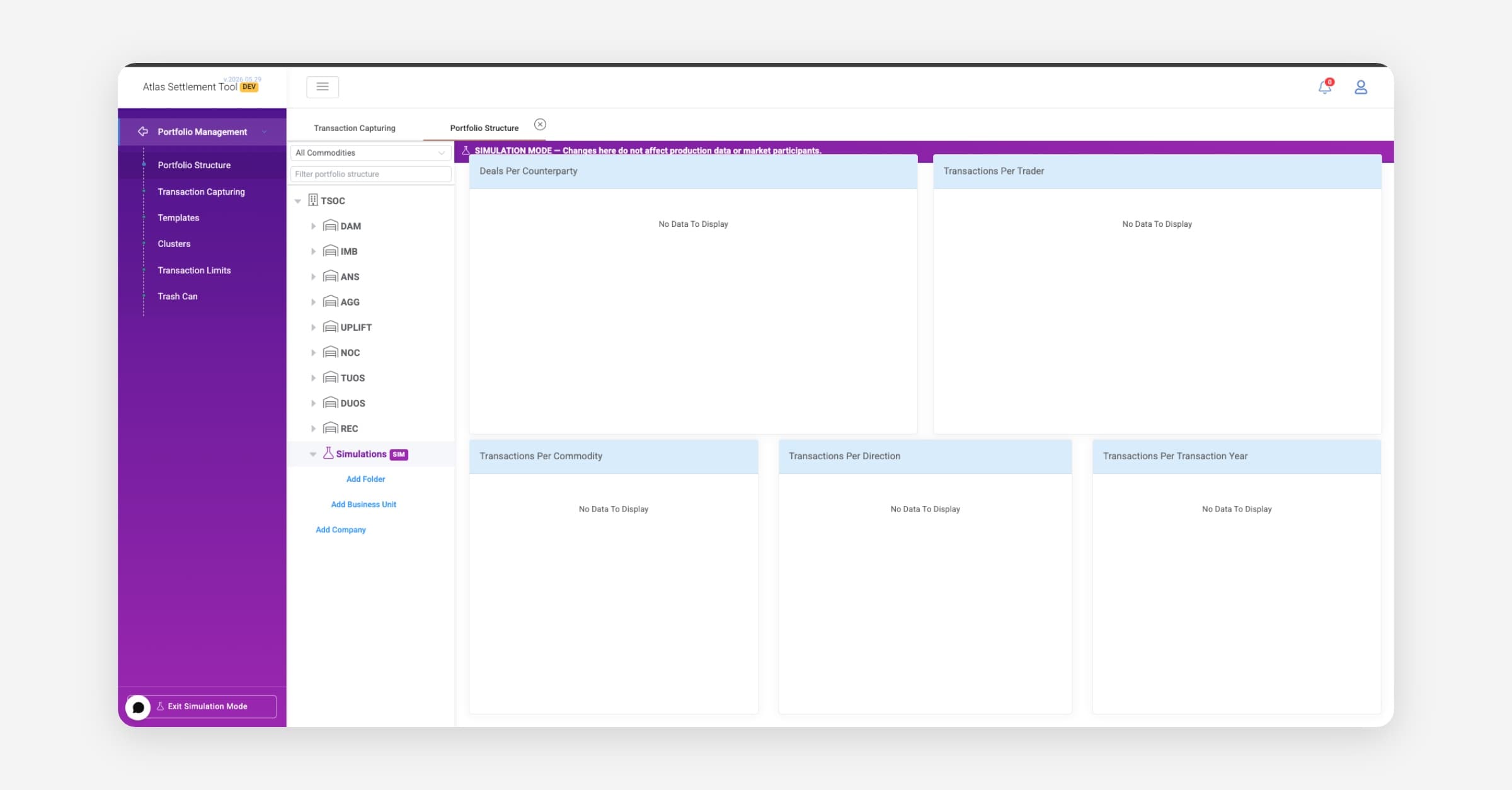
Simulation Mode gives you a safe space to experiment. You can create deals, orders, and other records as if they were real — but none of it appears in production reports, positions, or settlement calculations.
Think of it like a sandbox: everything you do there stays there.
How Do I Turn It On?
Click "Activate Simulation Mode" at the bottom of the left menu. The sidebar turns purple so you always know when it's active.
To turn it off, click "Exit Simulation Mode" from the same place — or from the user menu in the top right.
What Can I Do in Simulation Mode?
You can create and view simulated versions of:
Deals
Orders and Order Items
Business Units (a dedicated "Simulations" unit is created automatically)
Time Series data
None of this simulated data shows up anywhere when Simulation Mode is off.
What Doesn't Change?
Everything else on the platform — companies, assets, portfolios, settlement, reports, bidding, EMS — operates normally. Simulation Mode only affects the entities listed above.
Important Things to Know
Simulated data is saved in the system — it doesn't disappear when you exit Simulation Mode. A cleanup tool is coming in a future release.
You cannot mix simulated and real records (e.g., add a real order item to a simulated deal).
Reports and settlement calculations always use production data only.