Metabase in ATLAS
Overview
Metabase is the Business Intelligence (BI) platform integrated with ATLAS for creating advanced analytical reports and dashboards. It provides a dedicated environment where users can explore ETRM data, create visualizations, and organize them into reusable analytical content for monitoring business operations.
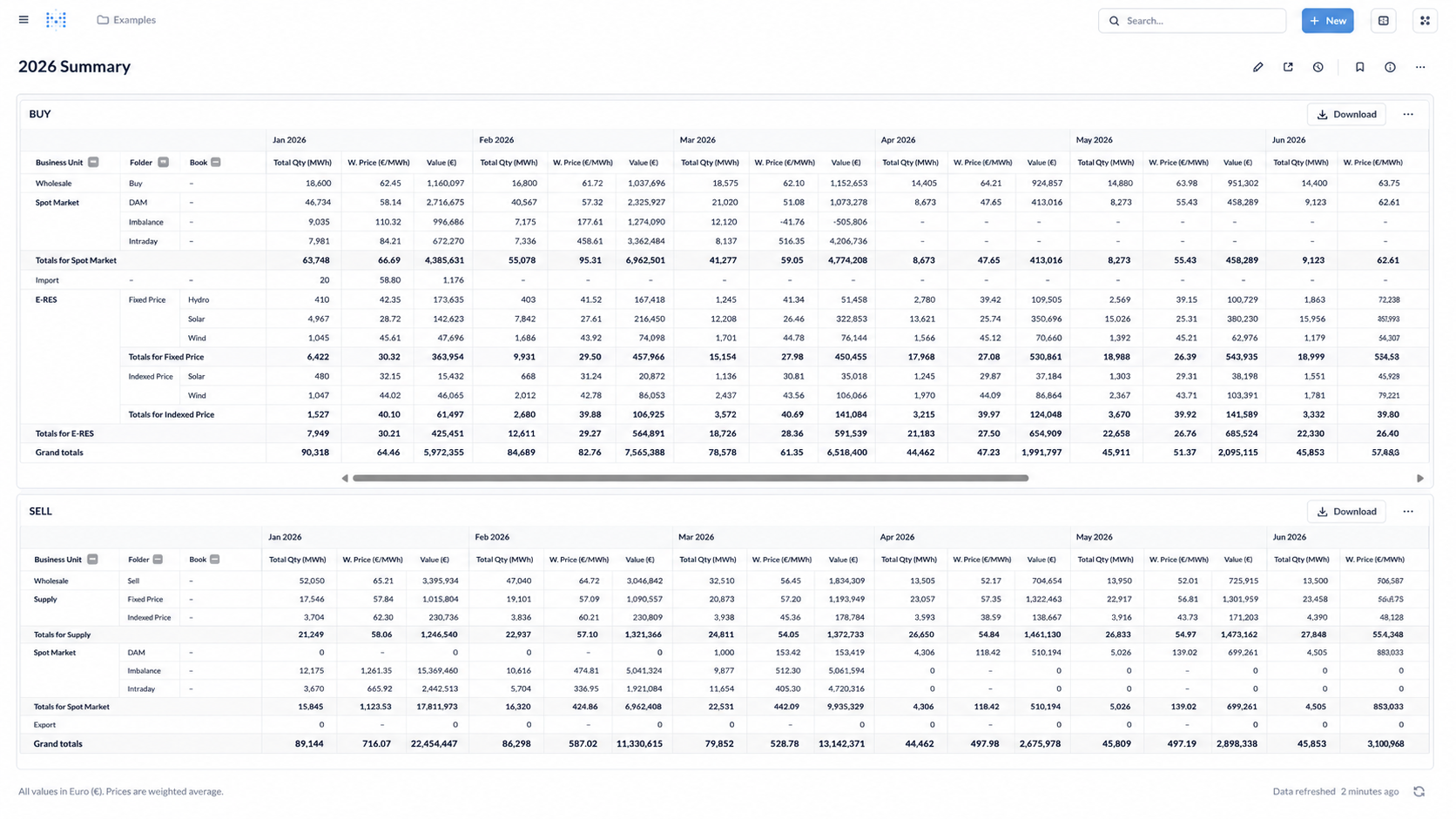
Metabase structures analytical content into two main objects: Questions, which represent individual reports or visualizations, and Dashboards, which combine multiple Questions into a single analytical view. Both objects are created and maintained within the Metabase application.
The reports and dashboards created in Metabase retrieve data directly from the ATLAS ETRM database, ensuring that published content always reflects the latest available information without requiring data import, export, or synchronization.
Once published, Metabase content can be embedded within ATLAS. Individual Questions are embedded as Metabase Widgets, while Metabase Dashboards are imported as Atlas BI Dashboards.
Core Concepts
Metabase organizes analytical content around two main concepts:
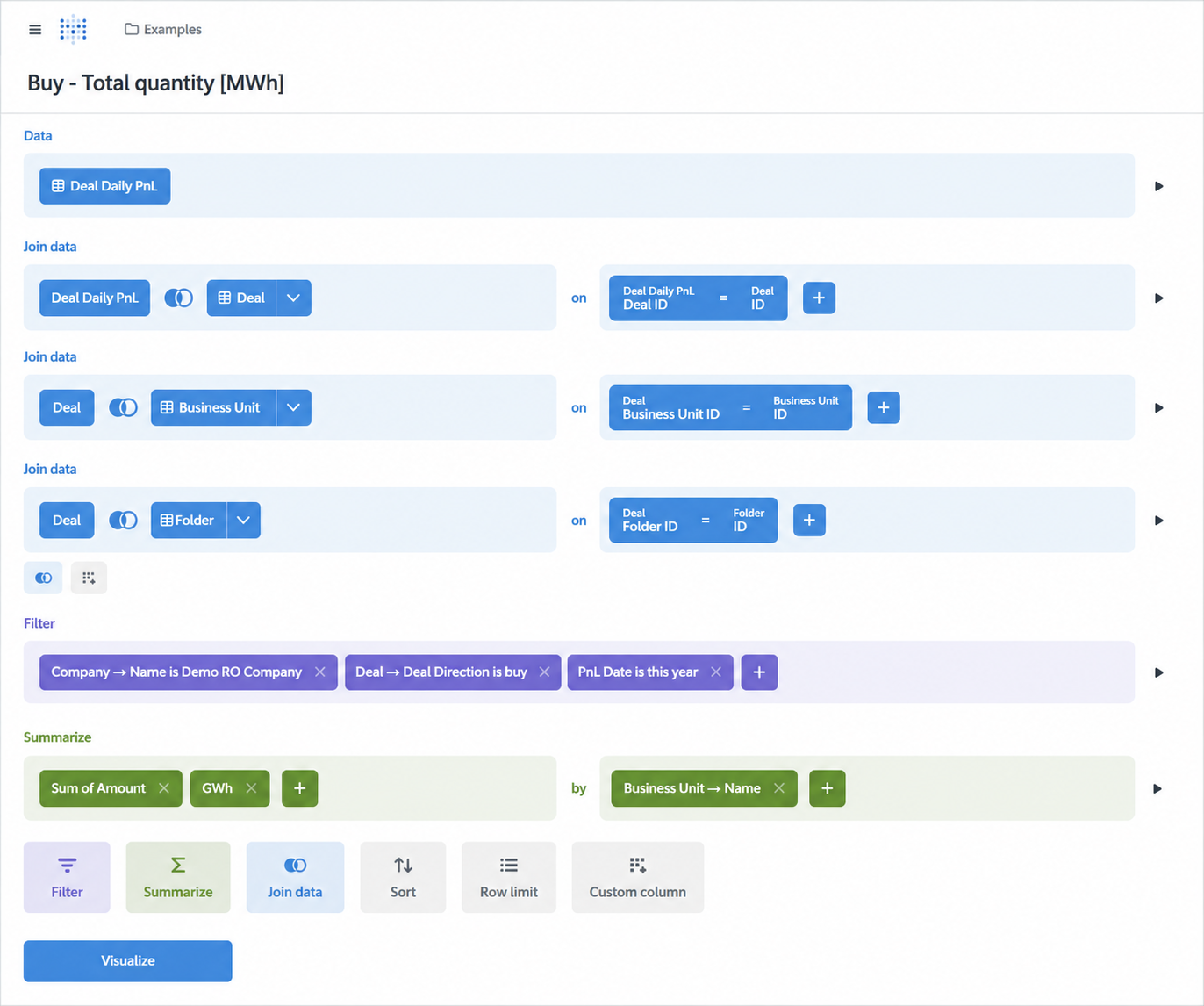
Questions represent individual analytical reports or visualizations, such as tables, charts, pivot tables, or KPI cards. A Question typically answers a specific business question by retrieving, aggregating, and presenting data from the underlying database. Questions can be created either through the visual Query Builder or by writing native SQL queries, depending on the required level of complexity.
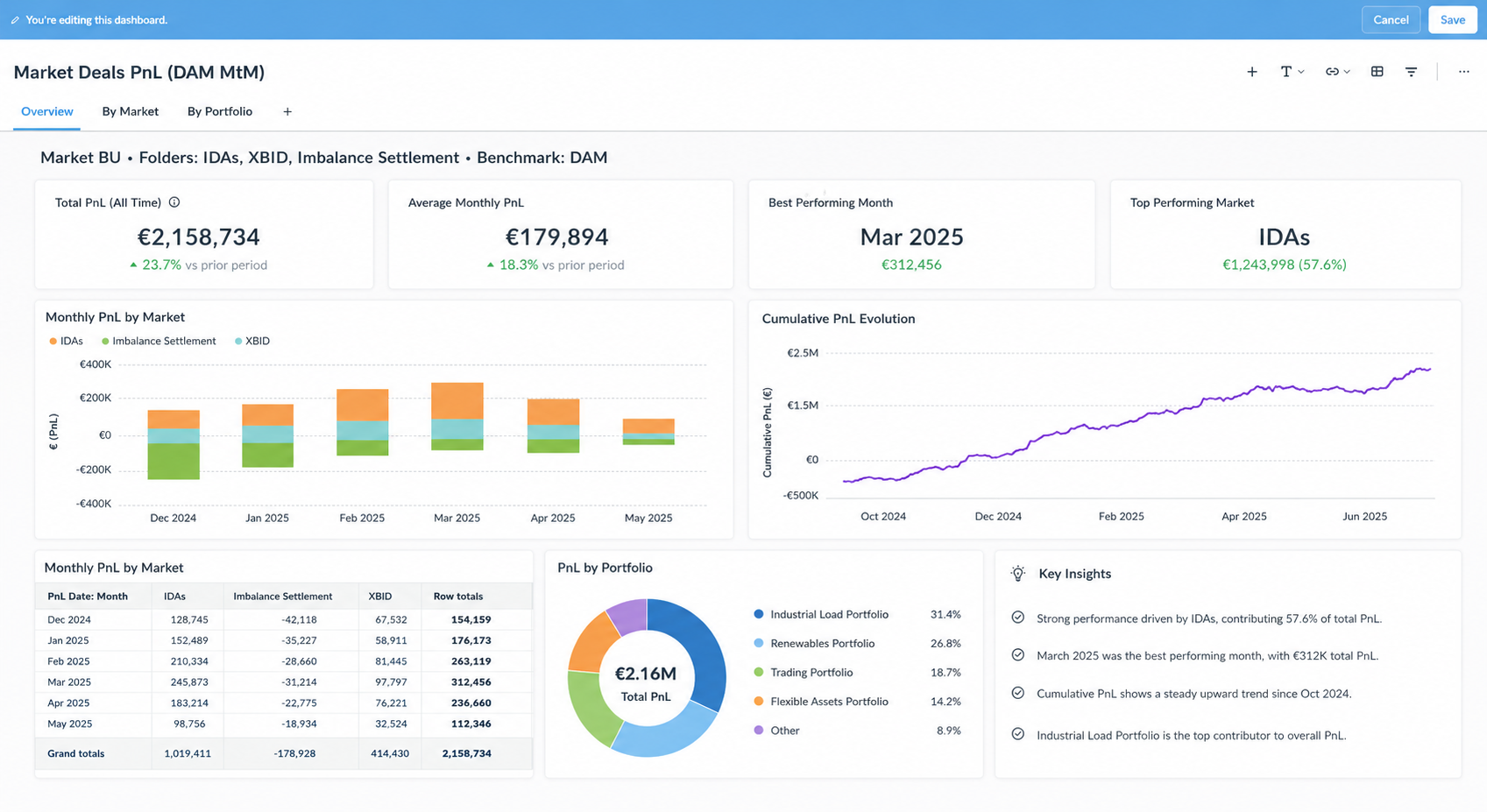
Dashboards combine multiple Questions into a single analytical workspace, providing a consolidated view of related reports and visualizations.
For detailed guidance on Metabase features, refer to the official Metabase Documentation. For step-by-step tutorials and practical examples, see Metabase Learn.
Publishing Metabase Content
Before a Question or Dashboard can be used within ATLAS, it must first be published in Metabase. Publishing makes the content available for embedding and allows ATLAS to retrieve it from the list of published Metabase objects.
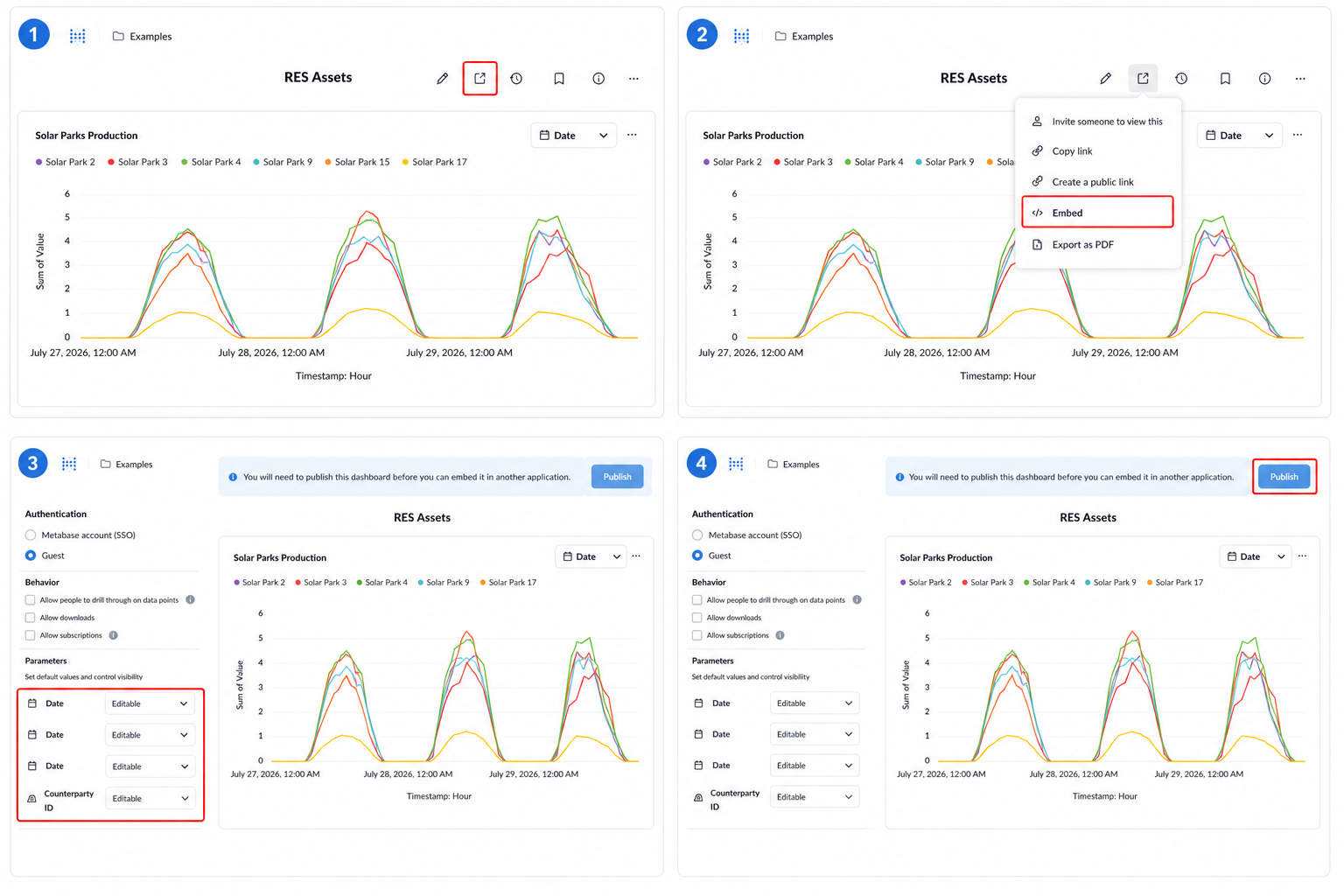
The following steps describe the publishing process:
Open the Question or Dashboard you want to publish and click Share in the toolbar.
From the Share menu, select Embed.
Configure the embedding options, including the available filters as embedding parameters, and optionally specify their default values.
Click Publish. A confirmation message indicates that the dashboard has been published and is ready to be embedded.
Next Step: To make the published content available within ATLAS, follow the instructions in the Creating a Widget section (for Questions) or the Creating a Dashboard section (for Dashboards).