Views
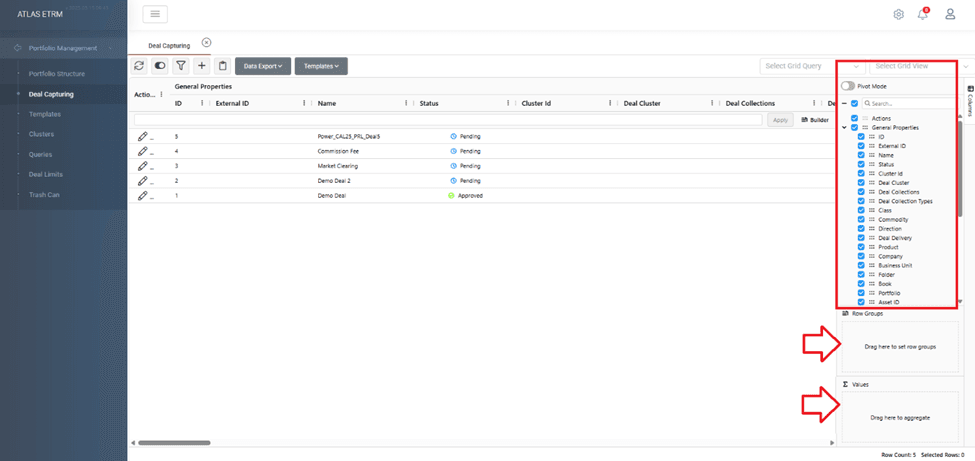
You can select or deselect columns to be shown by just checking/unchecking from right panel which even embodies a search function for column names. You can reorder the columns by simply dragging and dropping, group by a column by dragging a column to “row groups” on the right panel or even aggregate (suggested for columns that contain numbers in columns e.g. Total Quantity in Deals) by simply dragging the column to “Values” field.
Finally, by right clicking on a column name you can even pin or unpin it and apply some kind of a sorting.
Custom Views
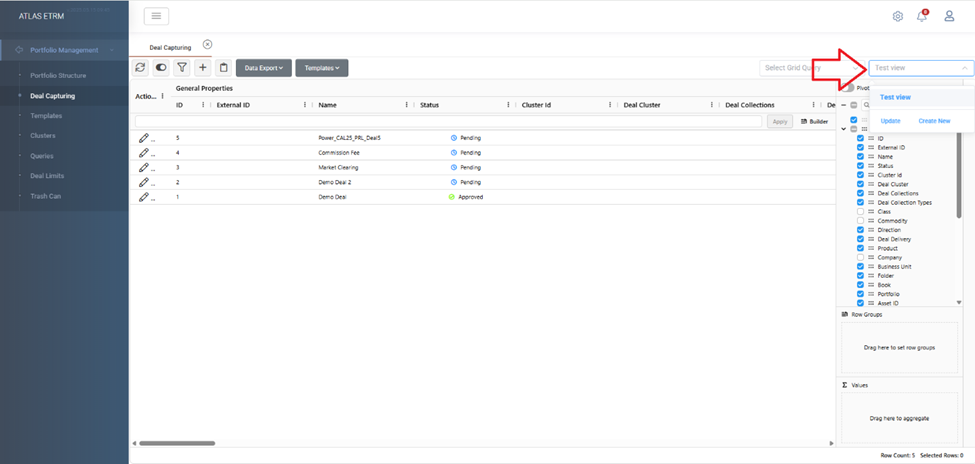
You can create or update views for the grid (currently supported in Master Agreements and Deals). This can be accessed via the "Select Grid View" input at the top right of your screen.
Pivot mode
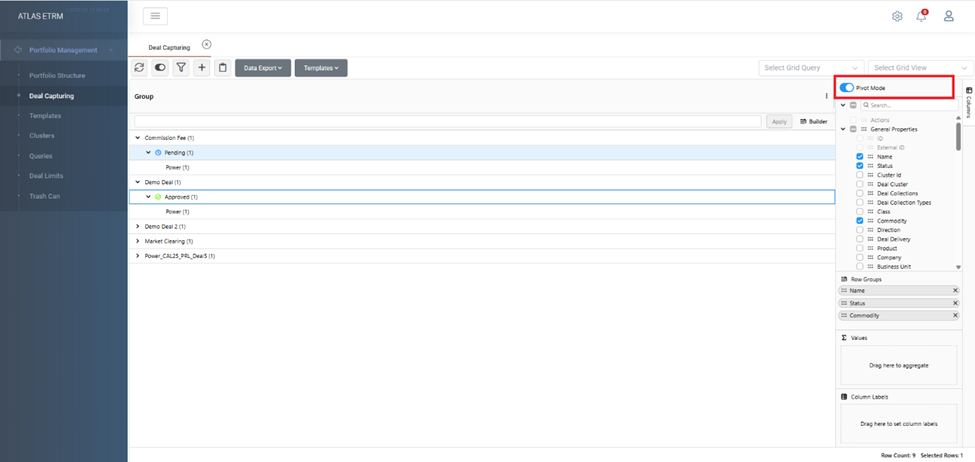
You can have pivot table view by enabling Pivot Mode and choose the specific Columns you want to see each time.
Was this helpful?