3.2.2 System Standing Data - Fuel & Gas Zones
Overview of Fuels and gas Zones
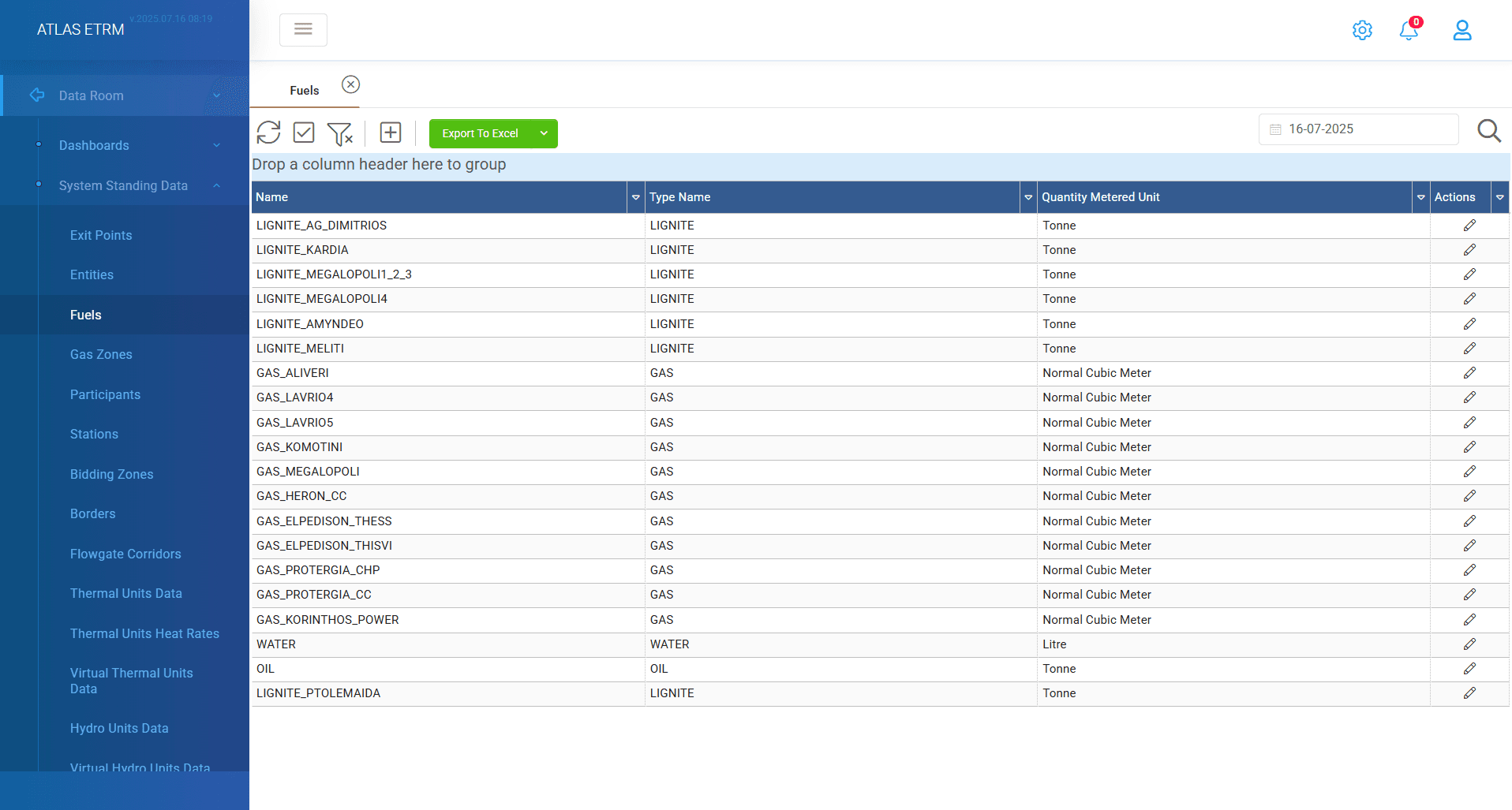
This screen displays the fuels of the generating units operating in the power system (conventional thermal generating units).To create a new fuel user should click "+" icon on top of grid and provide information about the fuel, such as:
Name: name of the fuel
Type: choose from the available options of the dropdown menu (gas, lignite, water, oil etc.).
Quantity Metered Unit: choose from the available options of the dropdown menu (kwh, MWh, ton, Nm3 etc.).
Fuel features: press the "+" icon to view a new pop up windows. There user should fill a validity date, a lower heating rate for the fuel and a cost. The cost can be standard (a constant price) or depend on a cost time series that can be inserted in relevant box by typing the first letters.
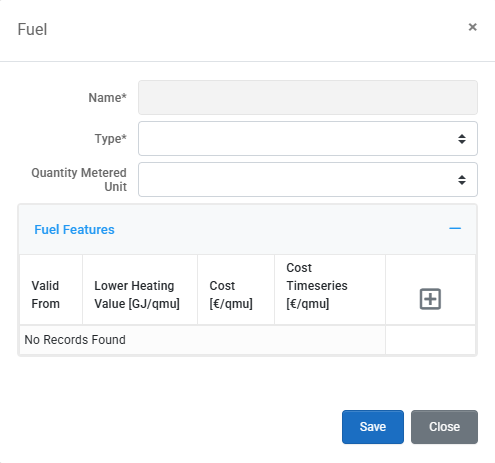
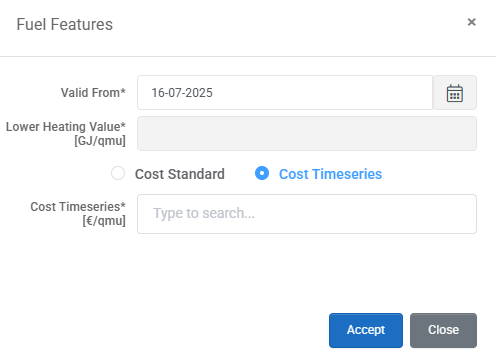
Save your changes and the new fuel will be added in the system. There is option to edit a current fuel by pressing the "pencil" button in actions area.
GAS ZONES
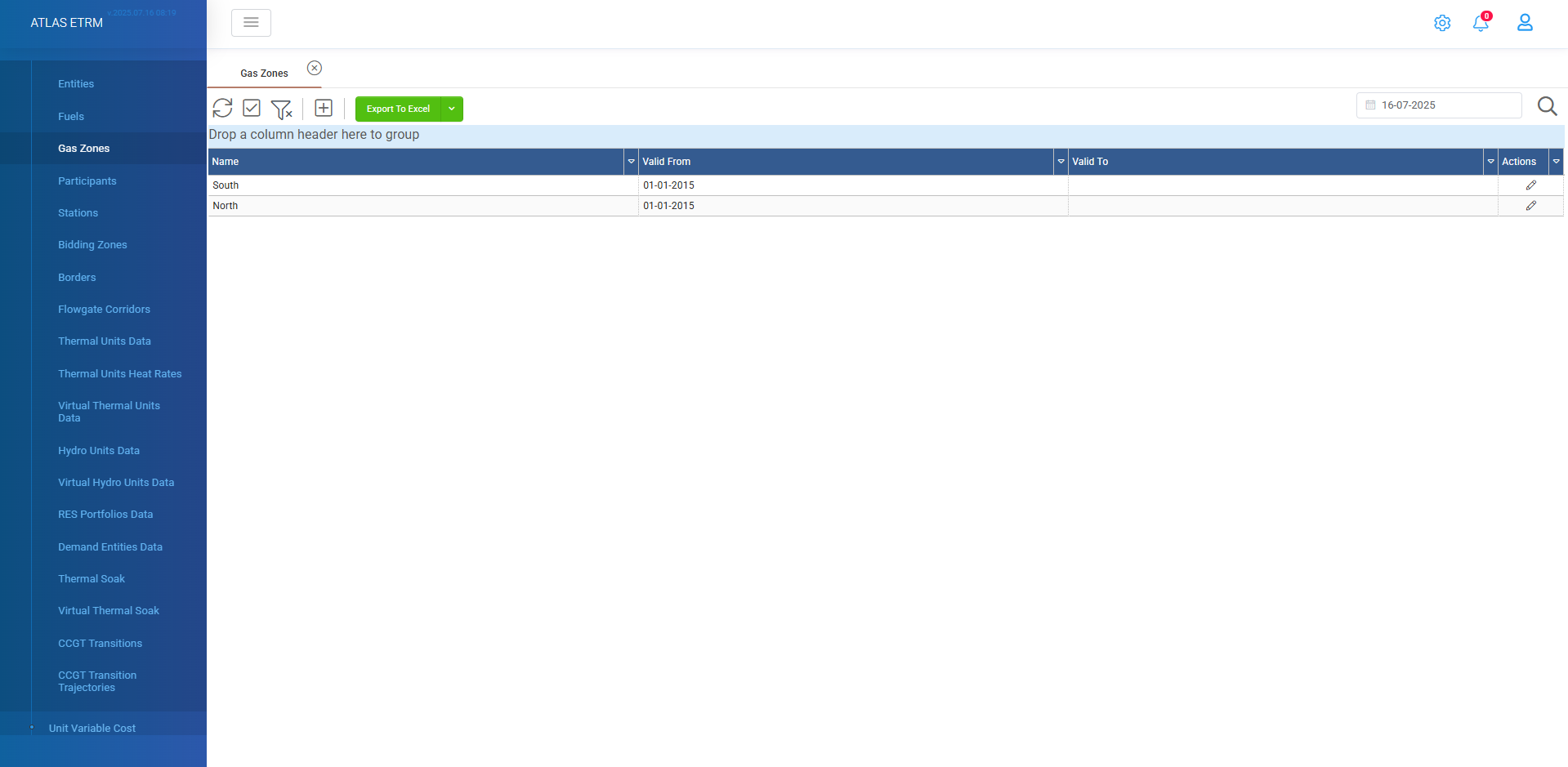
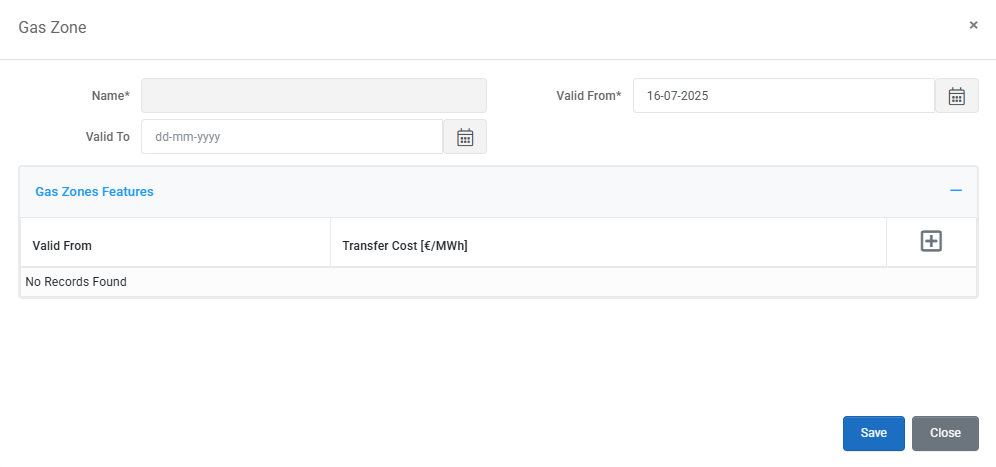
In this screen all gas transportation zones are shown in the grid. To create a new gas zone, the user can define information, such as:
Name
Valid From
Valid to (optional)
Gas Zone Features
At gas zone features users click the "+" icon and inserts a validity date and a transfer cost (in €/MWh).
Was this helpful?