Overview
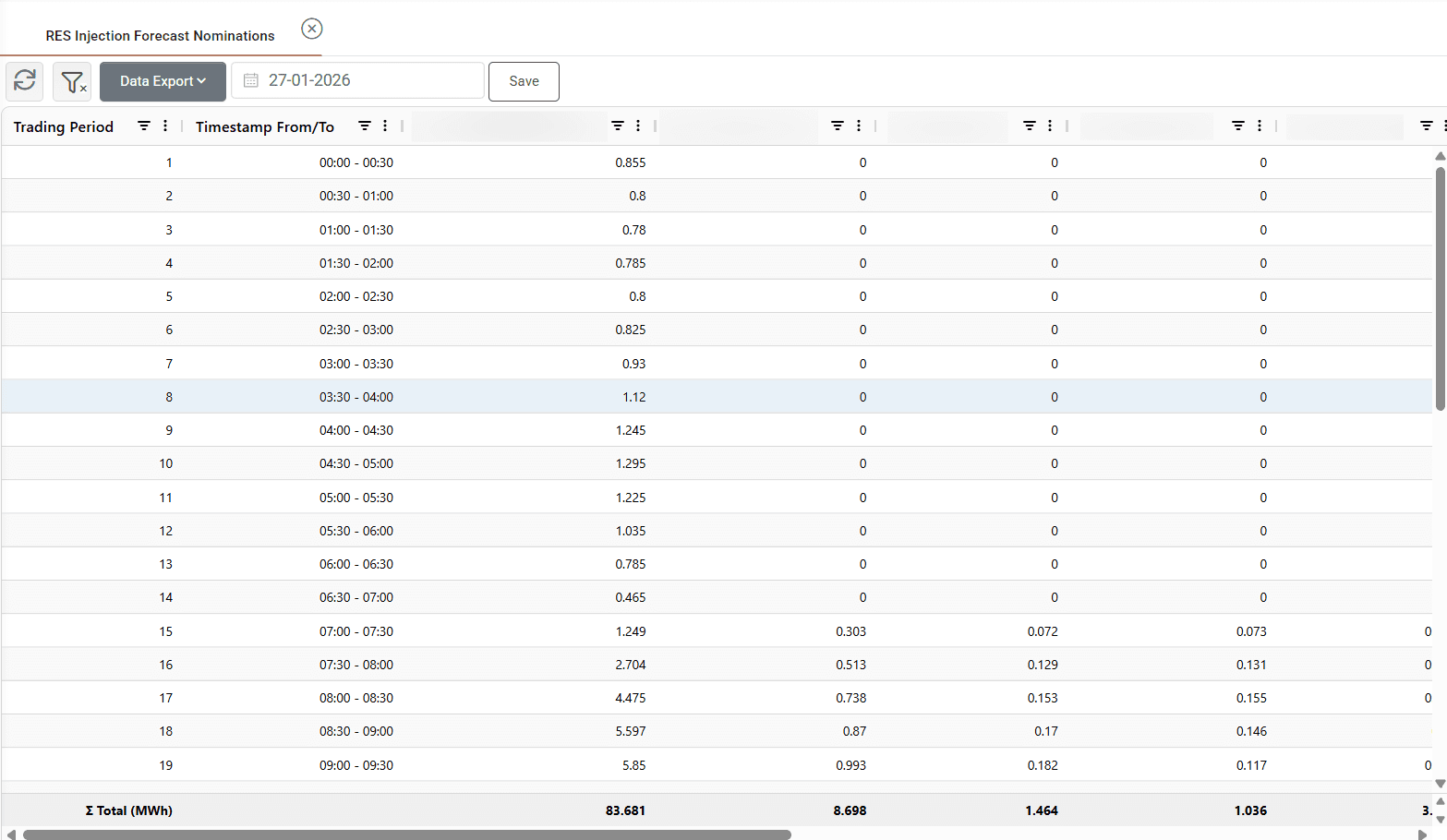
The RES Injection Forecast Nominations screen is used to declare the expected energy injection from renewable generation assets and portfolios for the delivery day. These nominations communicate forecast production to the market operator for scheduling and balancing purposes, where required by the applicable market.
Users can review the forecast quantities retrieved from the bidding entities’ configuration, make adjustments and save the nominations for approval and submission through the Market Order List.
Preparing Forecast Nominations
Open Scheduling → Nominations → RES Injection Forecast Nominations and select the delivery date.
The relevant entities must be configured for this process through Submits RES Injections Nominations in Bidding Entities. The grid displays trading intervals in rows and the configured entities in columns.
Quantities are populated automatically from the forecast configuration of each bidding entity. For portfolios, The forecast selection and aggregation logic is described in [Bidding Entities].
Review the populated quantities across the delivery day. Values can be adjusted directly in the grid where an operational update or a revised expectation needs to be reflected before submission.
Saving and Submitting
Click Save to create the nomination records in the Market Order List, where they follow the configured approval workflow.
An authorized user can review the records and select Approve and Send Orders to submit them to the market. Saving on the forecast screen does not itself complete submission; check the resulting order status and submission feedback in Market Order List.
To revise a nomination, return to the relevant delivery date, update the quantities and save. Review and submit the resulting records through the same workflow, within the permitted market submission window.
Appendix - Field Details
Field / Action | Description |
|---|---|
Delivery date | The date for which forecast nominations are prepared. |
Trading Period | The sequential trading interval within the selected delivery day. |
Timestamp From/To | The start and end of each trading interval. |
Entity columns | The bidding entities configured for this nomination process. Their capacities are displayed in the column headings. |
Forecast quantities | The expected injection values retrieved from the entity’s forecast configuration. Values can be adjusted before saving. |
Save | Creates the nomination records in the Market Order List for the applicable approval and submission workflow. |