5.4 Clusters
Overview of Clusters
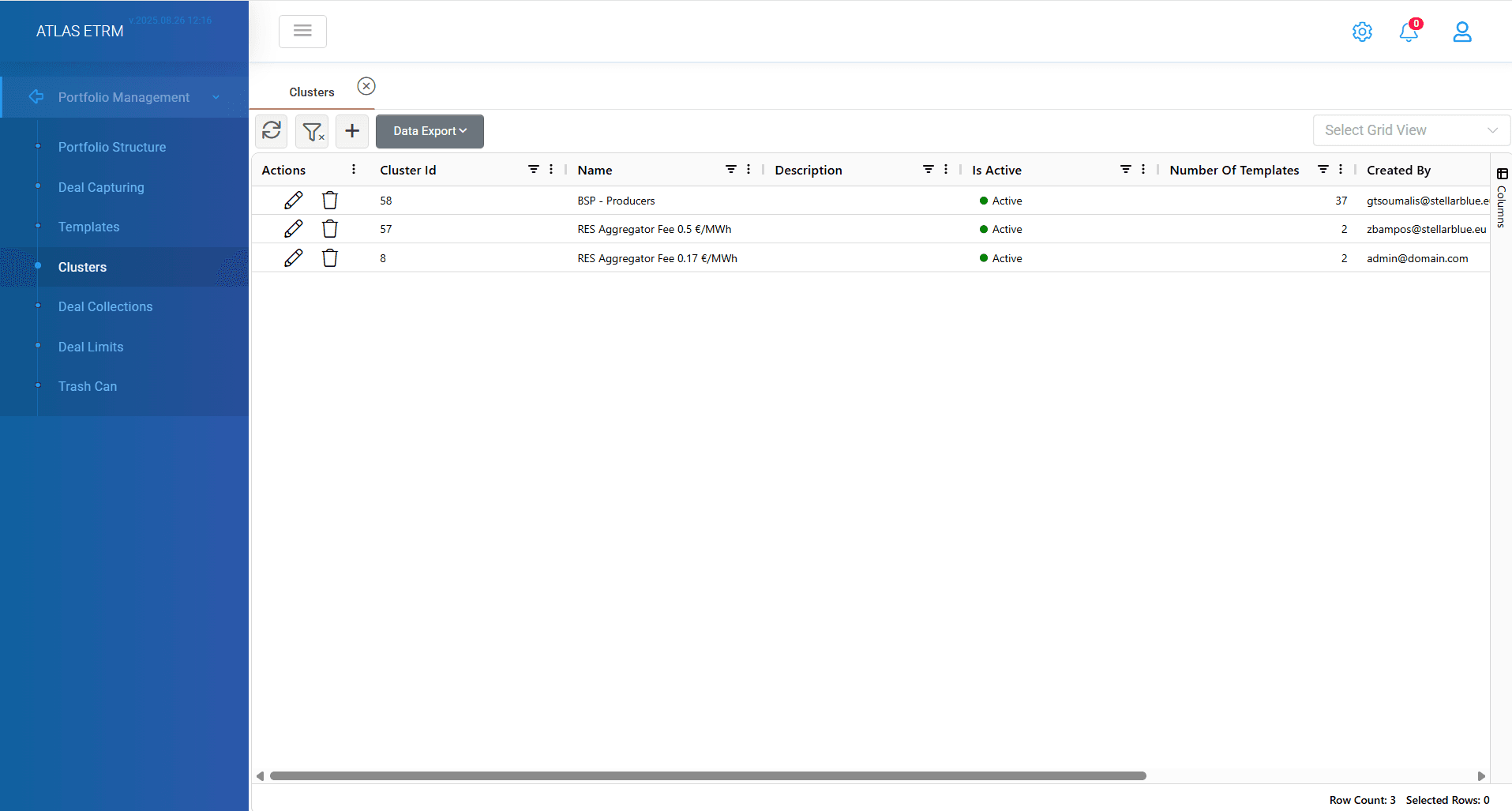
Essentially, a Cluster comprises several Deal Templates. The aim is that, when a Cluster is used for an Asset, an equivalent number of Deals will be automatically created based on the relevant Templates included in this Cluster. Clusters are mainly useful in cases where the same pricing policy is applied across multiple Assets on a regular basis. In such cases, the Cluster helps the user avoid manual Deal creation for repetitive Deals.
New Cluster Creation
To create a new cluster user should press the "+" button on top of grid. When creating a new Cluster, user should provide a Cluster Name on top of grid and optionally user may add a small description for easier memo. Also, there is an option to make the cluster active/non active from the top right checkbox "Is Active".
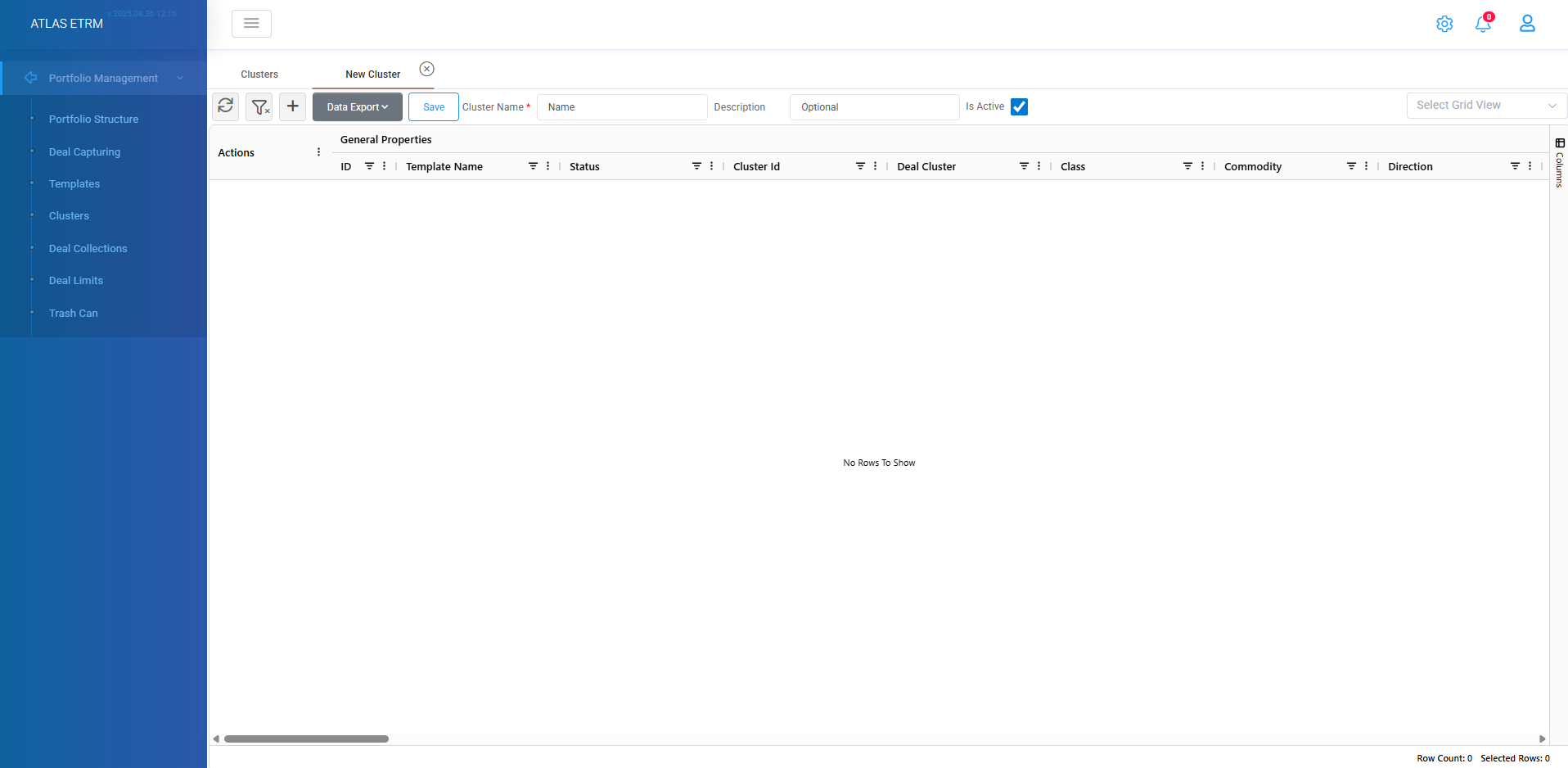
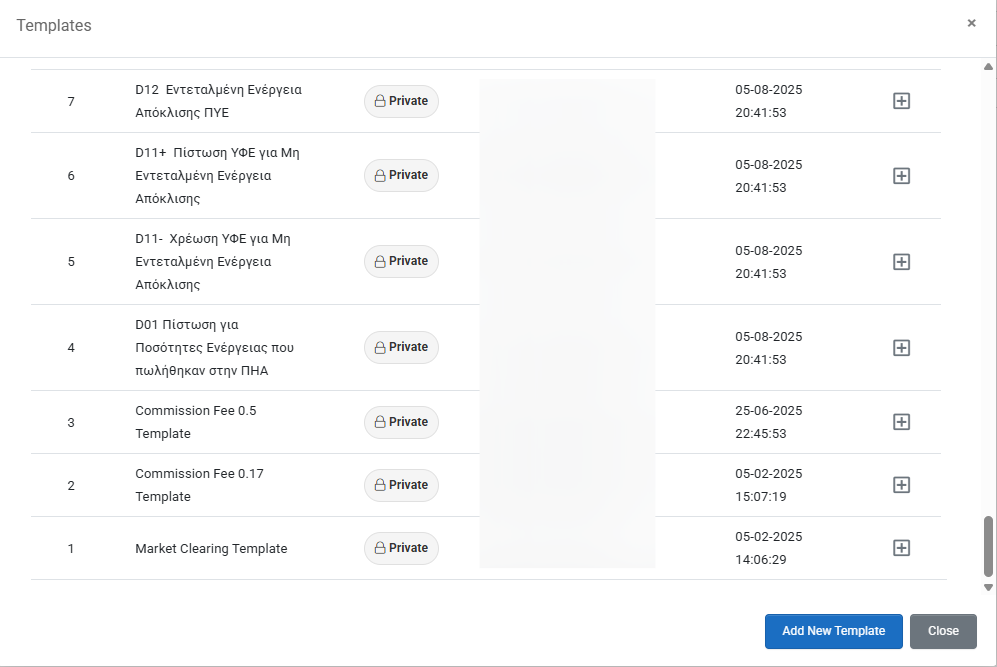
By pressing the "+" icon (new record) on top a new pop up windows appears with all existing templates in system where user can:
View all the existing templates with their details and press the "+" button to add the template in the cluster. When pressing the button automatically the template is inserted so user presses close button when the insertion is finished.
Create a new template from scratch by pressing "Add new Template" button.
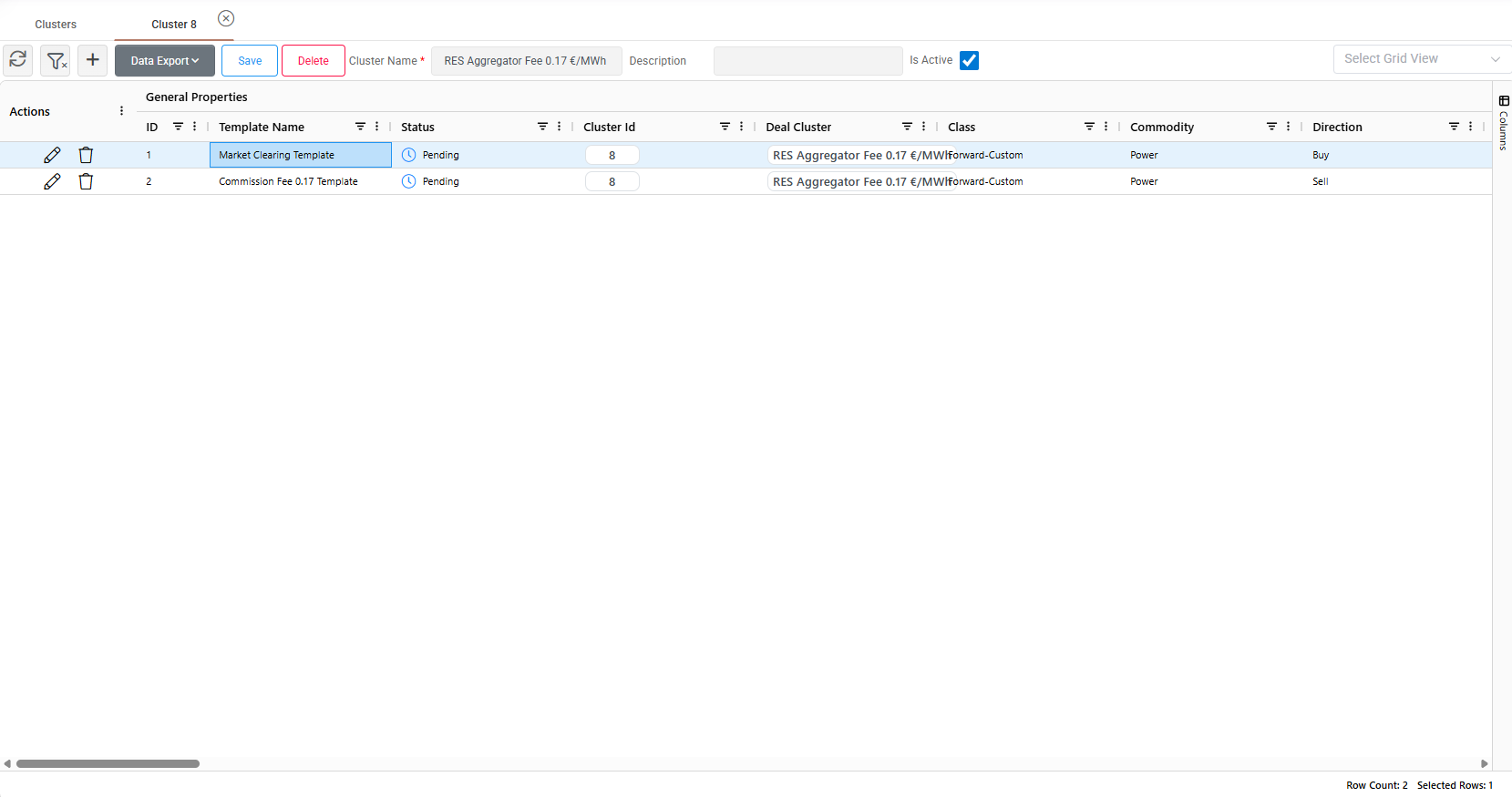
After adding and filling all desired Templates in the Cluster, the user ends up with a screen similar like in the image below. By double clicking on a template a new tab opens with the template's details where it can be modified, as well. After finishing with the creation the user should save the Cluster through the “Save” button at the upper part of the page. User can remove templates from cluster by:
Pressing the trash can icon in actions area.
Right click and select remove template.
It should be noted that the template is not deleted from system, but only gets removed from cluster.
Lastly, a cluster may be deleted by either pressing delete button on top when we are inside a cluster or by pressing the "trash can" icon in actions area when we are in central clusters view. A relevant confirmation message will appear before deletion.
Additional actions
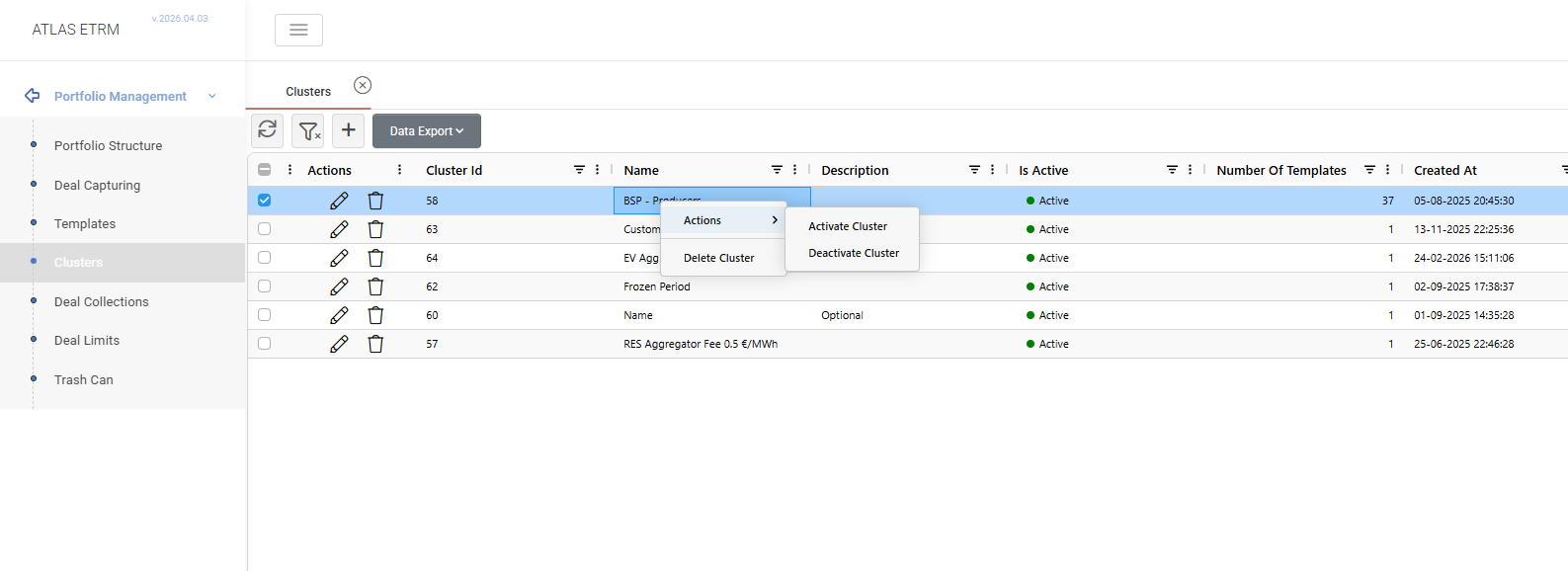
By right clicking in central view there are some more options available. Specifically:
Activate Cluster
Deactivate Cluster
Delete Cluster
Was this helpful?