5.1 Portfolio Structure
Overview of Portfolio Structure
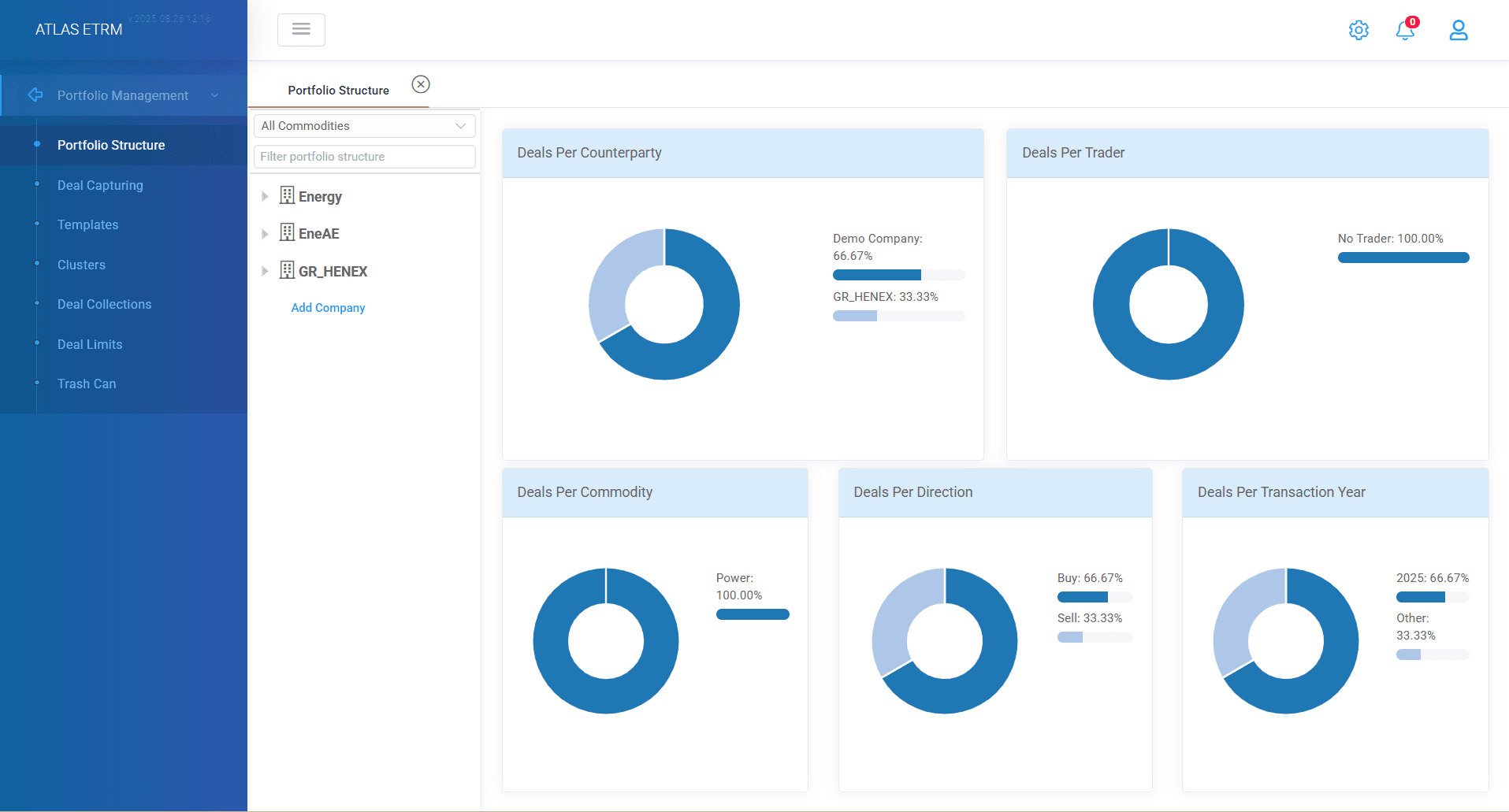
Overall, this module - Portfolio management is designed to support energy trading activities by providing a structured way to manage deals, assets and manage risk, organize documents, and ensure that all trading activities fall within set limits and comply with regulatory requirements.
Portfolio Structure
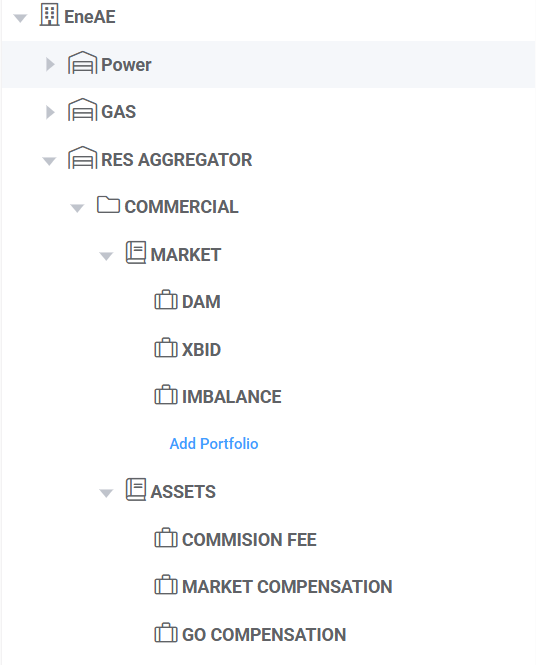
In the “Portfolio Structure” menu the user can view all different portfolio organizational hierarchies, such as Company, Business Unit, Folder, Book, and Portfolio, in a tree-like form. Any separate deal may belong to any of the above mentioned structural levels. It is necessary for better deal organization and easier reporting.
By selecting a given level, different portfolio statistics are provided to the user in the form of pie charts that are dynamic. These statistics are organized into 5 main categories:
Deals per Counterparty
Deals per Trader
Deals per Commodity
Deals Per Direction
Deals per Transaction Year
Note: Portfolio structures are created only for the user’s own companies — not for counterparties or clients.
🔹 Creating a New Portfolio Structure
Click the “Add Company” button.
A list of eligible companies will appear that are registered in Back Office at Companies section (only companies not yet assigned a portfolio structure are shown).
Select the company and press “Save” to initialize its portfolio structure.
🔹 Building the Structure
Once the company is added:
Click “Add Business Unit” to insert the first level under the company.
Enter a name for the business unit.
Optionally, continue adding further levels, such as Folders, Books and Portfolios, under each business unit.
🔧 Editing & Maintenance
To rename any level, hover over the item and click the pencil icon, enter the new name, and click “Save.”
To delete a portfolio level, click the trash can icon next to the item.
Important:
You can delete part of or the entire structure by selecting the item and pressing the “Delete Item” button. Upon doing so, the system will prompt you with a confirmation message that includes the number of deals currently linked to that item, ensuring the user is aware of any downstream impact.
A typical structure for the case of aggregator is displayed below.