6.5 Bidding-Strategy
Overview of Strategy
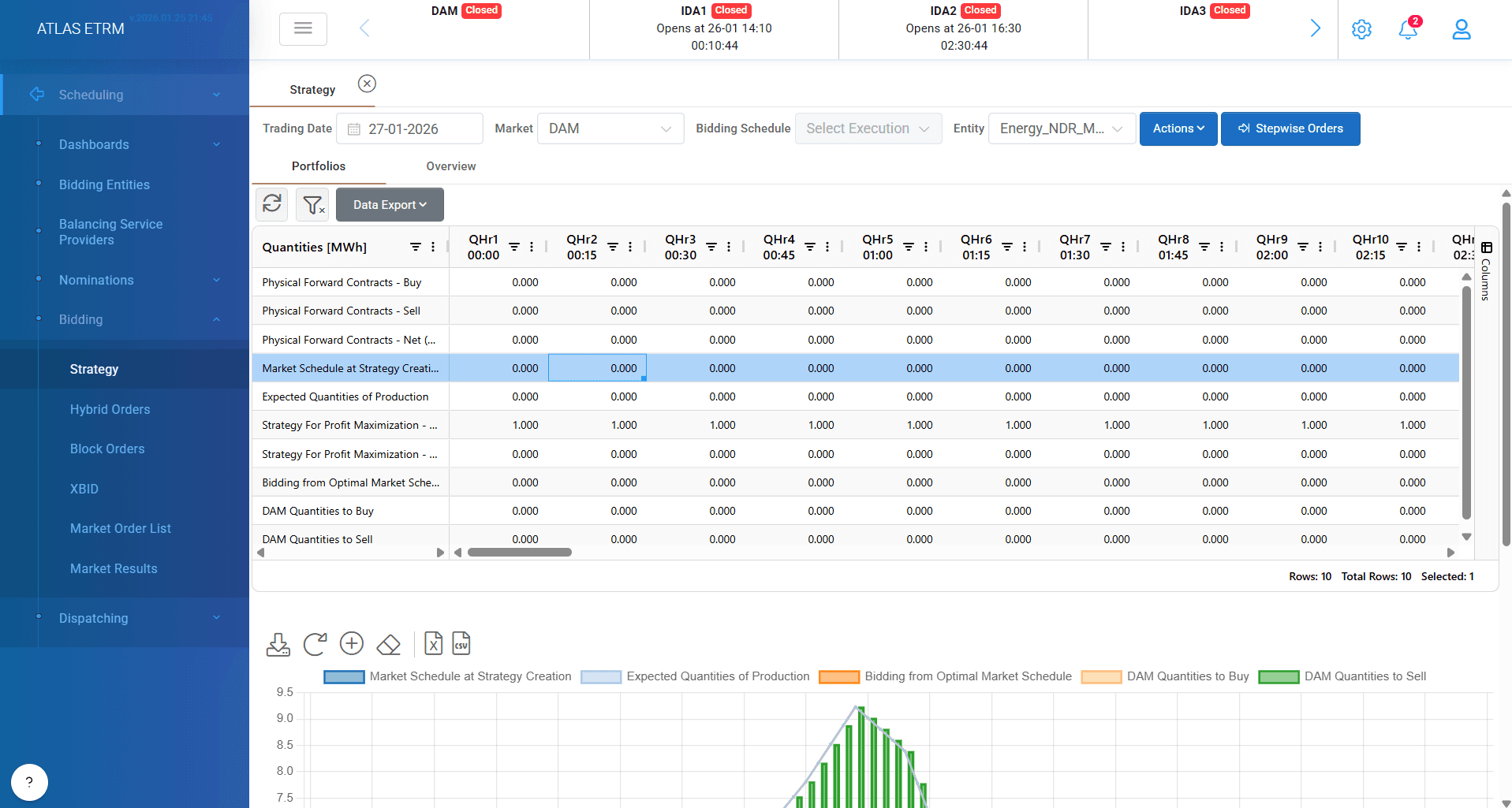
The Bidding Strategy screen in ATLAS ETRM is a powerful decision-support tool designed to help users strategically participate in the Spot Markets. It combines historical data, forward positions, real-time schedules, and forecasting tools to enable informed, optimized bidding.
Screen Overview
Upon entering the screen, users must first:
Select a target trading date (by default the next day in preselected).
Choose the market (e.g., DAM, IDM, XBID).
Once selected, the system automatically:
Displays a list of eligible bidding entities on the right side, filtered based on the selected market (as defined in the Bidding Entities screen). User should choose the entity that wants to construct a strategy.
Integrated Data Sources
To ensure accurate decision-making, the screen automatically retrieves and displays:
Forward Market Physical Contracts (buy and sell side) and calculates the net quantity between them, so a “Market Schedule” at strategy creation comes up.
The “Expected Quantities of Production/Consumption”. It depicts the latest forecast for the specific bidding entity.
Users have full flexibility to apply custom adjustments to suggested quantities by double clicking on the relevant fields and edit the values or by copy pasting from an external file:
Multipliers: Scale the suggested quantity by a defined factor.
Adders: Add/subtract a fixed amount to/from the suggested quantity.
According to the input the system automatically suggests the buy/sell quantities.
This allows traders to tailor their bidding strategy to reflect:
Portfolio-level constraints
Risk appetite
Market dynamics
📊 Visual Strategy Insights
To enhance understanding and support decision-making, the screen offers dynamic charting tools:
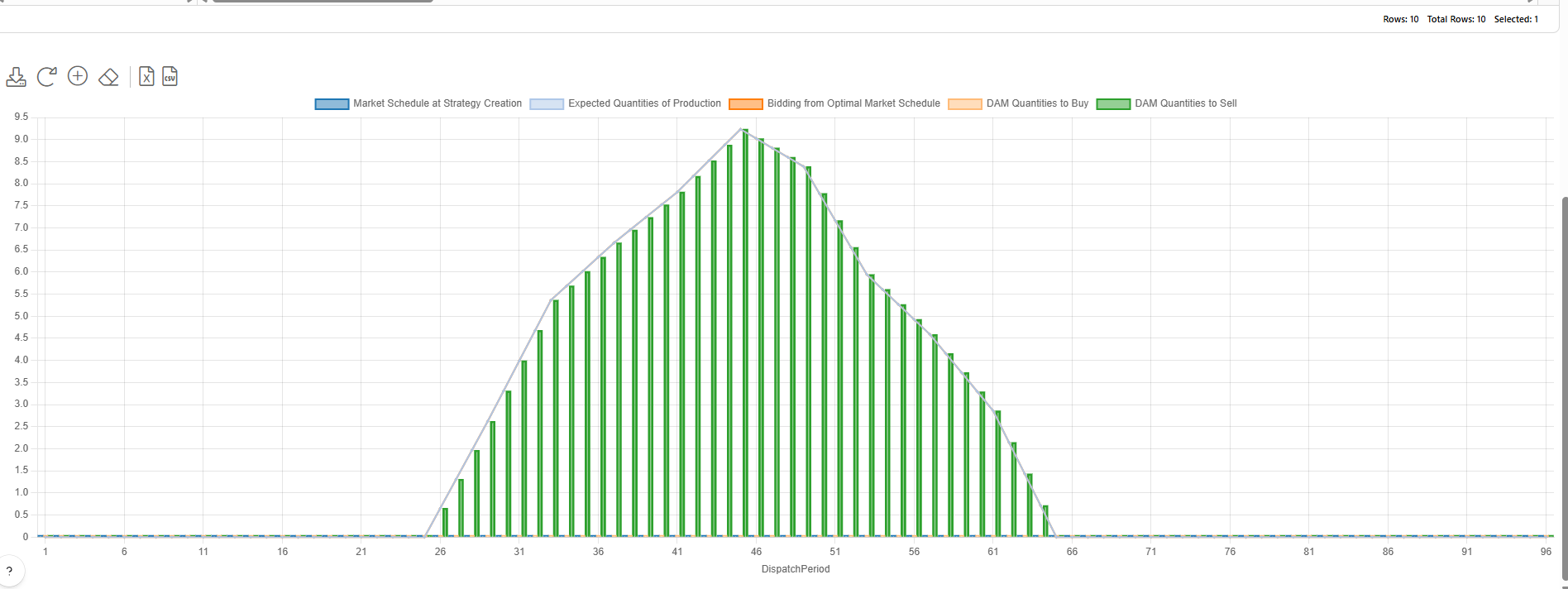
Line and bar charts display optimal buy/sell quantities by bidding entity
Users can visually assess:
The impact of their strategies
How changes affect their net position
Allocation across time intervals
This real-time visualization boosts transparency and helps users quickly validate their strategic assumptions.
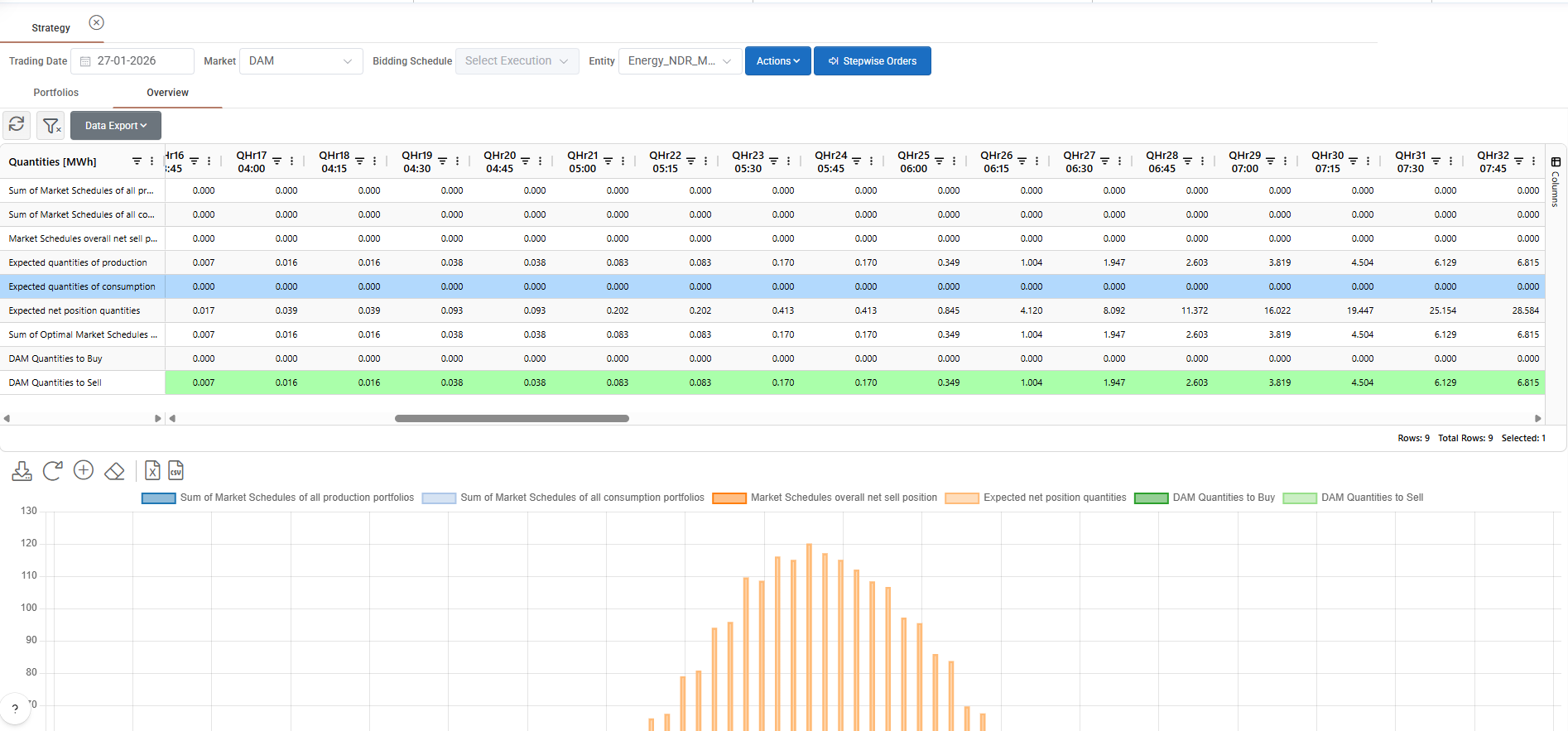
In the first sub-tab “Portfolios” system creates a strategy per portfolio, while the
second sub-tab “Overview”, users gain access to an aggregated overview, where they can:
View all included assets or portfolios
Analyze aggregated strategies
Ensure consistency across different units and markets
This high-level view supports holistic strategy formulation and alignment with organizational goals.
Downstream Usage
All quantities and bidding strategies defined in this screen can be seamlessly transferred to:
Stepwise Orders
Block Orders
This integration reduces duplication of effort and ensures a smooth workflow from strategy to order execution.
Actions/Stepwise Orders
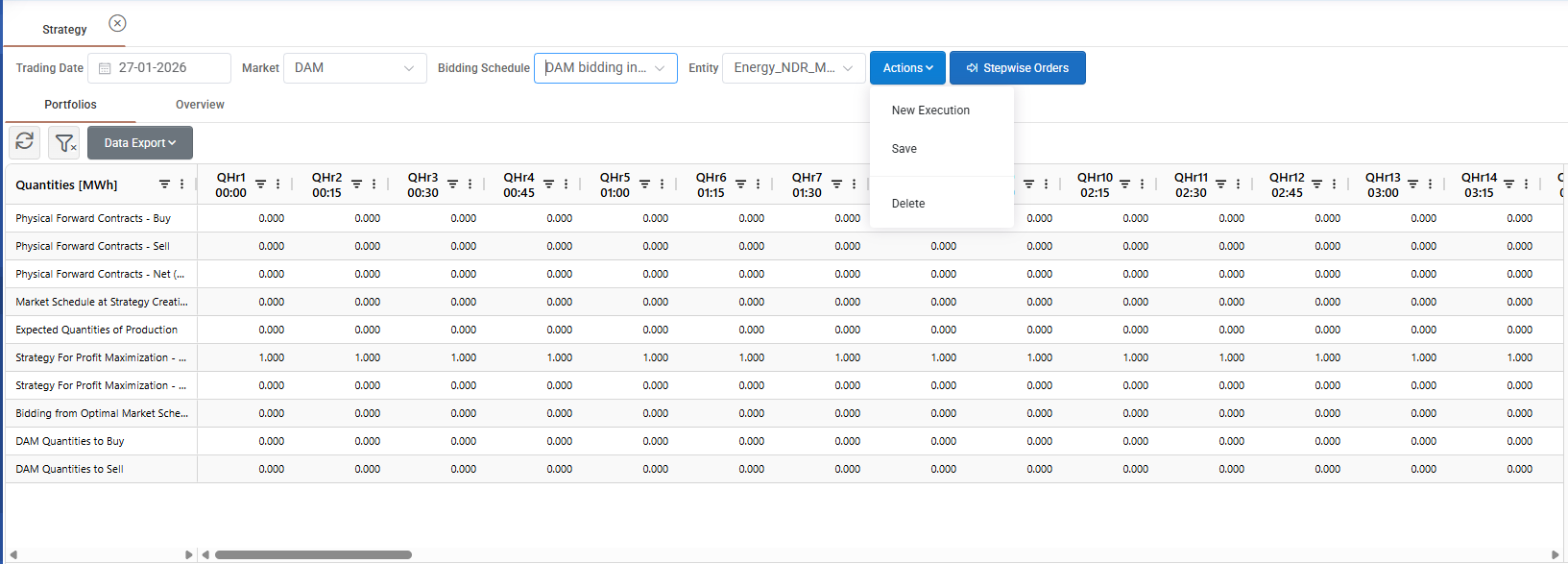
From actions button at the top of the screen user can perform various actions in strategy section:
New execution: User can start a new strategy execution, which automatically loads the latest forecast at all entities.
Save: After strategy creation user must save the changes, so they can be automatically used in next screens.
Delete: user can delete an existing execution.
From “Bidding Schedule” button on the top of screen user can load a specific execution. All save executions are stored in this list and can be edited.
Lastly, “Stepwise Orders” button automatically redirect the user to next screen “Stepwise/Hybrid” orders where system automatically brings the suggested buy/sell quantities to the relevant entity, facilitating the bidding process.
Was this helpful?