4.14 IBANS
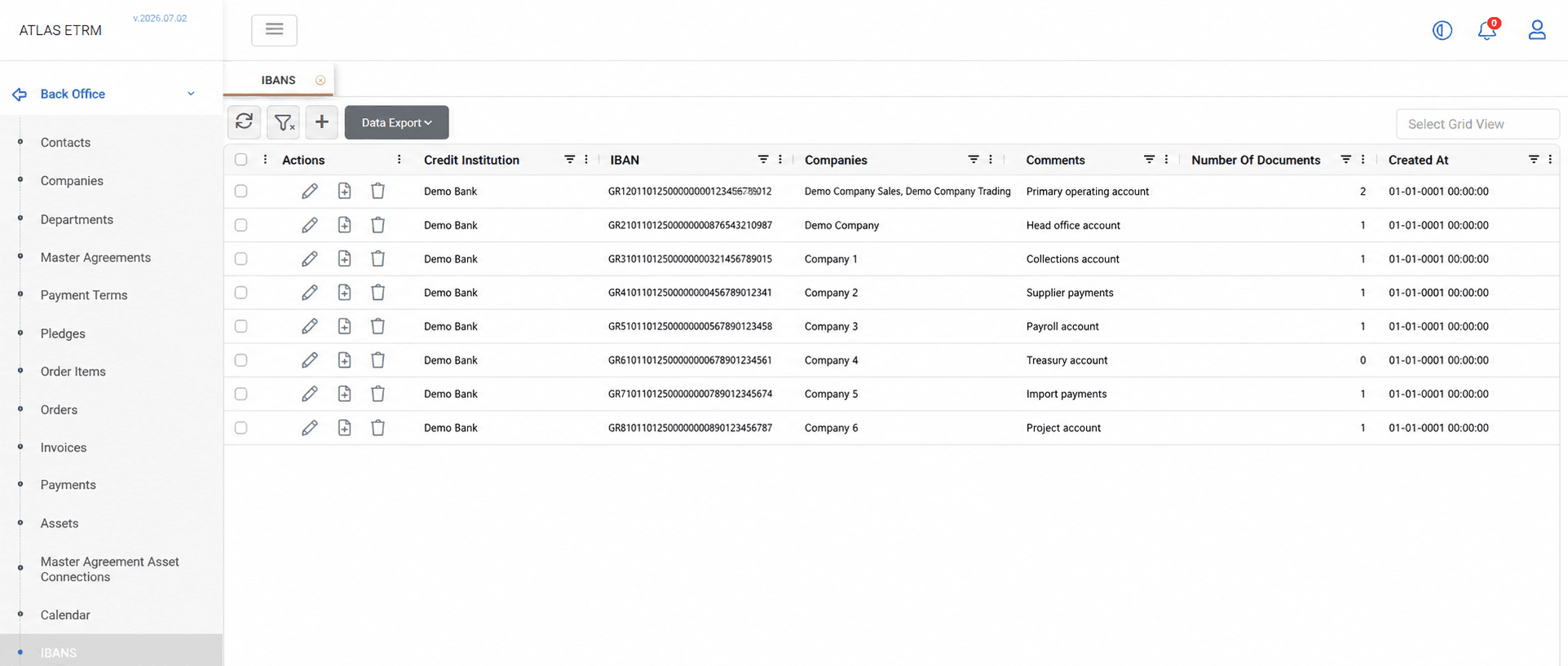
Overview
The IBANS screen is used to maintain bank account information associated with company records registered in the platform. An IBAN record represents the banking details used in financial processes such as payments and settlements.
IBAN records store information such as the credit institution, IBAN number, associated companies, comments, and related documentation. An IBAN may be linked to multiple company records to support different business configurations, such as cases where the same legal entity is maintained through multiple records in the ETRM.
IBAN information may be exported to Excel or CSV format using the Data Export option.
Creating an IBAN
Click the + button at the top of the IBANS grid. A new IBAN form opens where the required banking information can be entered.
The Credit Institution and IBAN fields are mandatory. Additional information, such as associated companies and comments, may also be maintained.
Once all required information has been entered, click Save.
Editing and Deleting IBANS
Editing an IBAN
To edit an IBAN, double-click the desired record in the grid or click the Pencil icon displayed in the Actions area. Update the required information and click Save.
The Copy button creates a new IBAN by duplicating the currently displayed record. The copied information can then be modified as required before saving it as a new IBAN.
IBAN information is organized into the following tabs:
Info – Displays the IBAN’s general information, including the credit institution, IBAN number, associated companies, and comments.
Pledges – Displays all pledge and pledge release records associated with the IBAN. Users can review and manage the related pledge information through the available actions.
Documents – Displays all documents linked to the IBAN record. Users can upload new documents, update existing files, review document versions, download files, and delete documents through the available actions.
Deleting an IBAN
An IBAN may be deleted from the Info tab by clicking the Delete button within the selected IBAN record.
IBAN records may also be deleted directly from the IBANS grid by using the Trash Can icon displayed in the Actions area, or by selecting one or more records and choosing Delete IBANS from the right-click menu.
The user must confirm the deletion before the selected IBAN records are permanently removed from the system.
Appendix - Field Details
Field / Element | Required | Description |
|---|---|---|
Credit Institution | Yes | Defines the financial institution associated with the IBAN. The available values are retrieved from Company records that have been classified with the Credit Institution company type. |
IBAN | Yes | Stores the International Bank Account Number used for financial transactions and settlements. |
Companies | No | Defines the company records associated with the IBAN. The available values are retrieved from the Companies registered in the platform. Multiple companies may be selected when applicable. |
Comments | No | Allows additional notes or information related to the IBAN record to be maintained. |