
Docs / 4. Back Office
4.11 Calendar
Overview of Calendar
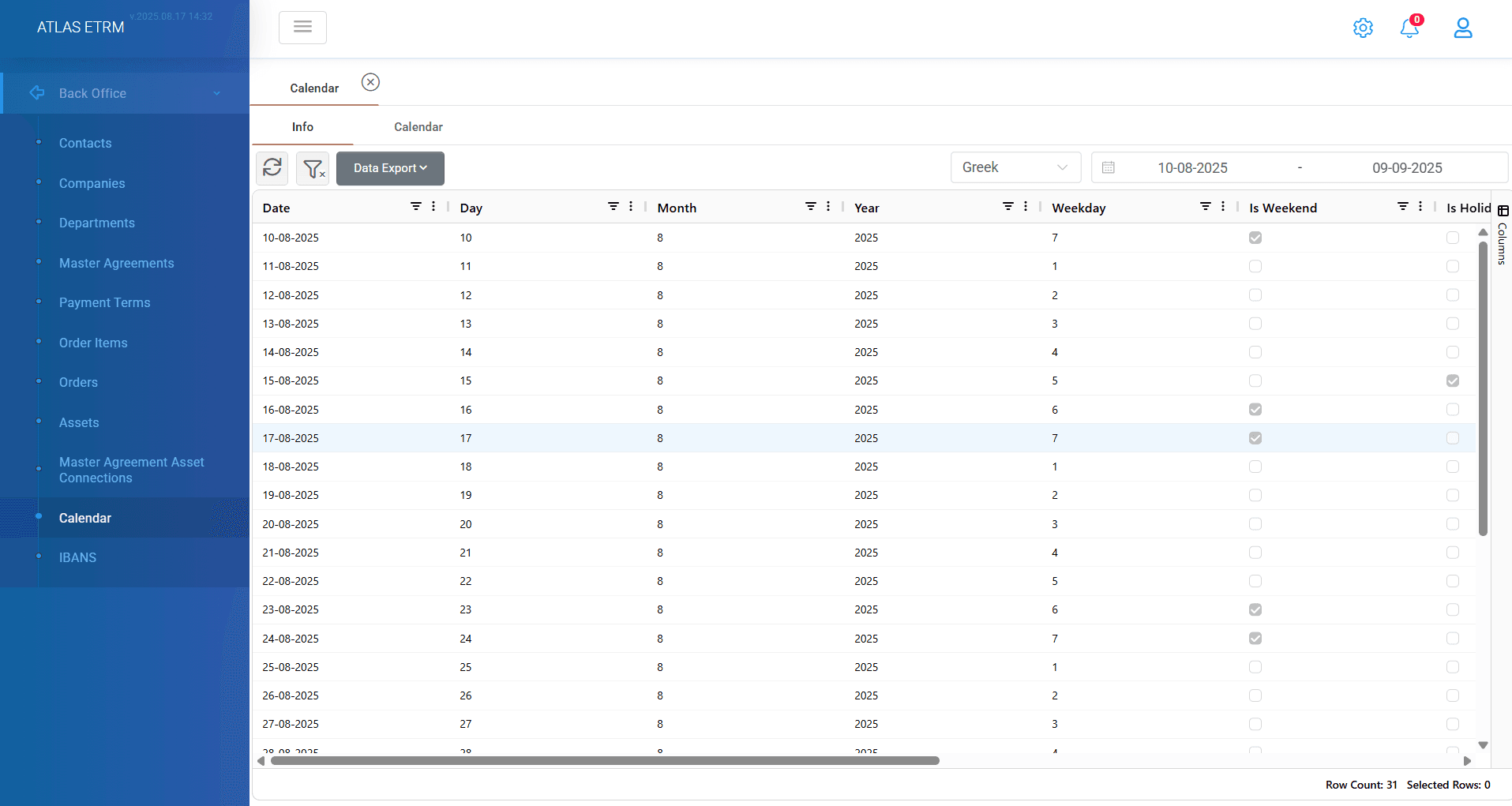
This screen features the calendar where the user can view metadata for each day within a specific day range. The screen displays information such as: date, if the day is a holiday or not, if it is a weekend, etc. It consists of the Info tab and the Calendar menu, each offering different visualization of data.
Info Tab
The Info tab displays metadata for each day within a specific date range, which can be defined in the upper-right section of the screen. Important is that we can select the calendar that we want to view from different countries (Belgian, EEX, French, German, Greek, Cypriot, Hungarian, ICIS and Italian calendar). The information displayed include:
Date
Holiday Status – Indicates whether the selected day is a holiday
Weekend Status – Identifies if the day falls on a weekend
Other relevant metadata
Calendar Menu
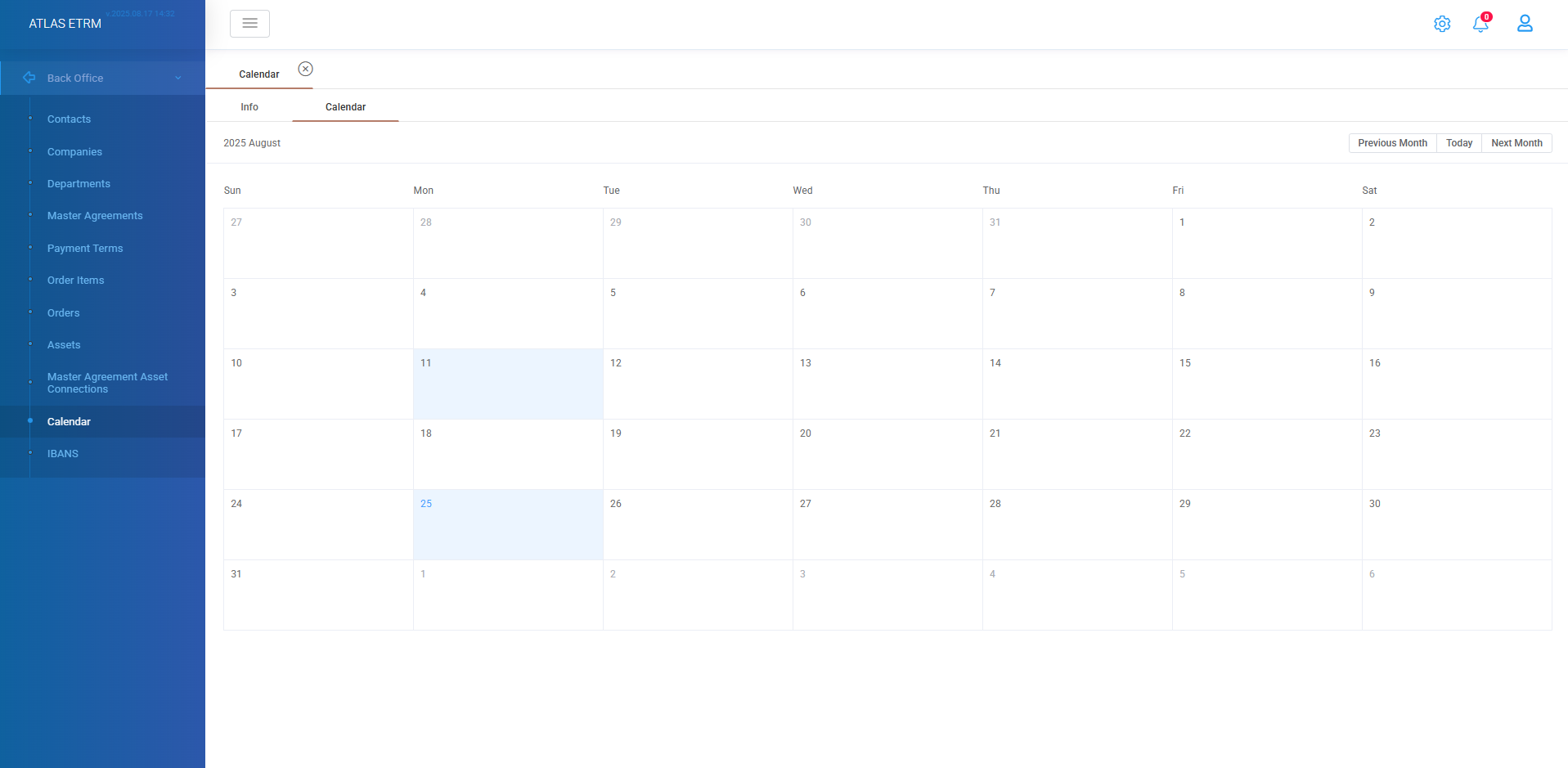
The Calendar menu provides a more visual representation of the calendar, offering an intuitive way to navigate and analyze date-based information. Below the calendar tab is displayed. The depicted month is shown in the top left of the screen, while on top right on the calendar there are buttons to navigate easily between months. This section helps users efficiently track and interpret important date-related details within the system.
Was this helpful?