4.1 Contacts
Overview
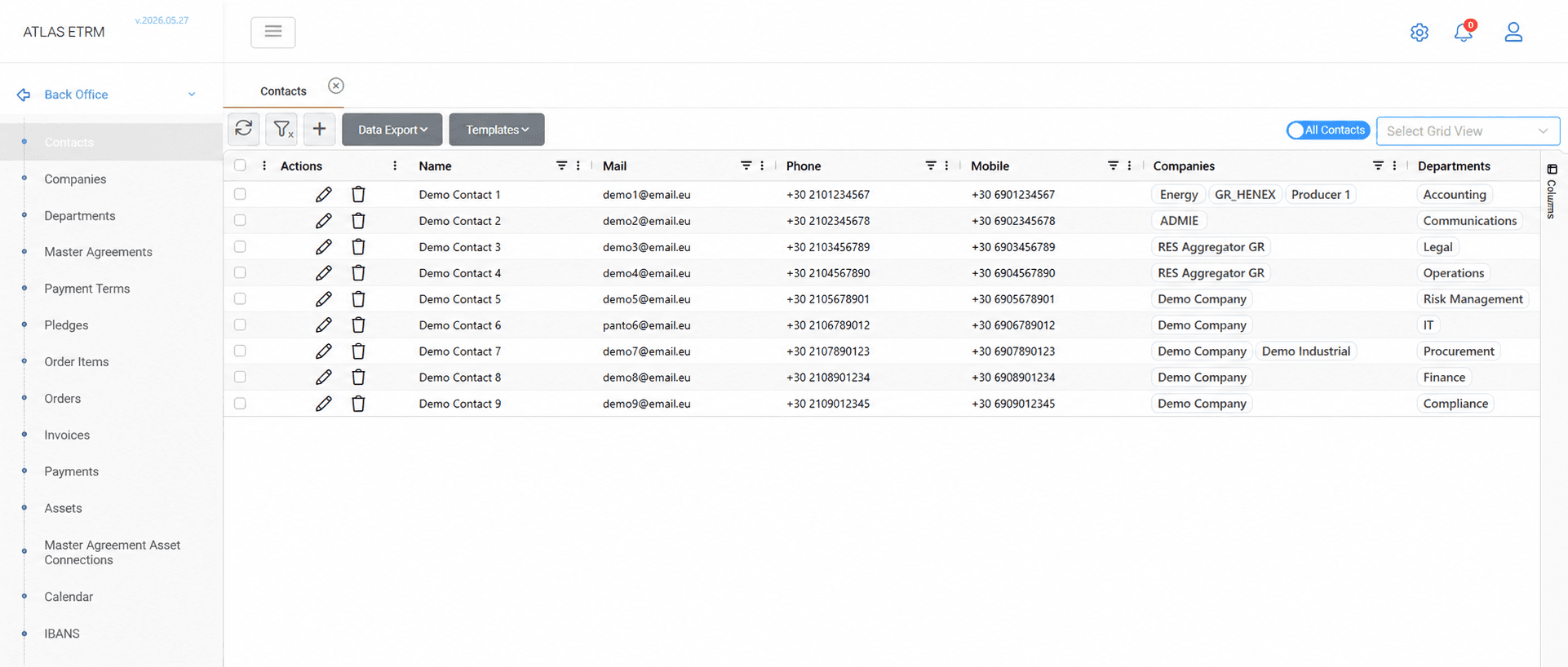
The Contacts screen is used to maintain information about individuals associated with companies registered in the platform. A contact represents a natural person and may be linked to one or more companies, departments, and roles.
Contact records store communication details, including email addresses, phone numbers, mobile numbers, and fax numbers, together with organizational information used throughout the platform.
Contact information may be exported to Excel or CSV format using the Data Export option.
Creating a Contact
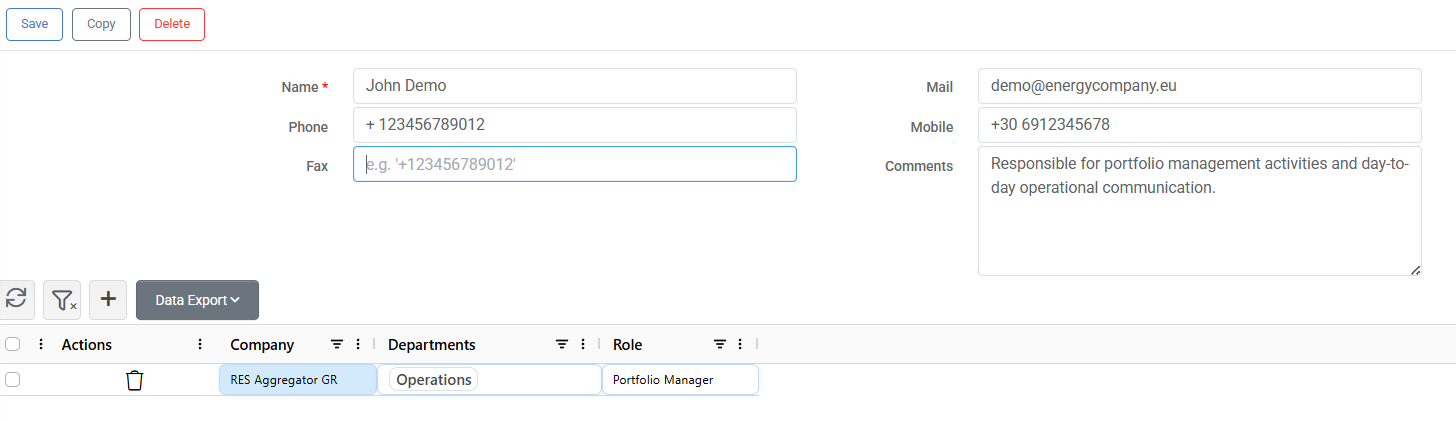
Click the + button at the top of the grid. A contact form opens where the user's communication details and organizational information can be entered.
In addition to contact details, the contact may be linked to one or more companies and assigned the appropriate departments and roles.
Once all required information has been entered, click Save.
Editing and Deleting Contacts
Editing a Contact
Double-click a contact in the grid, modify the required information and click Save.
The Copy button creates a new contact by duplicating the currently displayed record, which can be useful when multiple contacts share similar information. The copied information can then be modified as required before saving.
Deleting a Contact
From the Contacts grid, right-click the desired contact and select Delete Contact, or click the Trash Can icon displayed next to the record.
Alternatively, open the contact and click the Delete button.
Mass Actions
Creating and Updating Contacts via Template
This process may be used to create new contacts or update existing contacts in a single upload.
Click Templates → Download Template.
Open the template in Excel and populate or modify the contact information as required.
Save the completed file.
Return to the Contacts screen and click Templates → Import Template.
Select the completed file and confirm the upload.
When the template contains existing Contact IDs, the corresponding contacts are updated. Rows without a Contact ID are imported as new contacts.
Appendix - Field Details
Field / Element | Required | Description |
|---|---|---|
ID | No | System-assigned numeric identifier of the contact. |
Name | Yes | Full name of the contact. |
No | Email address of the contact. | |
Phone | No | Primary telephone number of the contact. |
Mobile | No | Mobile telephone number of the contact. |
Fax | No | Fax number of the contact. |
Comments | No | Free-text field for additional notes or remarks related to the contact. |
Company | No | Company with which the contact is associated. A contact may be linked to one or more companies. Available companies are maintained in the corresponding Back Office master data screen. Any newly created company automatically becomes available for selection. |
Department | No | Department associated with the selected company. One or more departments may be assigned for each company association. Available departments are maintained in the corresponding Back Office master data screen. |
Role | No | Business role of the contact within the associated company and department. Standard roles include Gas Trader, Head of Settlement, Head of Trading, Portfolio Manager, and Power Trader. Additional custom roles may be created as described in the Administration → Dynamic Types → Contact Roles section and become available for selection once configured. |
Created At | No | Date and time the contact was first created. |
Created By | No | Username of the user who created the contact. |
Modified At | No | Date and time of the most recent modification. |
Modified By | No | Username of the user who modified the contact. |