4. Market Configuration
Overview of Market Configuration
4.1 Markets
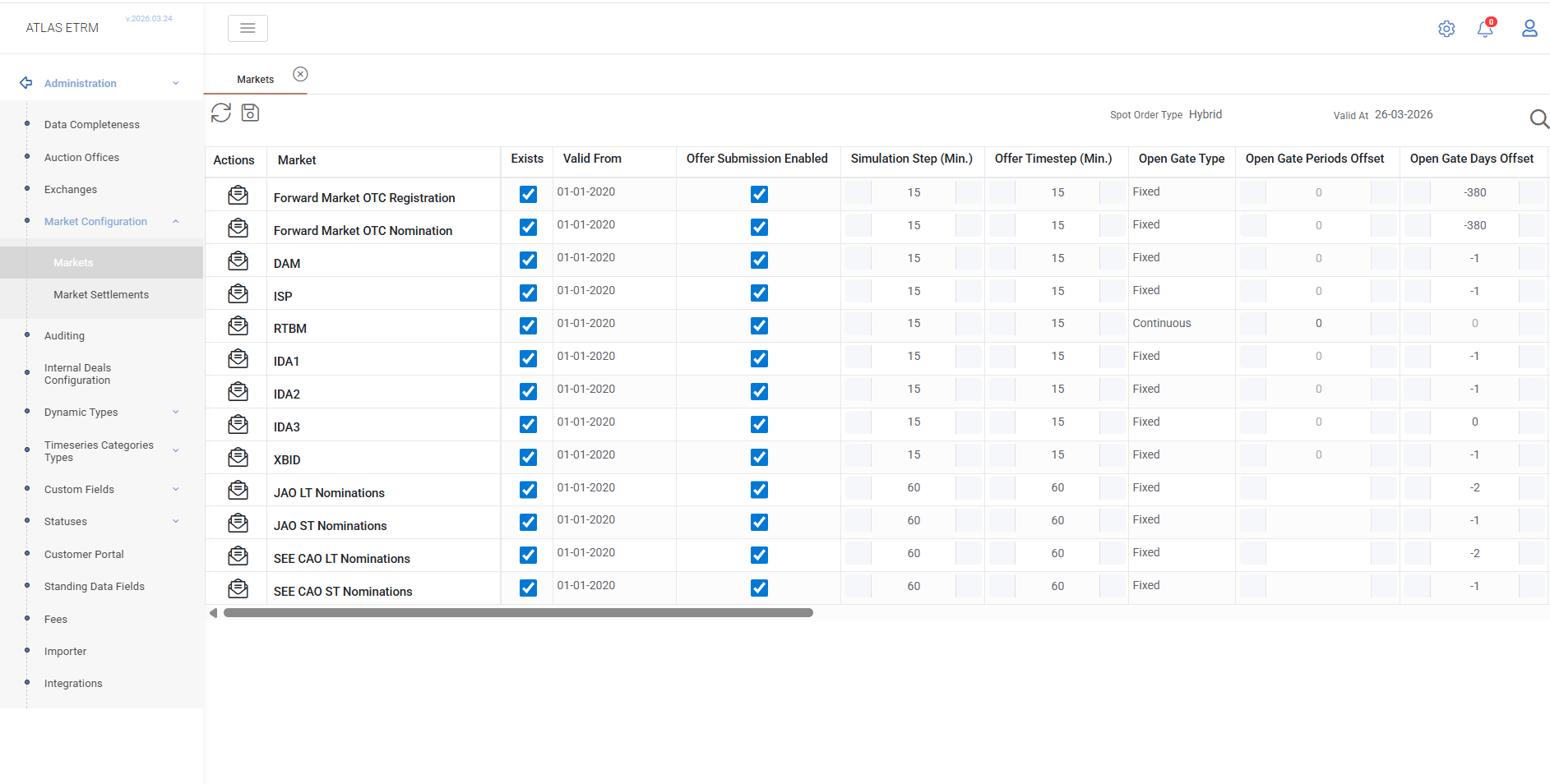
The Markets screen displays all available market segments in a grid format, where users can configure their operational parameters.
Each market (e.g., DAM, ISP, RTBM, XBID) represents a specific trading environment with its own rules regarding offer submission, gate timing, and trading behaviour.
Data View
The grid displays the configuration of each market segment through the following fields:
Exists
Indicates whether the market segment is active and operational for the participating bidding zone.Valid From
Defines the date from which the market configuration is effective.Offer Submission Enabled
Determines whether offer submission is allowed in the specific market.Simulation Step (Min)
Defines the time resolution used for the market, which is sometimes different than the offers time resolution (e.g. in Cyprus, RTBEM produces 5-minute results using 30-minute offers).Offer Timestep (Min)
Specifies the time granularity of submitted offers.Open Gate Type
Defines how the market opens (Fixed or Continuous).Open Gate Periods Offset
Defines the number of periods before the trading day when the market opens.Open Gate Days Offset
Defines the number of days before the trading day when the market opens.Open Gate Time
Specifies the exact opening time of the market.Close Gate Type
Defines how the market closes (Fixed or Continuous).Close Gate Periods Offset
Defines the number of periods after which the market closes.Close Gate Days Offset
Defines the number of days offset for market closing.Close Gate Time
Specifies the exact closing time of the market.Trading Type
Defines the trading mechanism (Auction or Continuous).Target Starting Period
Defines the period when delivery starts.Target Start Reference
Defines the reference point for the start of delivery (e.g., Trading Date, Now, Gate Open).Target Ending Period
Defines the period when delivery ends.Target End Reference
Defines the reference point for the end of delivery.Gate Time Zone
Defines the time zone used for gate operations.Trading Time Zone
Defines the time zone used for trading.Hybrid Order Type
Defines the type of orders supported (Hybrid or Stepwise).Valid At
Allows viewing the configuration for a specific date.
4.2 Market Settlements
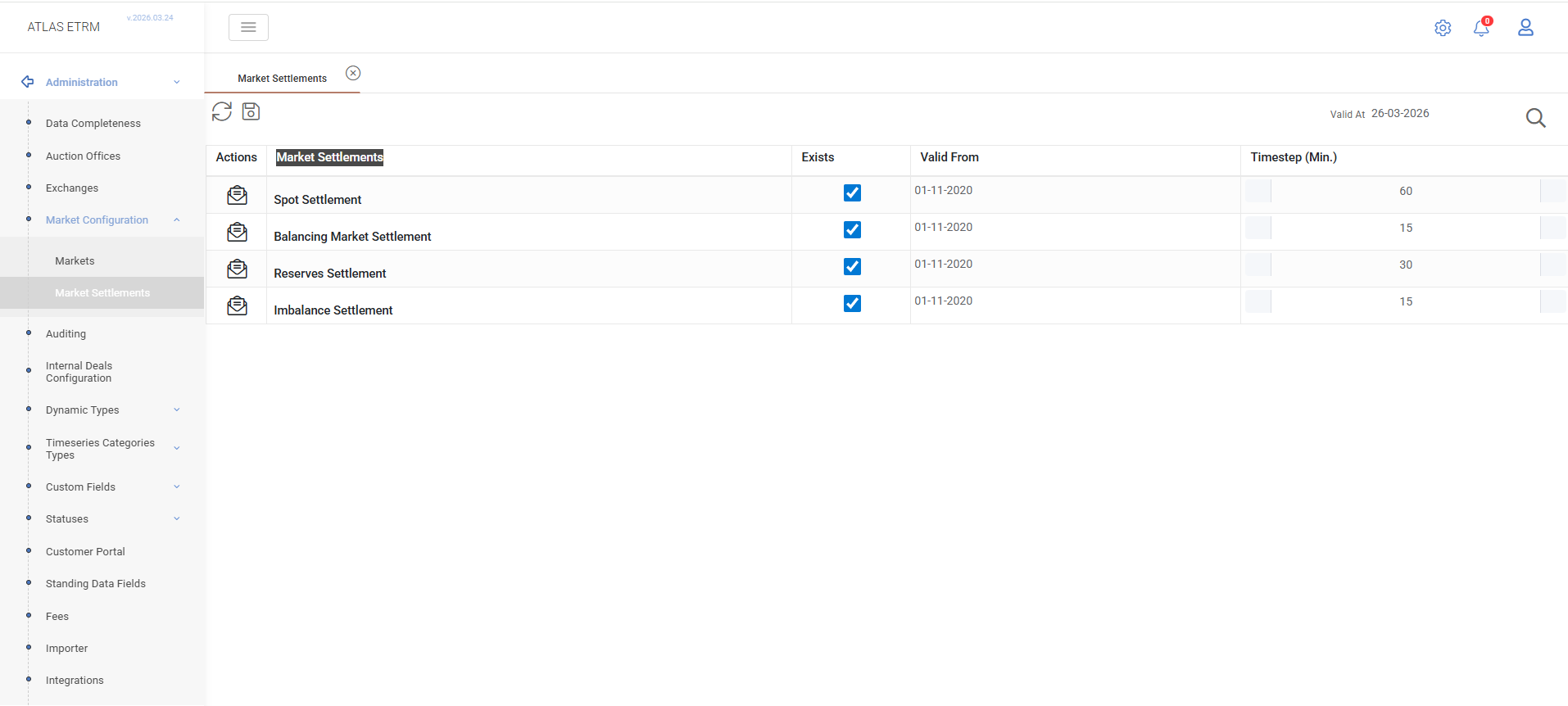
The Market Settlements screen displays all market settlement processes (clearings) configured in the system.
Each settlement represents the clearing mechanism of a corresponding market segment (e.g., Spot, Balancing, Reserves, Imbalance) and defines how and when results are calculated.
Data View
The grid displays the configuration of each market settlement through the following fields:
Exists
Indicates whether the settlement process is active and executed for the corresponding market segment.Valid From
Defines the date from which the settlement configuration is effective.Timestep (Min)
Defines the time resolution (in minutes) at which the market is cleared.
Was this helpful?