10. Statuses
Overview of Statuses
The Statuses section allows users to configure and manage lifecycle states for key business entities in the system. These statuses define how entities progress through different stages and control their operational and reporting behaviour.
Three main status configurations are available:
Deal Collection Statuses,
Order Statuses,
Master Agreement Statuses.
10.1 Deal Collection Statuses
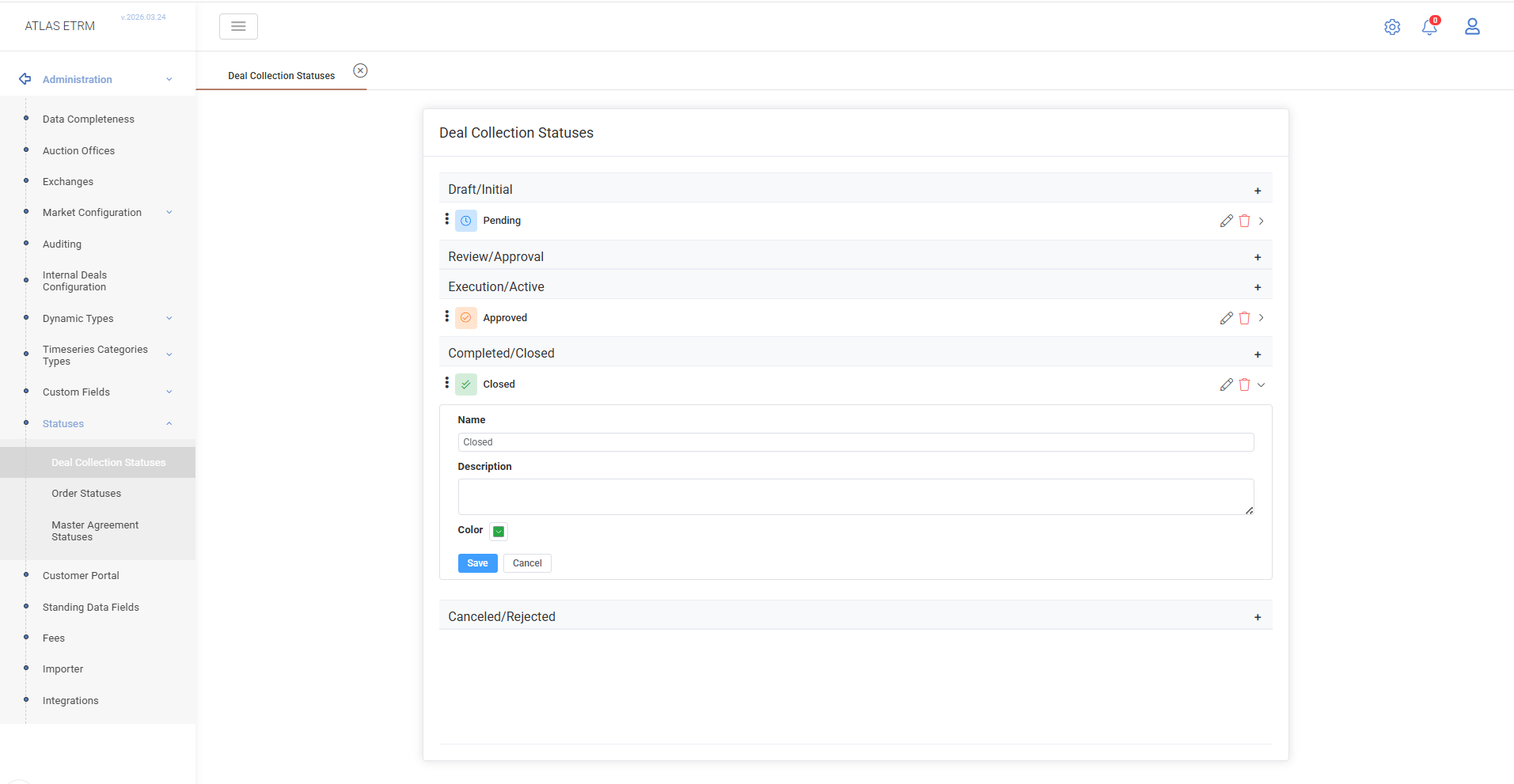
The Deal Collection Statuses tab defines the lifecycle of deal collections.
Statuses are organized in logical groups (e.g., Draft/Initial, Review/Approval, Execution/Active, Completed/Closed), representing the progression of a deal collection.
Users can:
create, edit, and delete custom statuses within each group.
Each status includes:
Name – displayed label,
Description – optional information,
Colour – visual indicator used across the UI.
These statuses are used in the Portfolio Management → Deal Collections module to track the state of collections throughout their lifecycle.
10.2 Order Statuses
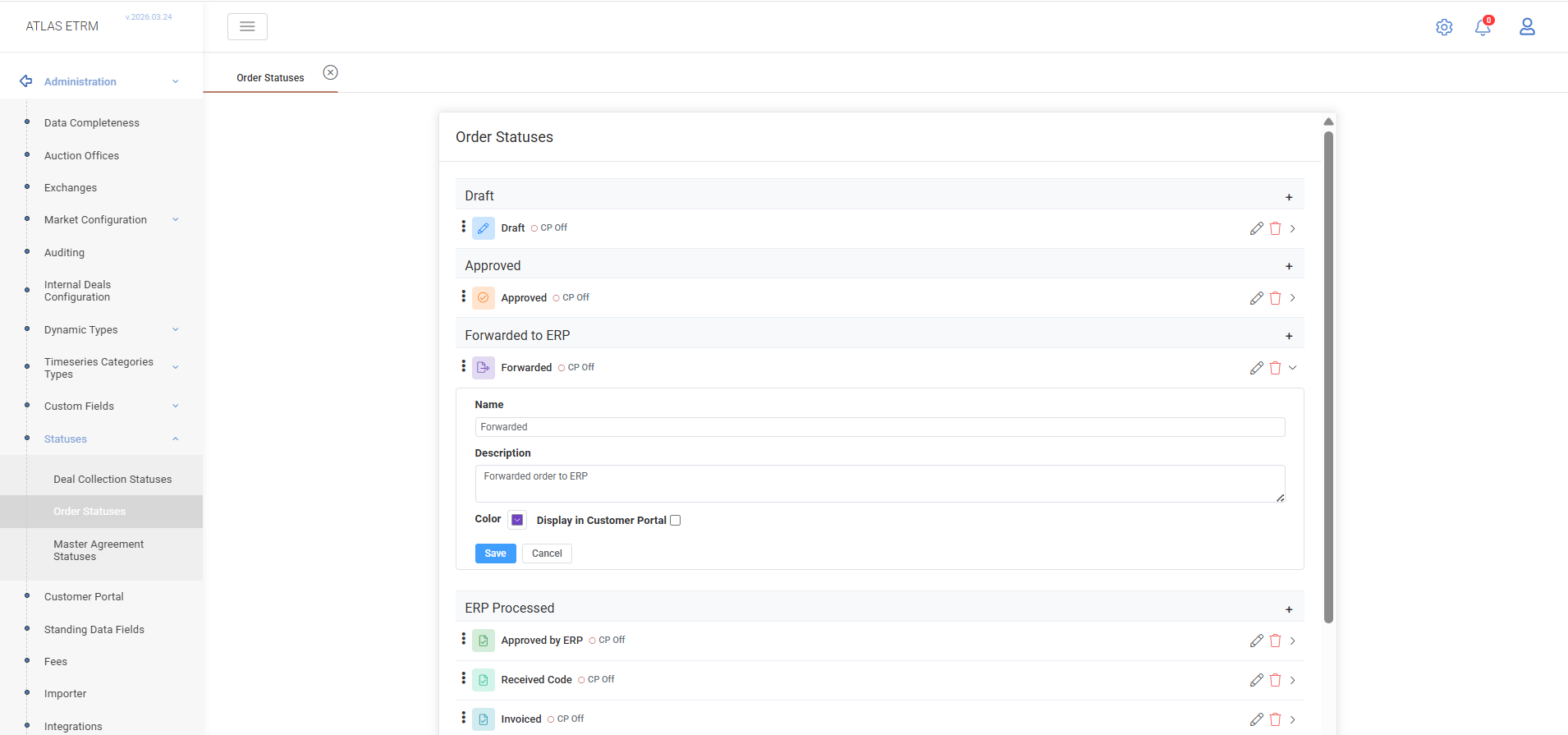
The Order Statuses tab defines the lifecycle of orders in the system.
Statuses represent different processing stages, including operational and ERP-related steps (e.g., Draft, Approved, Forwarded to ERP, Invoiced, Settled).
Users can: create, edit, and delete custom statuses.
Each status includes:
Name – displayed label,
Description – optional information,
Colour – visual indicator,
Display in Customer Portal – determines whether Orders in this status are displayed in the Customer Portal,
These statuses are used in the Back Office → Orders module to monitor and manage order progression from creation through settlement.
10.3 Master Agreement Statuses
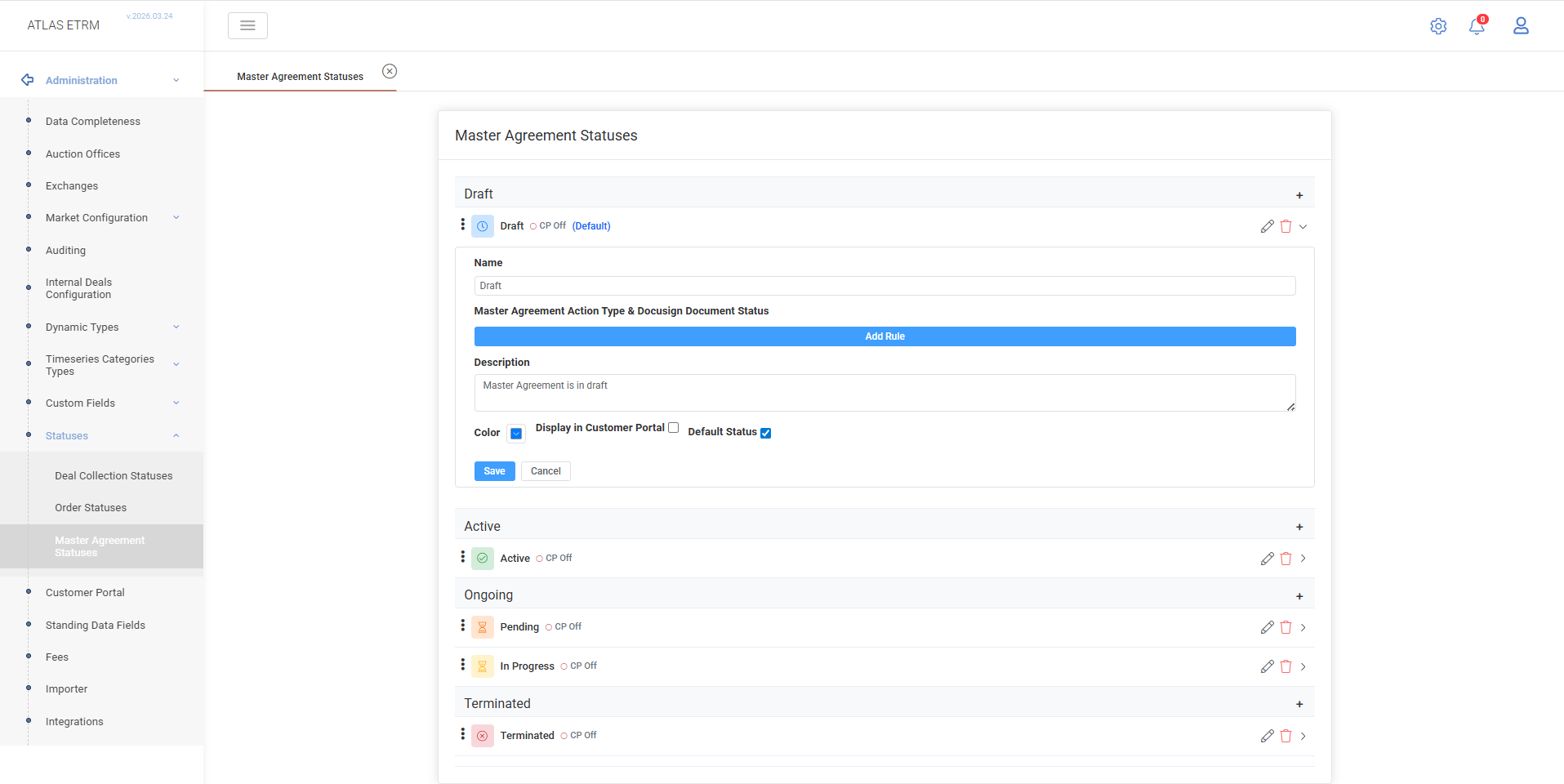
The Master Agreement Statuses tab defines the lifecycle states of master agreements.
Users can:
create, edit, and delete statuses,
define a Default Status,
configure rules linking Master Agreement Action Types with external document statuses (e.g. DocuSign).
Each status includes:
Name – displayed label,
Description – optional information,
Colour – visual indicator,
Display in Customer Portal – determines whether Master Agreements in this status are displayed in the Customer Portal,
Default Status – defines the initial state of new agreements.
These statuses are used in the Back Office → Master Agreements module to track agreement lifecycle and document execution progress.
Was this helpful?