7. Dynamic Types
Overview of Dynamic Types

The Dynamic Types section allows users to define and manage configurable classification values used across the system.
These types are used to standardize selectable options in various modules (e.g., Contacts, Master Agreements, Deals), enabling flexibility without requiring system changes.
The module includes the following categories:
Contact Roles
Counterparty Types
Department Types
Master Agreement Types
Master Agreement Action Types
Order Types
Deal Collection Types
System-defined types are protected and cannot be modified or deleted, while user-defined types can be fully managed.
7.1 Contact Roles
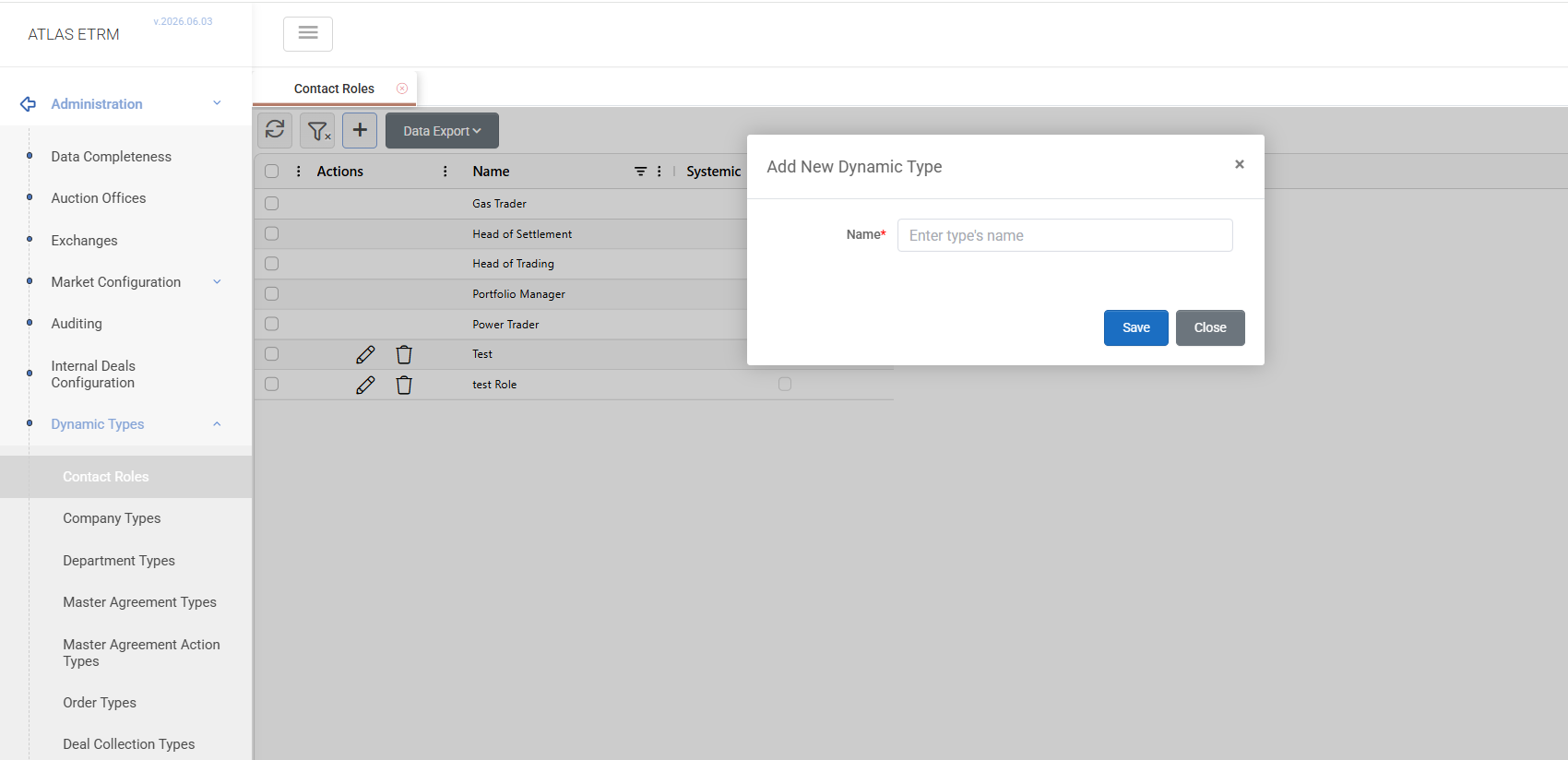
The Contact Roles tab displays all roles available for assignment to contacts in the Back Office → Contacts module.
Users can:
create new roles,
edit existing user-defined roles,
delete custom roles.
Predefined system roles remain read-only and cannot be modified.
7.2 Counterparty Types
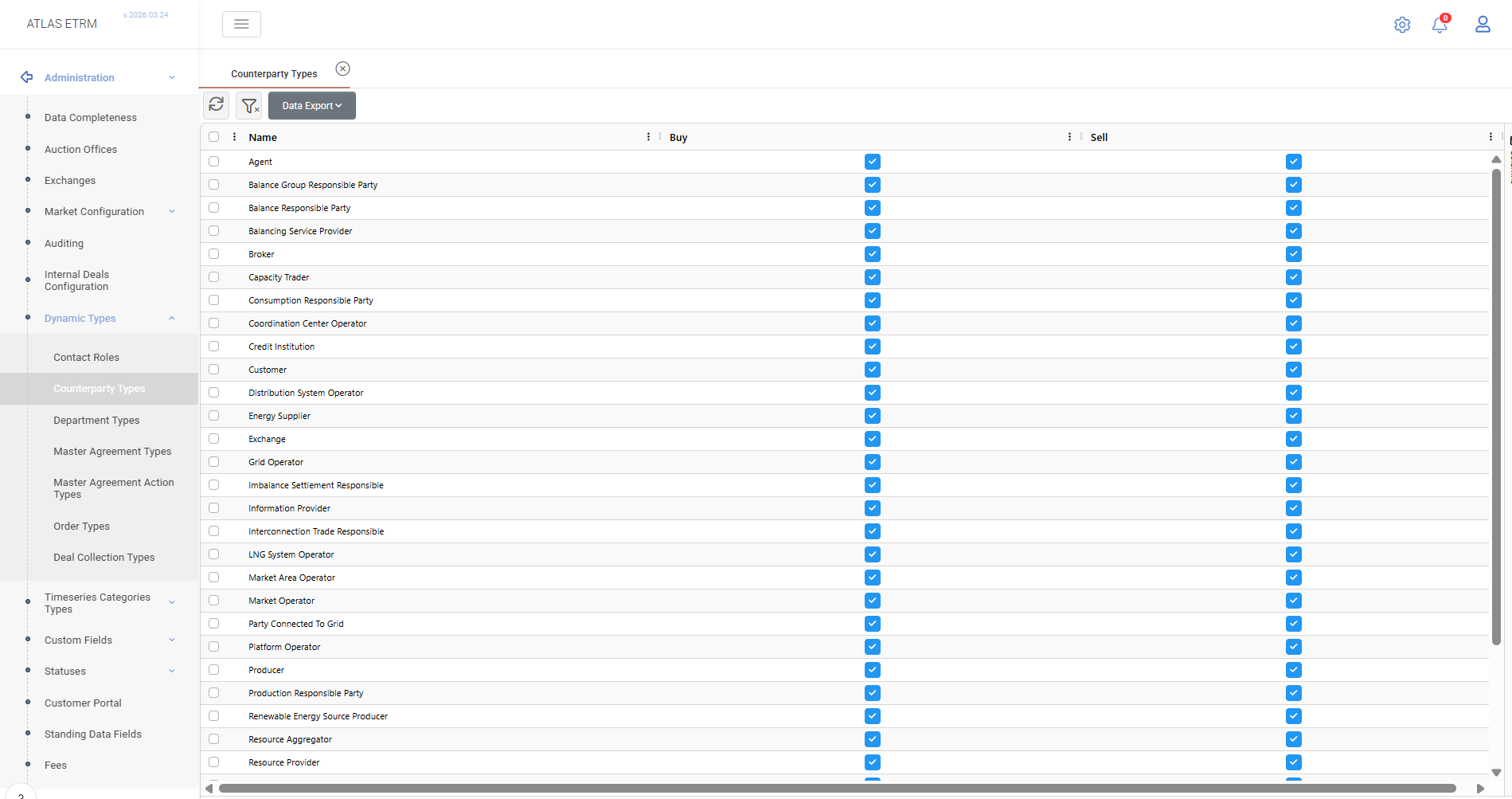
The Counterparty Types tab defines the classification of counterparties according to ENTSO-E standards.
For each type, the user specifies the economic relationship:
Buy
Sell
or both
At least one option must be selected, determining how counterparties interact within trading processes.
7.3 Department Types
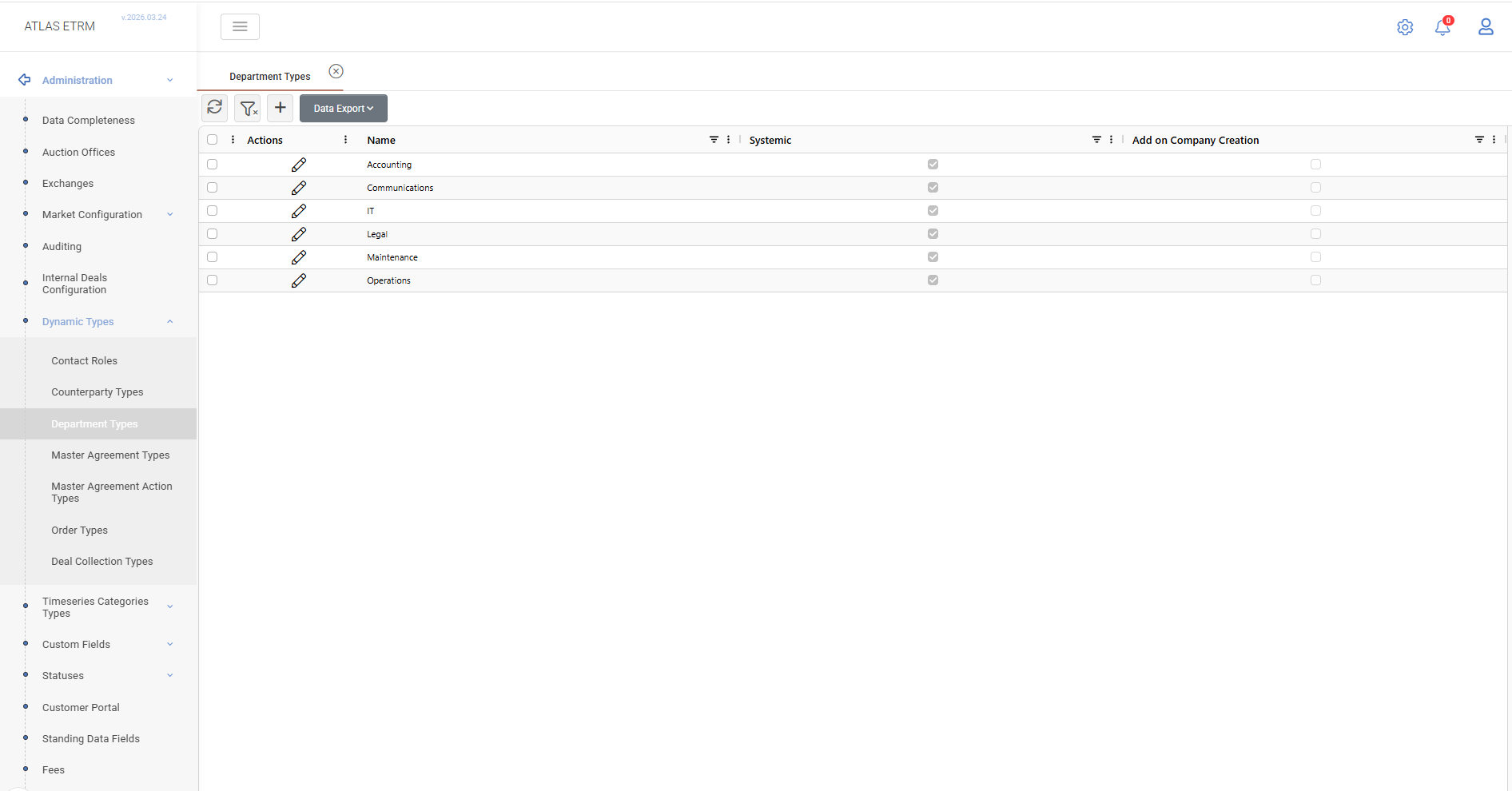
The Department Types tab allows users to manage organizational department classifications.
Users can:
create, edit, and delete custom department types,
configure whether a department type is automatically available during company creation.
System-defined department types cannot be deleted.
7.4 Master Agreement Types
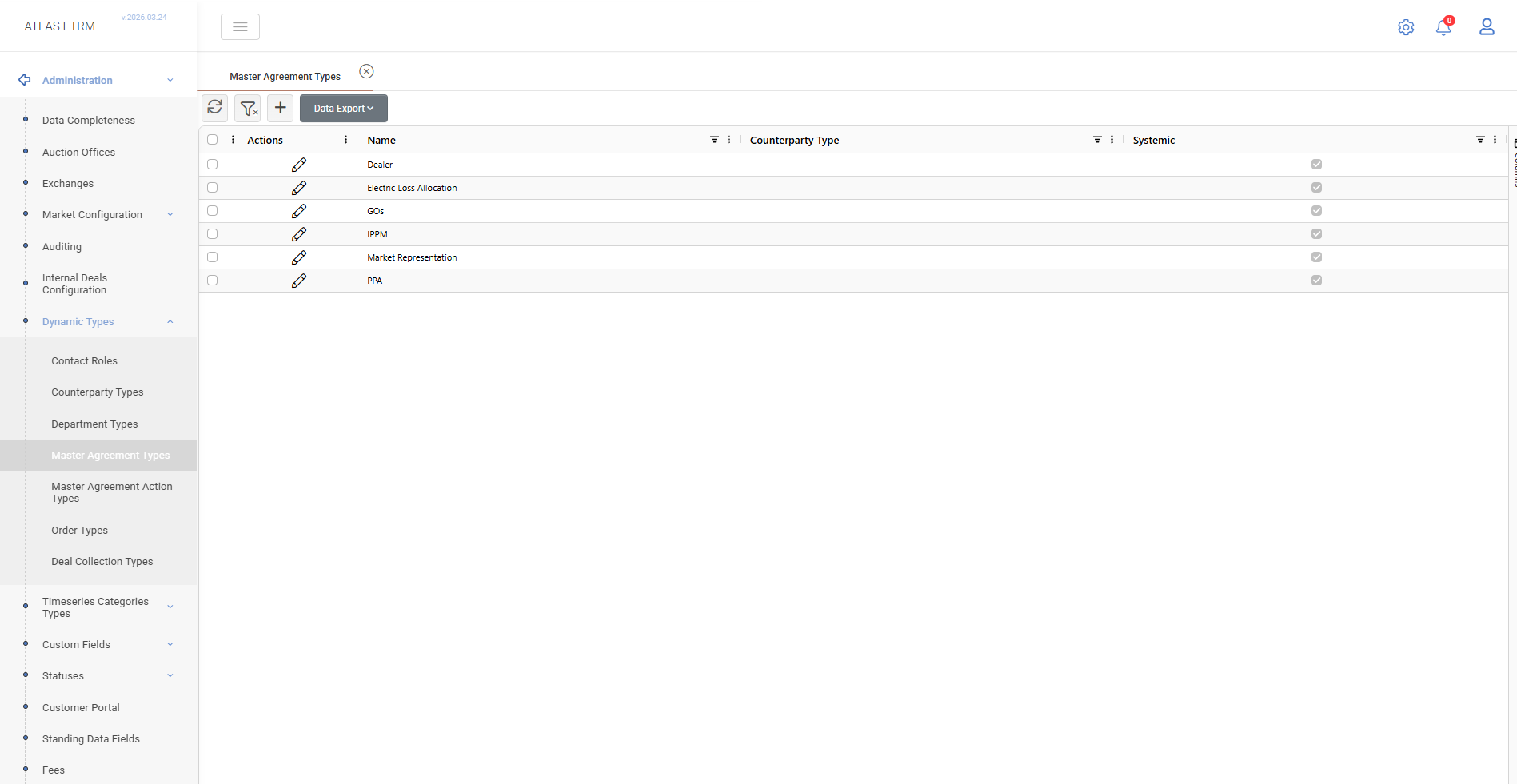
The Master Agreement Types tab defines categories of master agreements used in the system.
Users can:
create and manage custom agreement types,
associate each type with a specific Counterparty Type,
rename user-defined types.
System-defined types remain read-only.
7.5 Master Agreement Action Types
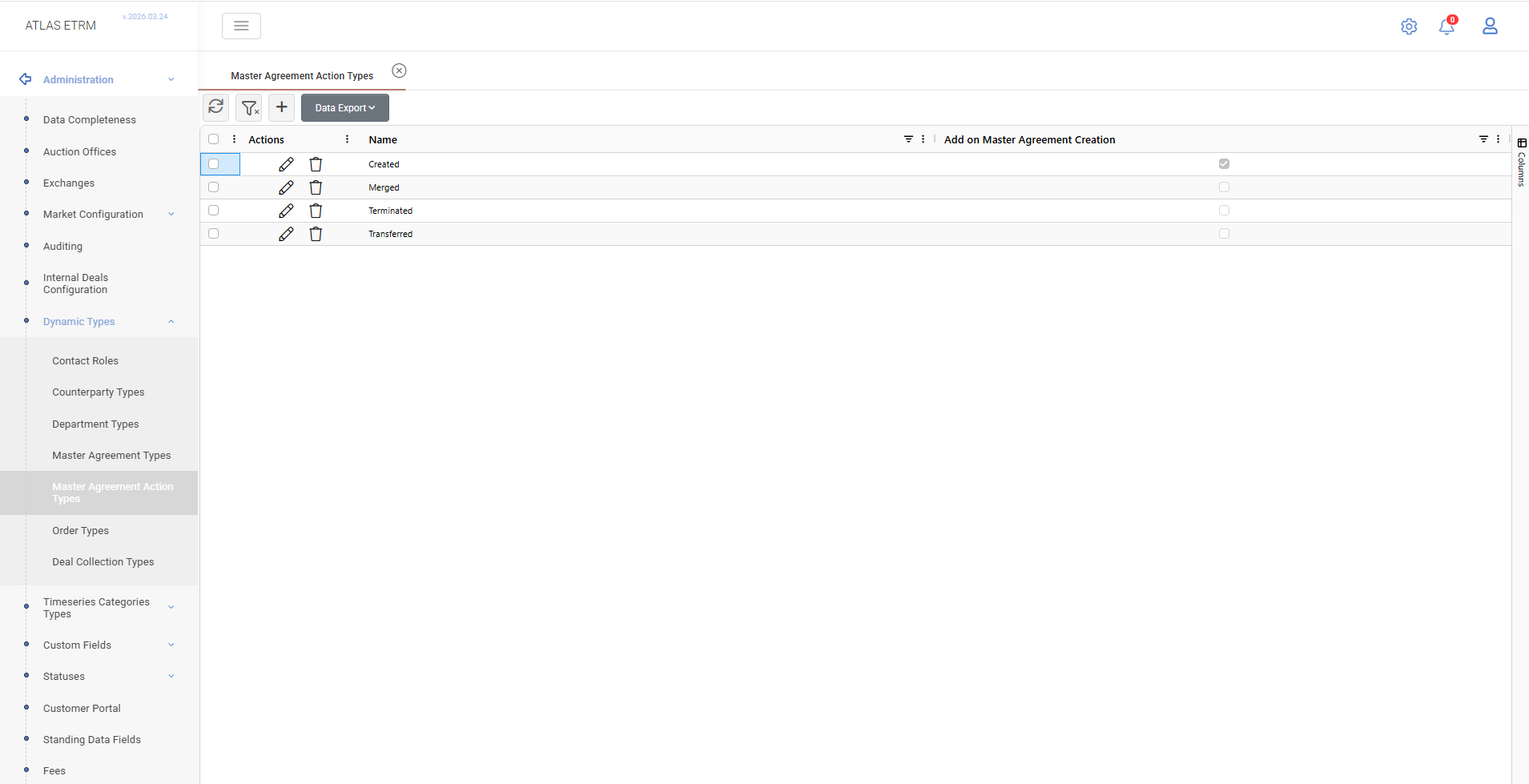
The Master Agreement Action Types tab allows users to define and manage the action types associated with master agreements.
These action types are used to classify and track activities related to a master agreement (e.g., creation, termination, transfer), and are reflected in the Actions tab of each master agreement.
Users can:
create new action types,
edit existing action types,
delete action types.
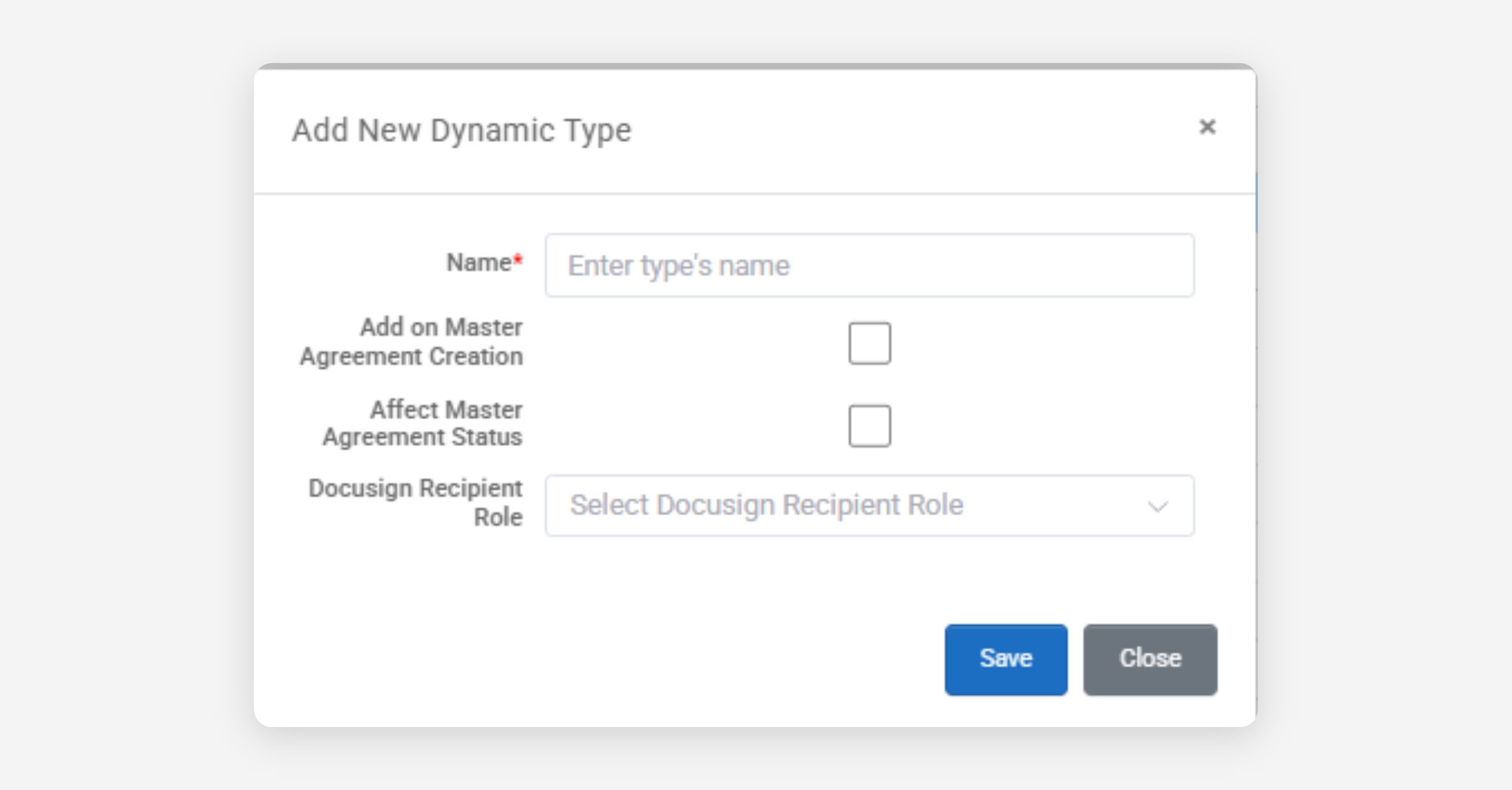
When creating or editing a Master Agreement Action Type, the following properties are available:
Name: Defines the name of the action type as it will appear to users when selecting an action.
Add on Master Agreement Creation: If enabled, this action type is automatically added when a new Master Agreement is created.
Affect Master Agreement Status: Determines whether this action type can trigger a change in the Master Agreement status.
DocuSign Recipient Role: Defines the role of the recipient when the action is used in a DocuSign process. Available roles include:
Signer: the recipient is required to sign the document
Copy Recipient: the recipient receives a copy without signing.
If DocuSign is integrated, action types with a defined recipient role can be used when generating and sending documents for signature. In this case, the recipient is derived from the counterparty’s linked contact with role “Legal Representative”.
7.6 Order Types
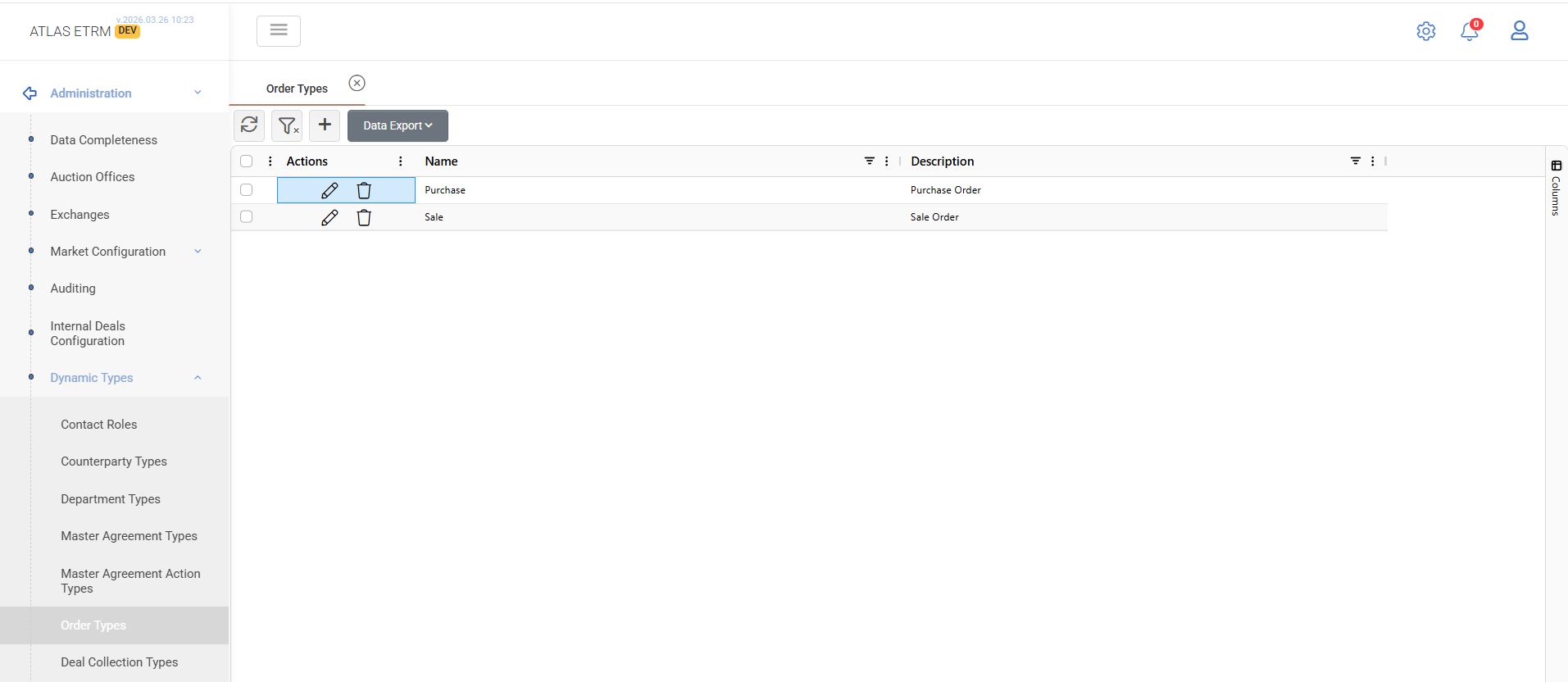
The Order Types tab allows users to define and manage the types of orders available in the system.
Order types are used in the Back Office → Orders module and determine the classification of orders (e.g. Purchase, Sale).
Users can:
create new order types,
edit existing user-defined types,
delete order types.
Each order type consists of:
Name: the value available for selection,
Description: an optional descriptive label.
7.7 Deal Collection Types
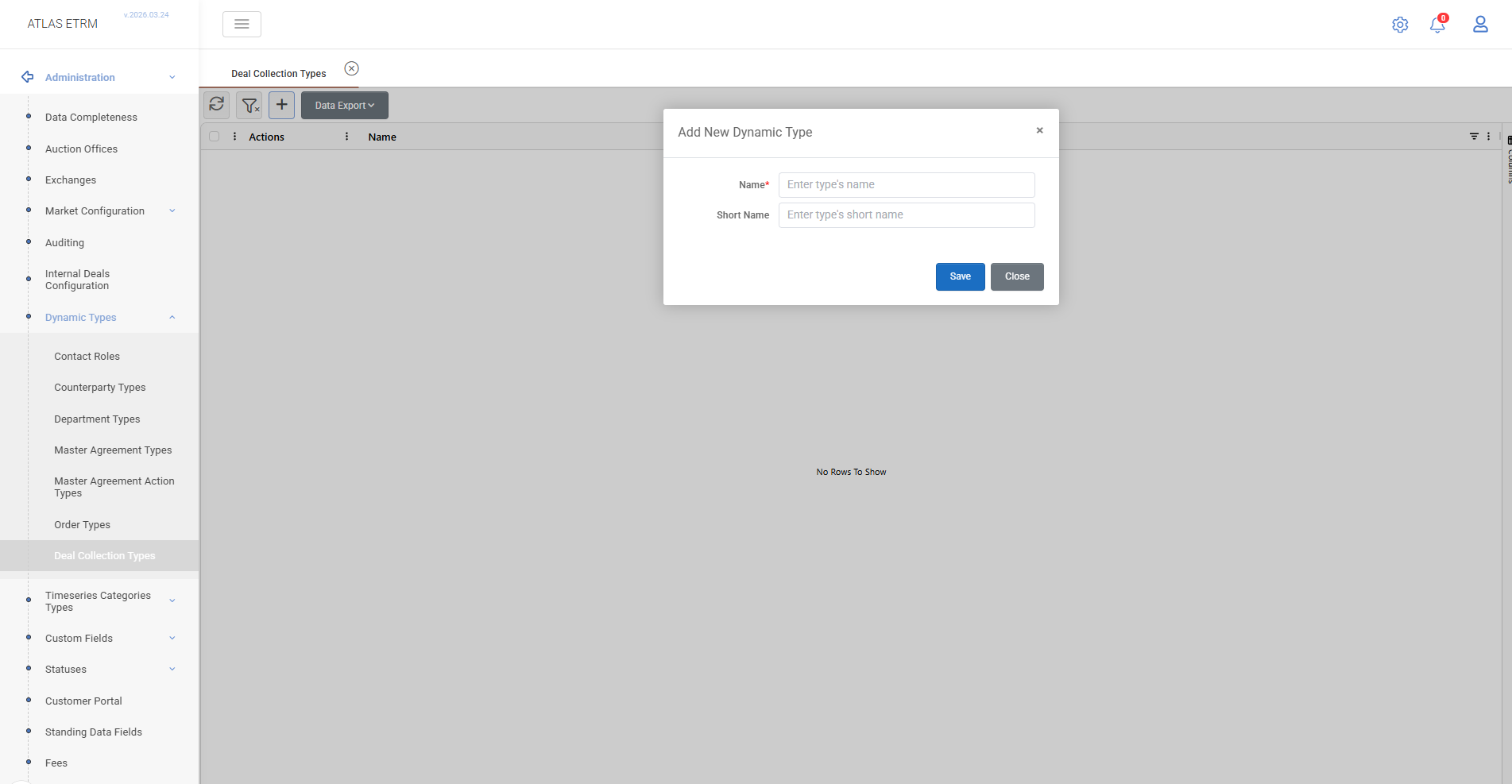
The Deal Collection Types tab defines classification types used in Portfolio Management → Deal Collections.
Users can:
create and manage custom collection types,
rename existing user-defined types.
These types are used to group and organize deals for reporting and operational purposes.
Was this helpful?