9. Custom Fields
Overview of Custom Fields
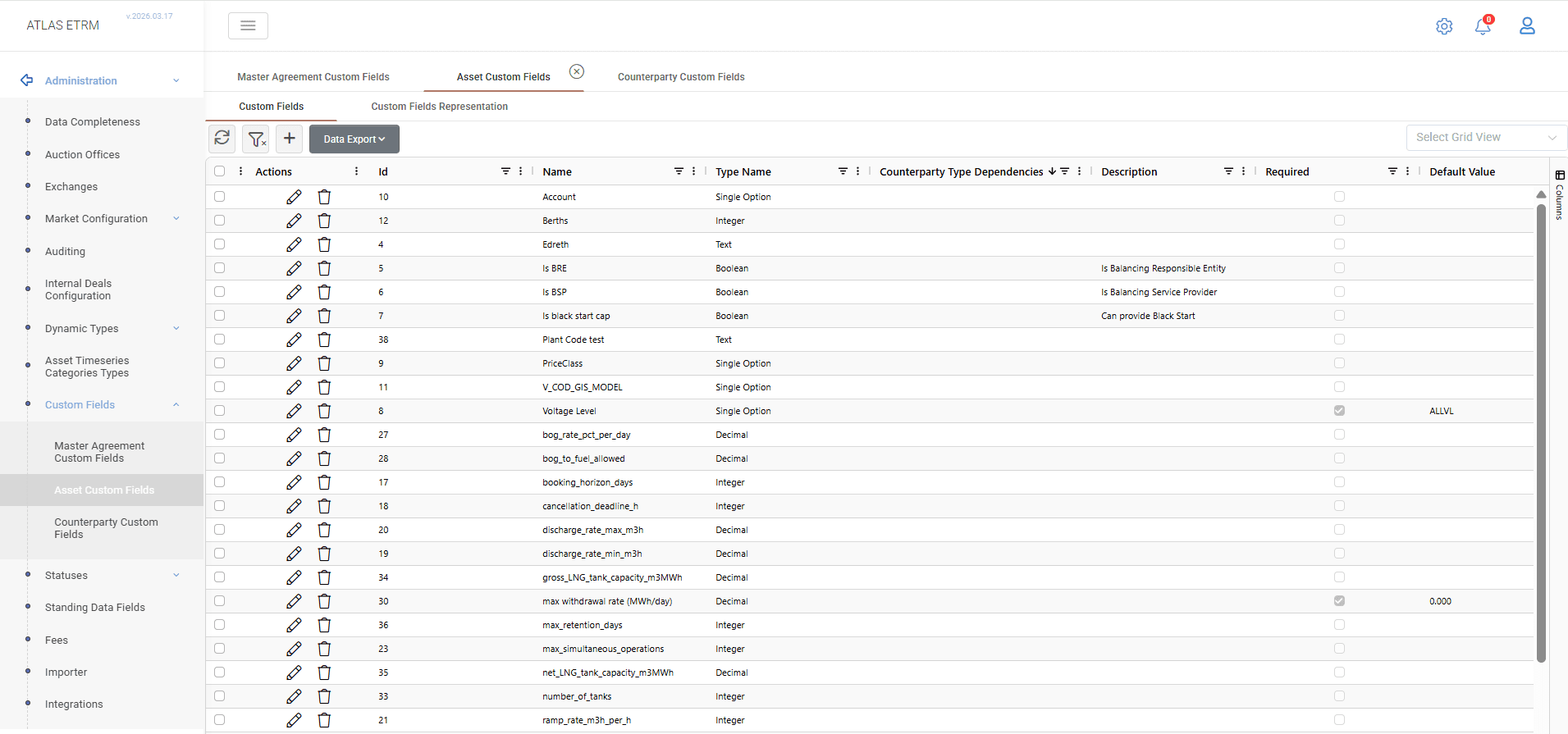
Custom Fields allow users to extend the standard ATLAS ETRM data model by capturing additional, organization-specific information on Back Office entities such as Master Agreements, Assets, and Companies.
They are used when business requirements demand storing structured data that is not available in the default system fields (e.g. regulatory classifications, technical characteristics, internal identifiers). This enables organizations to adapt the system to their operational and reporting needs without requiring system customization.
Once configured, Custom Fields are available directly within the Custom Fields tab of the corresponding Back Office records, where users can view and maintain their values as part of the standard data entry workflow.
Custom Fields support different data types, can be defined as mandatory, restricted to specific entity types, or configured to maintain values over time (Time Sliced), depending on business requirements.
Supported Entities
Custom Fields can be defined for the following entities:
Master Agreements
Assets
Companies
Deals
Orders
Master Agreement Asset Connections
Configuration
Custom Fields are configured via Administration → Custom Fields, where the user selects the relevant entity category.
Each category includes two main tabs:
Custom Fields
Custom Fields Representation
Custom Fields tab
This tab displays all existing Custom Fields for the selected entity. New fields can be created using the "+" action.
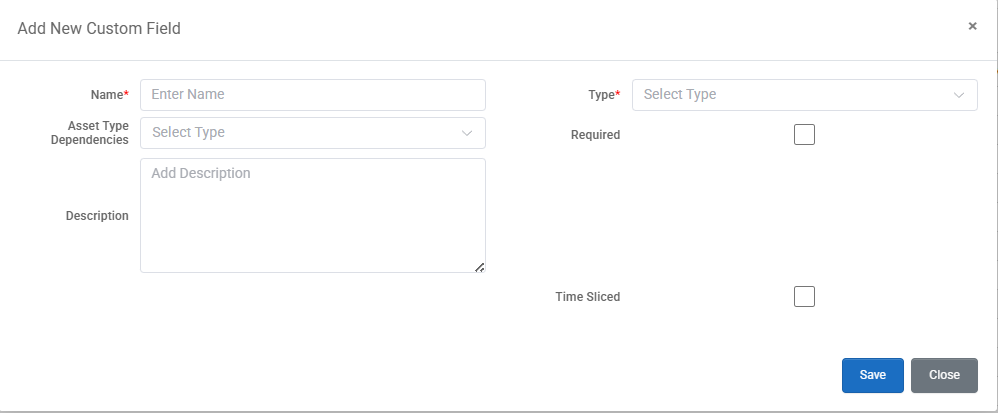
When defining a Custom Field, the following properties are available:
Name (required): The label displayed in the Back Office record.
Type (required): The data type of the field (see available types below).
Entity Type Dependencies (optional): Restricts the field’s visibility to specific types (e.g. only certain Asset types). If not defined, the field appears for all records of the entity.
Description (optional): Internal description for documentation purposes.
Required: If enabled, the field must be completed when creating or editing a record. Optionally, a default value can be defined.
Default Value (optional): Available when the Required option is enabled. If defined, the value is automatically populated for new records. Otherwise, users must enter a value manually when creating a new record.
If existing entities do not have a value for a Custom Field, the field cannot be marked as Required. The validation message includes a link to the affected entities, where values can be updated individually or by using Mass Update Custom Fields. Once all affected entities have a value, the field can be marked as Required.
Time Sliced: Allows the field to store different values across time periods.
Add External Endpoint (for Option Types only): Enables dynamic population of selectable values from an external source.
Custom Fields Representation tab
This tab controls how Custom Fields are presented within the Back Office UI.
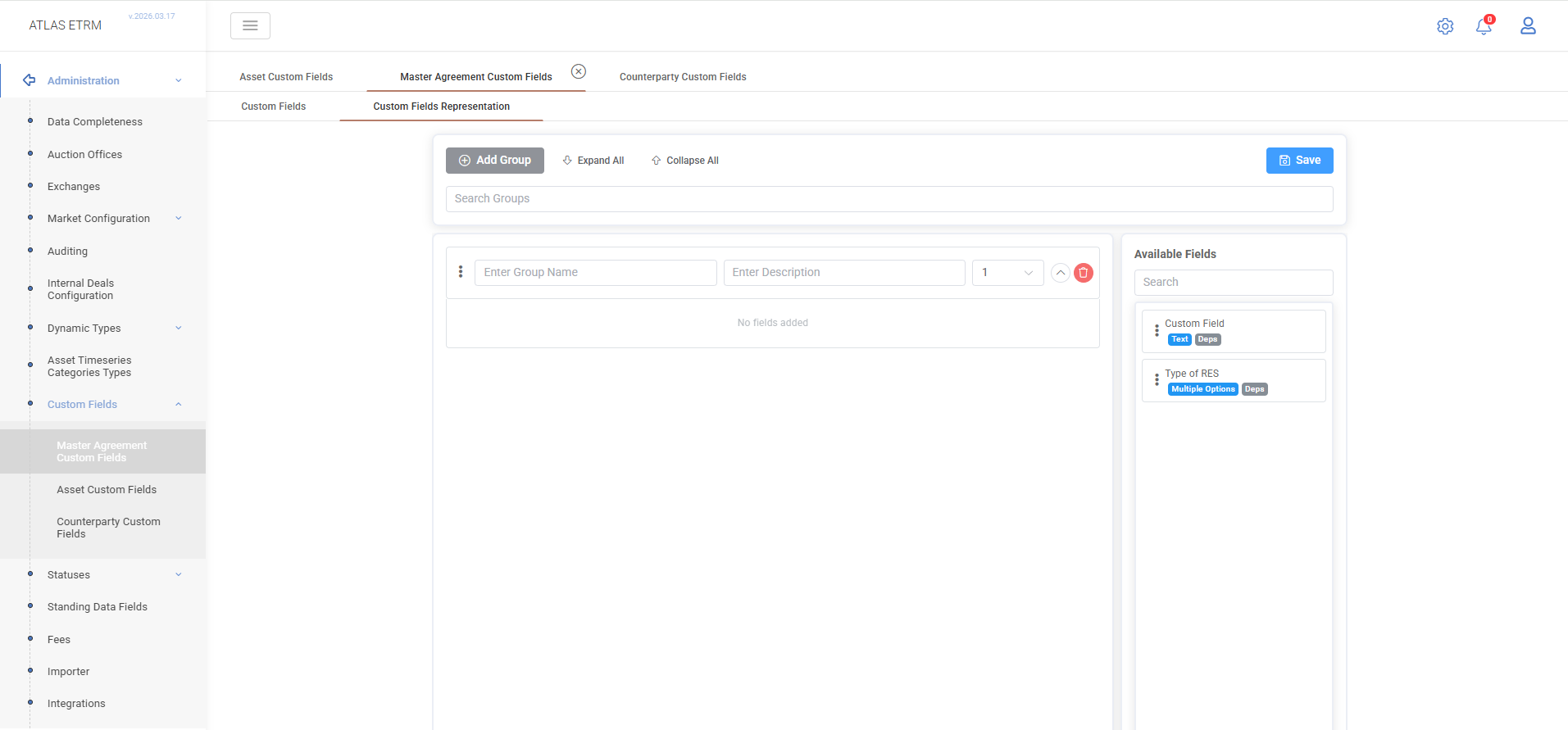
Users can define Groups, each with a name, optional description, and display order, and assign fields to them via drag-and-drop.
Groups appear as separate sections in the Custom Fields tab of the record
Fields not assigned to any group are displayed under General Custom Fields
Custom Field Types
Type | Description |
Text | Free-text input. |
Integer | Whole numbers only. |
Decimal | Numeric values with decimal precision. |
Date | Date picker. |
DateTime | Date and time picker. |
Boolean | True/false checkbox. |
Single Option | Dropdown with one selectable value from a predefined list defined during field creation. |
Multiple Options | Dropdown allowing multiple values from a predefined list defined during field creation. |
Master Agreement | A lookup field that links to a specific Master Agreement record. |
Deal Cluster | A lookup field that links to a specific Deal Cluster record. |
Timeseries | A lookup field that links to a specific data series from the Data Room. Note: to associate timeseries with an asset for use in deals and settlement calculations, use the dedicated Timeseries tab on the asset record. |
Deal | A lookup field that links to a specific Deal record. |
Counterparty | A lookup field that links to a specific Counterparty (Company) record. |
Asset | A lookup field that links to a specific Asset record. |
For all lookup-type fields (Master Agreement, Deal Cluster, Timeseries, Deal, Counterparty, Asset), the user starts typing a name and the system performs a live search against the corresponding records in the Back Office.
Was this helpful?