Collections
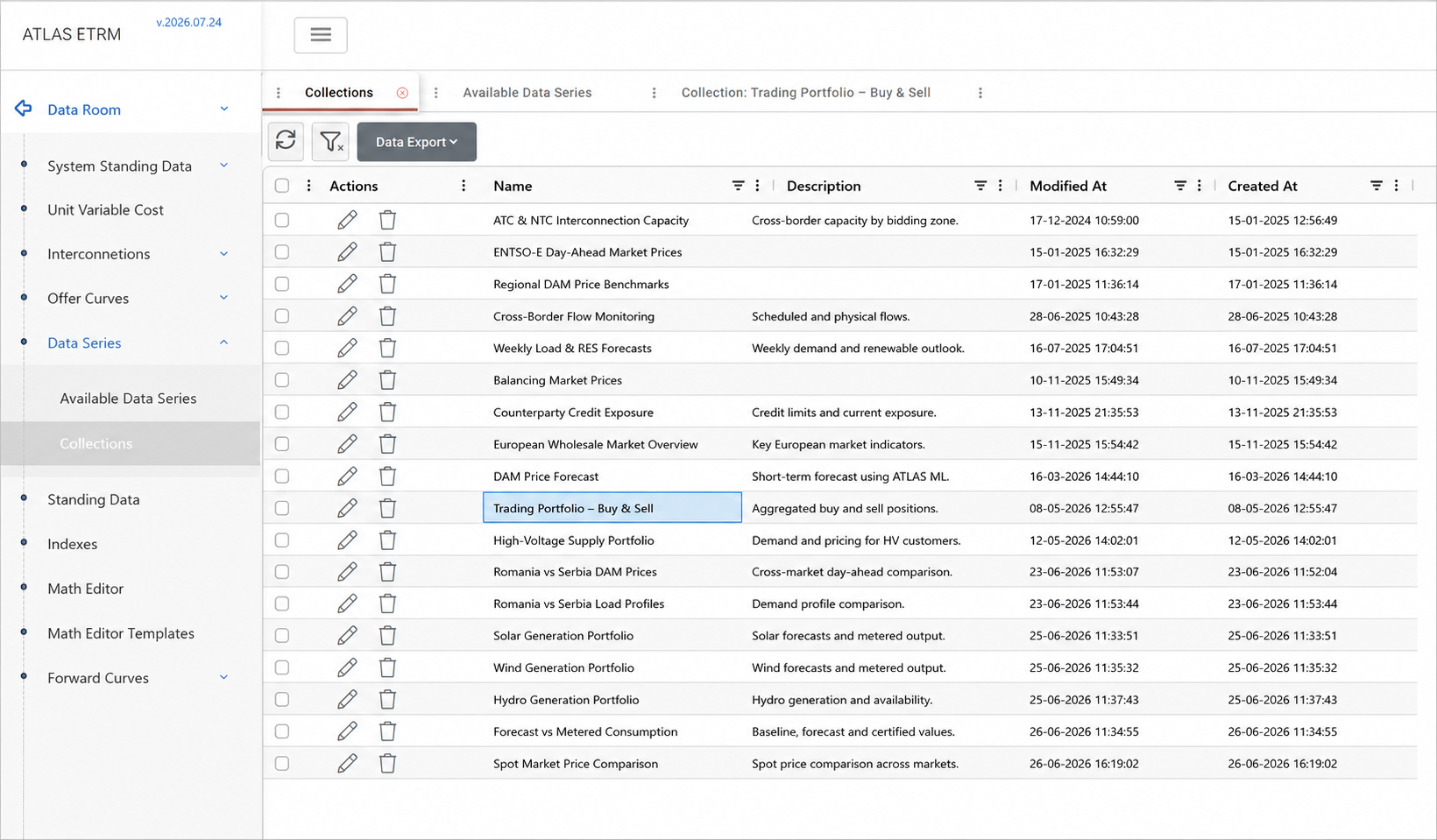
Overview
Collections allow users to group multiple data series and view them together for simultaneous comparison and analysis. A collection may be used temporarily or saved for future access.
Creating a Collection
From the Available Data Series grid, click the + icon next to each data series you want to include. The number displayed on the selection button above the grid indicates how many series have been selected. Click this button to open all selected series together (or use the Clear Selected Timeseries button next to it to clear the selection).

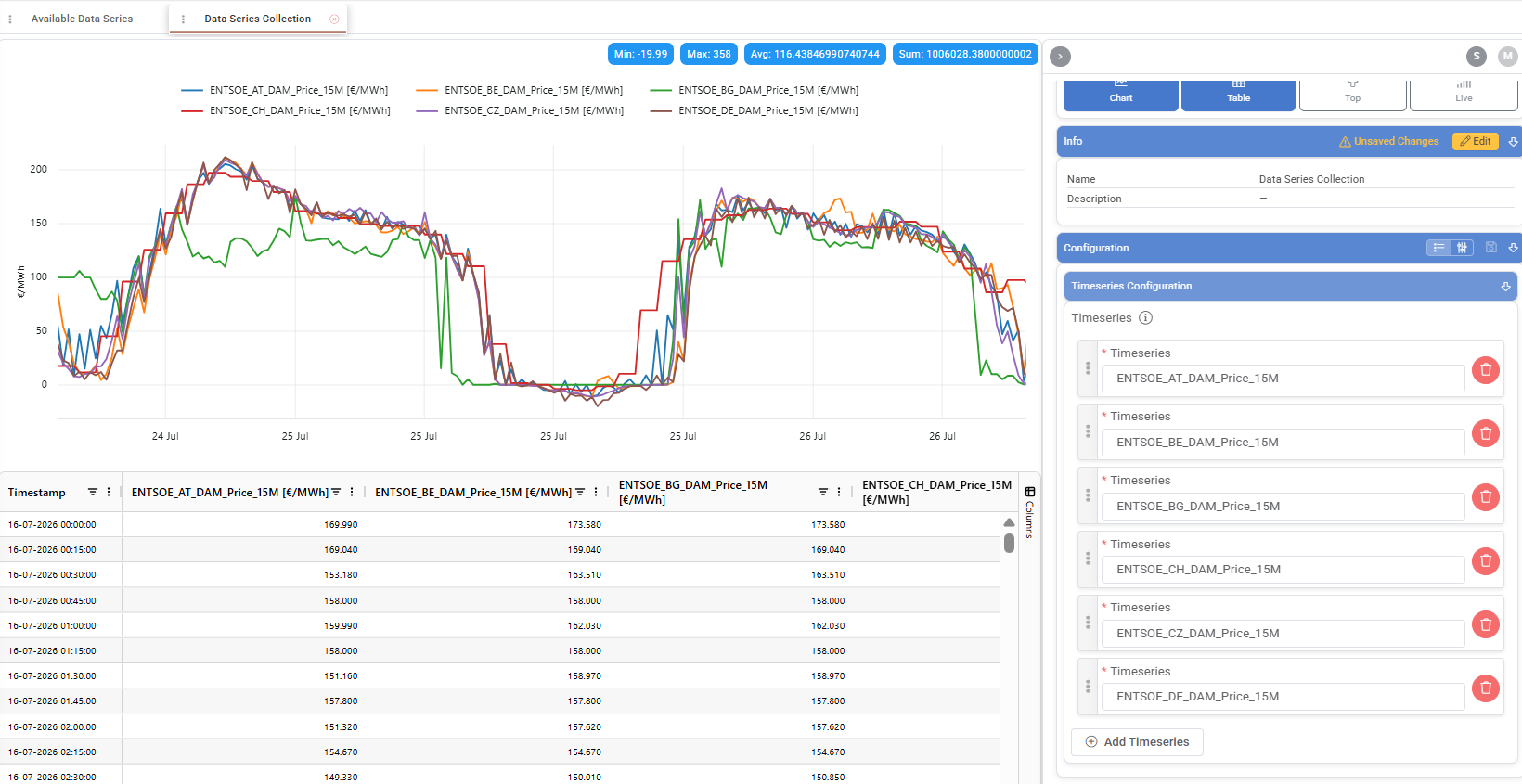
The selected series open in a common workspace that follows the same viewing and configuration logic as an individual data series. Users can:
define the date range and timezone
switch between chart and table views
configure how each series is displayed
review summary statistics
export the displayed data.
A selected series can be removed using the delete icon next to it in the Timeseries Configuration section, while additional series can be included using the Add Time Series button.
Saving a Collection
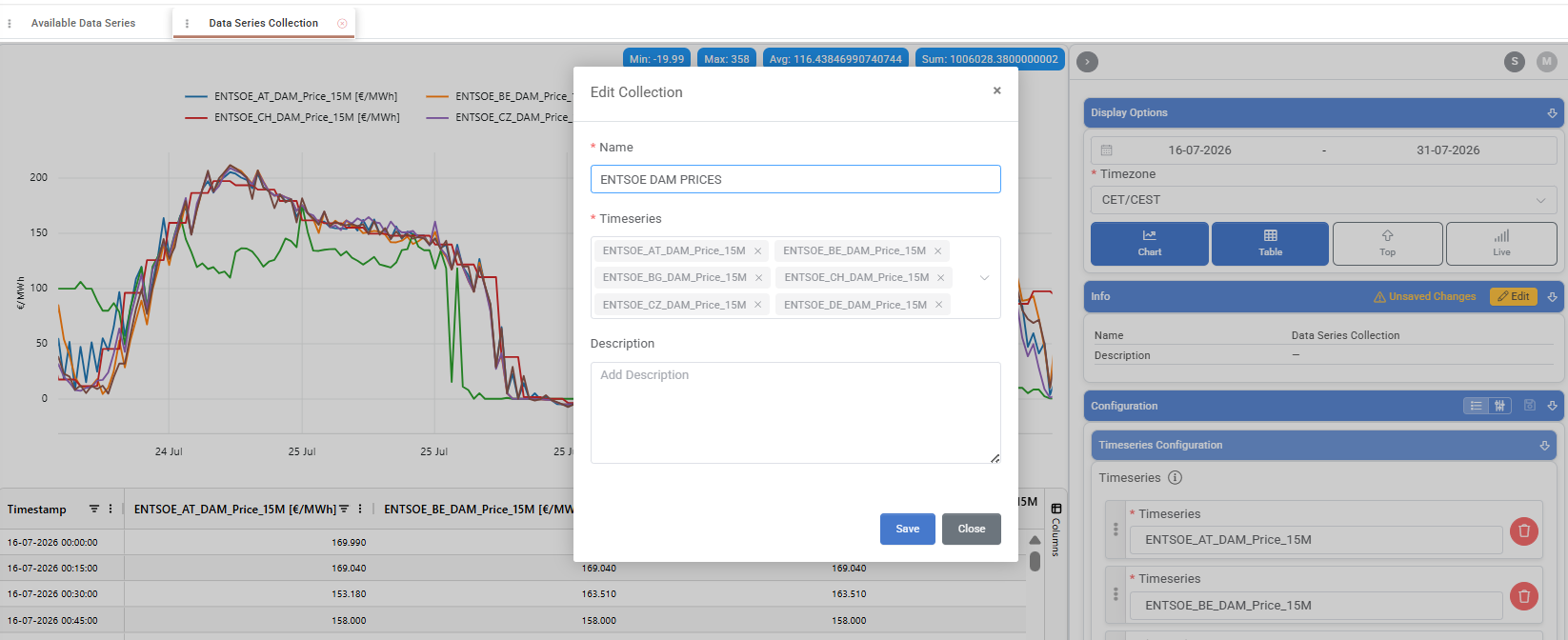
The selected data series can be viewed without saving them. To save the combination, click Edit in the Info section, enter a Name and, optionally, a Description, and save the Collection.
Saved Collections are available from the Collections tab and retain both the selected data series and their display configuration. The Collection configuration can also be saved independently using the dedicated Save button in the Configuration section.
The Collections can subsequently be opened, edited, or deleted for the grid.
Creating a Widget
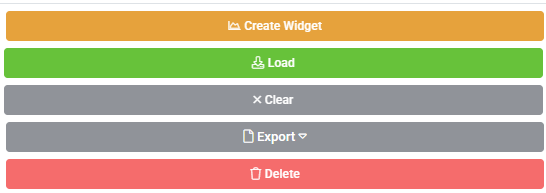
The Create Widget button creates a Timeseries Widget based on the Collection’s data series and configuration. The widget can then be further configured and added to one or more Dashboards.
For more information, see the Dashboards module documentation.
Appendix — Field Details
Field / Element | Description |
|---|---|
ID | System-assigned numeric identifier for the Collection. |
Name | Descriptive label used to identify the Collection. |
Description | Optional text providing additional information about the Collection’s purpose or content. |
Timeseries | Data series included in the Collection for combined visualization and analysis. Multiple data series can be added. |
Configuration | Display settings for the Collection, including the selected data series and their chart configuration. |