
Docs / 4. Back Office
4.11 Master Agreement Asset Connections
Overview of Master Agreement Asset Connections
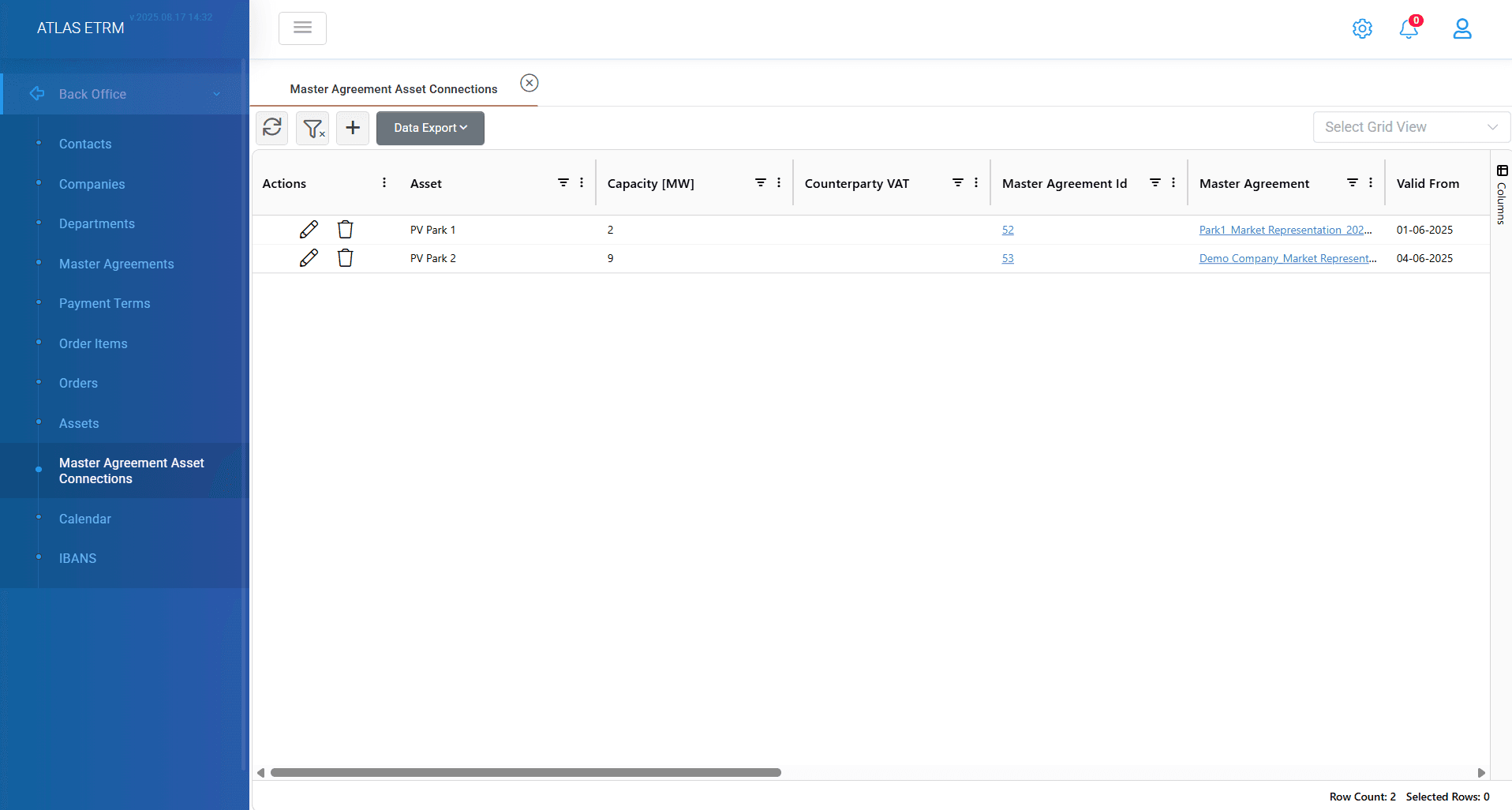
The Master Agreement Asset Connections screen is a powerful tool designed to help users track, manage, and audit asset associations across master agreements more efficiently.
Key Functionalities:
Displays all assets linked to master agreements in a single grid.
Enables comparison with the main Assets screen to identify assets not yet connected to any agreement.
Offers advanced filtering, such as filtering by Counterparty VAT, to analyze asset connections per legal entity.
Supports Excel export for reporting and offline analysis.
Creating a New Asset Connection
To add a new asset-to-master agreement link:
Click the “+” icon at the top of the grid.
In the pop-up window:
Click “Add Asset Connection” to select one or more assets.
Choose an existing Master Agreement from the dropdown.
Set a “Valid From” date to define when the connection begins.
Optionally, set a “Valid To” date to indicate when the connection ends.
To connect multiple assets to the same agreement, select a default Master Agreement from the top-right. This will be applied to all selected assets.
Click Save to finalize the connection.
Editing Existing Connections & Additional Actions
Users can double-click an asset in the grid to directly edit its validity dates.
Alternatively, by right-clicking on an asset, the following actions are available:
Action | Description |
|---|---|
View Deals per Asset | Opens a new tab displaying all deals linked to the selected asset for further review and actions. |
Update IBAN | Allows selection of a new IBAN from the list to update the financial details associated with the asset’s connection. |
Create Deals by Cluster | Automatically creates deals for the selected asset based on a predefined Deal Cluster. |
Change Charge | Lets the user assign a new cluster and specify an Effective Date. New deals will be automatically created with the new dates and price values. |
Update Valid From | Change the start date of the asset’s connection to the master agreement. |
Update Valid To | Change the end date of the asset’s connection. |
Delete Master Agreement Assets Connection | Permanently removes the asset's link to the master agreement. |
Was this helpful?