4.5 Payment Terms
Overview
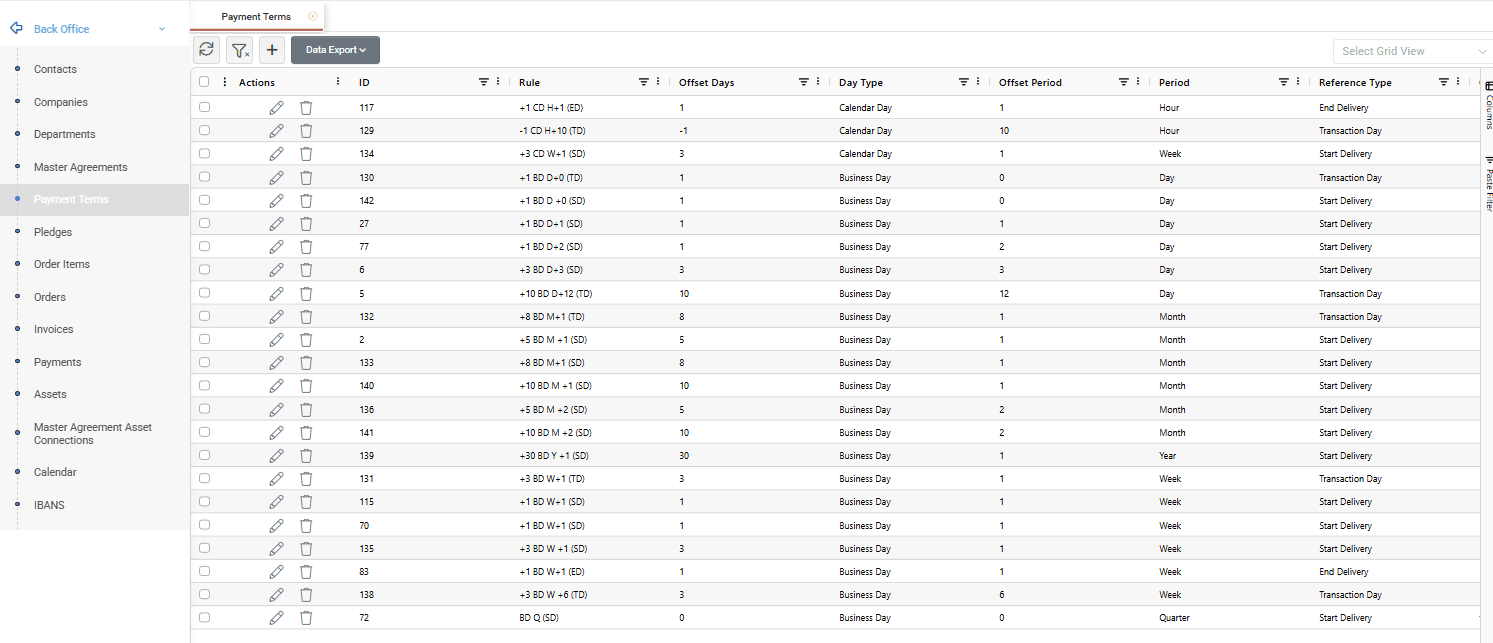
The Payment Terms screen is used to manage the payment rules that determine the settlement due date of a deal. Payment Terms may be associated with Master Agreements and Deals and are used during settlement processing. Users may create as many Payment Terms as required.
The main grid provides a centralized view of all Payment Terms in the system. Users can filter and export records, review payment rule information, create new Payment Terms, edit existing ones or delete records.
Creating a Payment Term
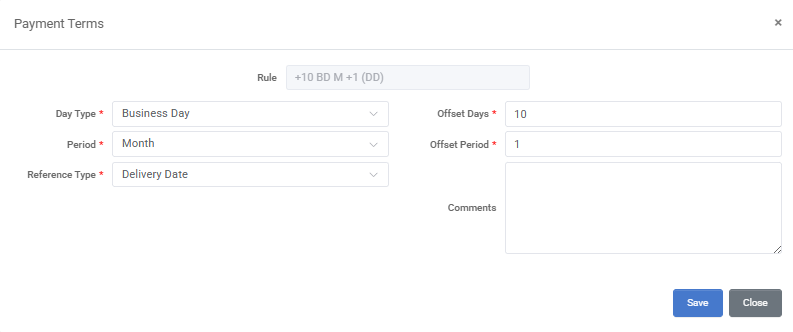
To create a new Payment Term, click the + button at the top of the grid. A pop-up window opens where the payment rule can be configured. All fields marked with an asterisk (*) are mandatory.
A Payment Term defines how the settlement due date is calculated based on a reference date, a day type, and the corresponding offsets. The payment rule is configured through the Day Type, Offset Days, Period, Offset Period, and Reference Type fields. An optional comment may also be provided for easier future reference.
The Rule field is automatically generated by the system based on the selected values and displays the resulting payment rule.
Once all required information has been entered, click Save.
For detailed information about the available fields, refer to the Appendix - Field Details.
Example
In the example below, the payment term is +10 BD M+1 (DD), meaning that the settlement due date is the 10th Business Day (BD) of the following month (M+1) relative to the Delivery Date (DD).
Editing and Deleting Payment Terms
Editing a Payment Term
To edit a Payment Term, double-click the desired record or click the Pencil icon in the Actions area. Update the required information and click Save.
The Save as New button allows users to create a new Payment Term based on an existing one. After modifying one or more values in the opened Payment Term record, click Save as New to save the changed configuration as a separate Payment Term, without updating the original record.
Deleting a Payment Term
To delete a Payment Term, right-click the desired record and select Delete Payment Terms, or click the Trash Can icon in the Actions area.
Confirm the deletion when prompted to permanently remove the Payment Term from the system.
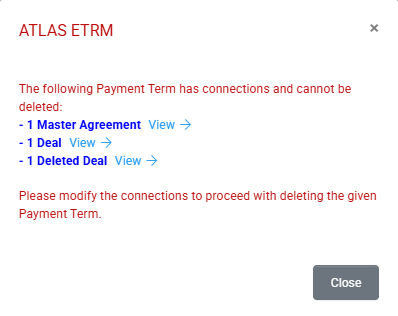
If a Payment Term is associated with one or more Master Agreements or Deals, the system displays a warning message and prevents the deletion. In such cases, the Payment Term must first be removed from all associated records before the deletion can be completed.
Appendix - Field Details
Field / Element | Required | Description |
|---|---|---|
Rule | No | System-generated representation of the payment rule based on the selected values. |
Day Type | Yes | Defines whether the payment rule is calculated using Calendar Days (CD) or Business Days (BD) (see References → Data Options). |
Offset Days | Yes | Number of days used in the payment calculation. Negative values refer to the past, zero refers to the reference date itself, and positive values refer to future dates. |
Period | Yes | Defines the period used in the payment calculation. Standard values are Day, Week, Month, Quarter, and Year. |
Offset Period | Yes | Number of periods added to or subtracted from the reference date. Negative values refer to the past, zero refers to the current period, and positive values refer to future periods. |
Reference Type | Yes | Defines the reference date used in the payment calculation. Standard options include Transaction Day (TD), Start Delivery (SD), End Delivery (ED), and Delivery Date (DD) (see References → Data Options). |
Comments | No | Optional free-text field used to store additional information or notes related to the Payment Term. |