4.3 Departments
Overview
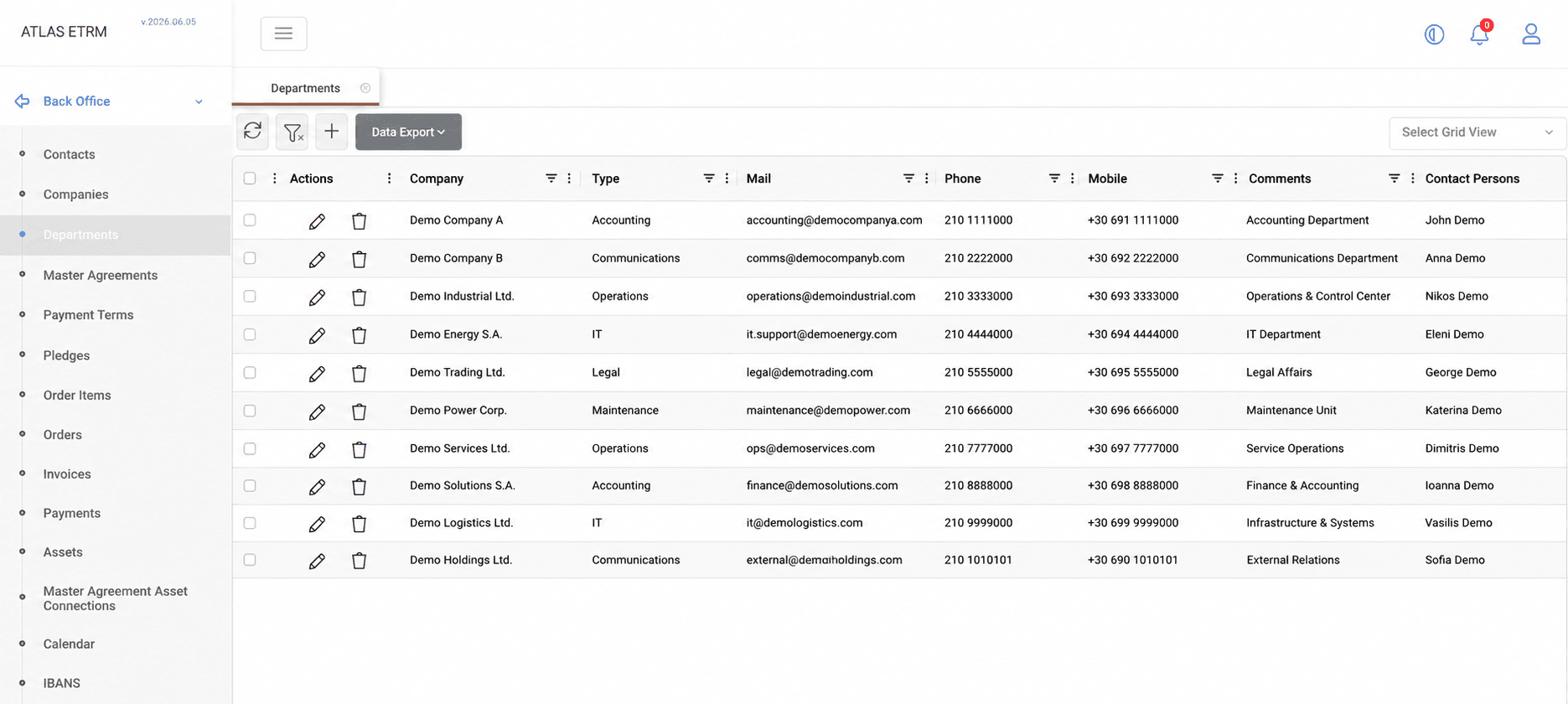
The Departments screen is used to maintain information about departments associated with companies registered in the platform. A department represents an organizational unit within a company and may be linked to contacts and operational communication details used throughout the system.
Department records store information such as department type, associated company, communication details, point of contact, subcontractor information, and comments.
Department information may be exported to Excel or CSV format using the Data Export option.
Creating a Department
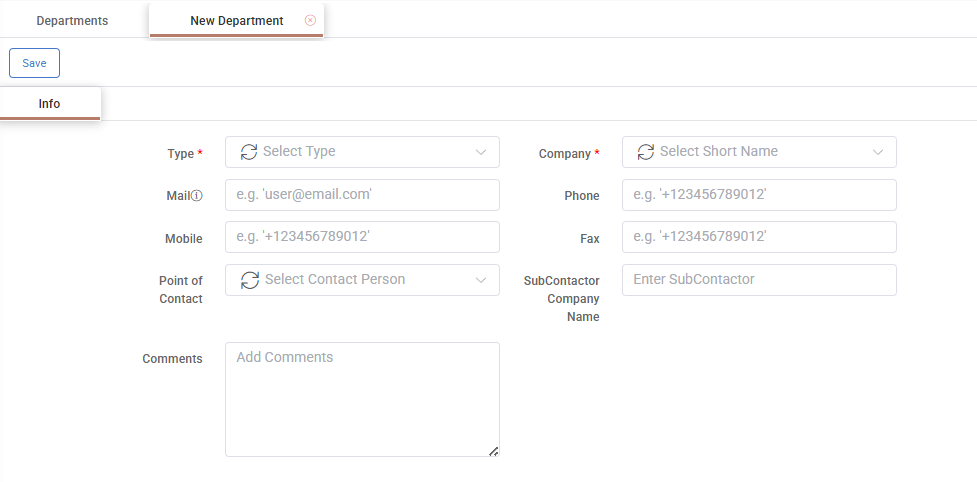
Click the + button at the top of the Departments grid. A department form opens where the department information can be entered.
The Type and Company fields are mandatory. The Type field identifies the business function of the department within the company, while the Company field defines the company with which the department is associated.
Additional information, such as email address, phone numbers, point of contact, subcontractor company name, and comments, may also be maintained.
The Point of Contact field allows the selection of existing contacts maintained in the Contacts screen.
Once all required information has been entered, click Save.
Editing and Deleting Departments
Editing a Department
To edit a department, double-click the desired record in the grid or click the Pencil icon displayed in the Actions area. Update the required information and click Save.
Department information is organized into the following tabs:
Info – Displays the department's general information, including department type, associated company, communication details, point of contact, subcontractor company name, and comments.
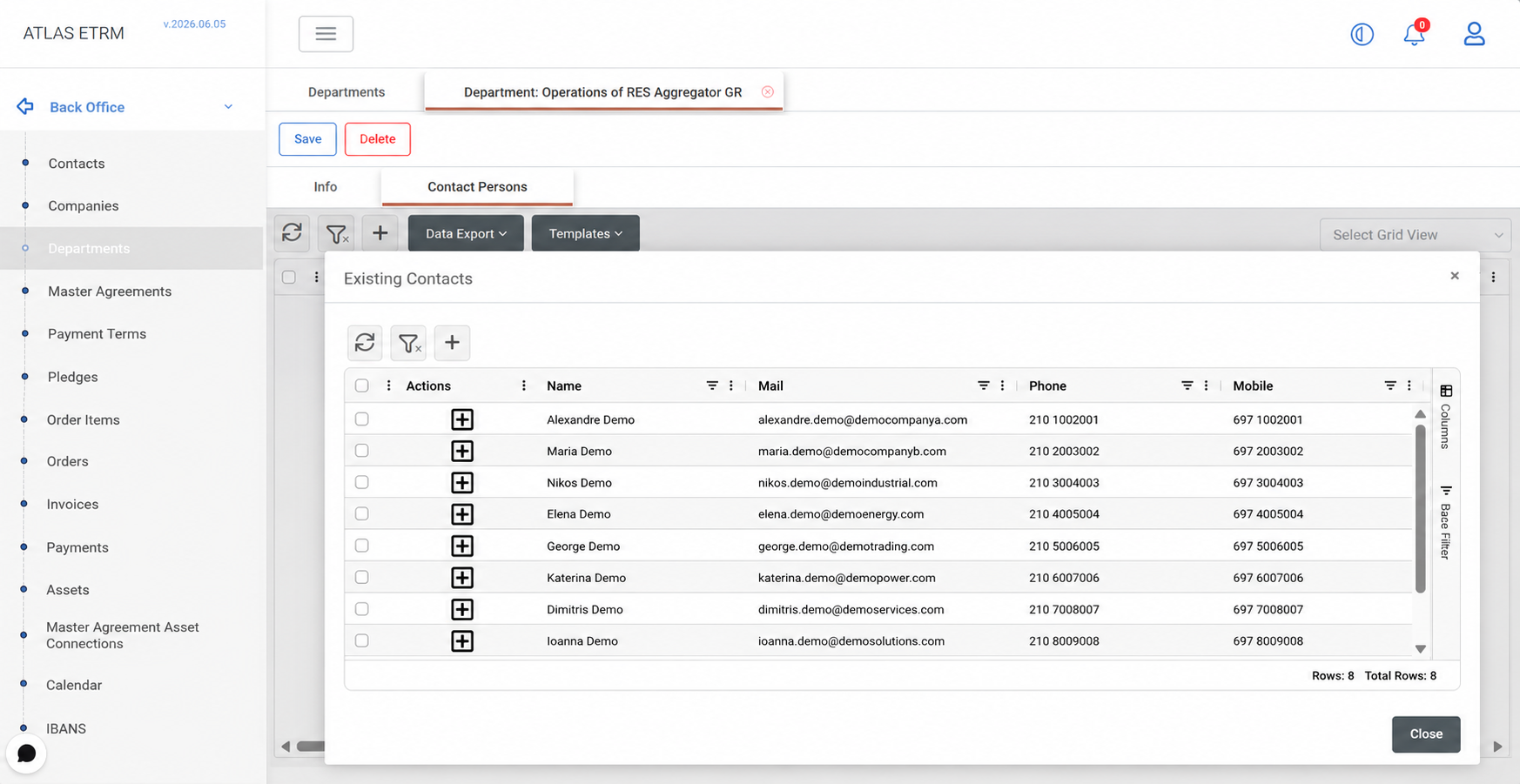
Contact Persons – Displays and manages contacts associated with the department. Existing contacts may be linked to the department, while new contacts may also be created directly from this tab. Newly created contacts become available in the Contacts screen.
Deleting a Department
A department may be deleted directly from the Departments grid by right-clicking the desired record and selecting Delete Departments, or by clicking the Trash Can icon displayed in the Actions area.
Alternatively, open the department record and click the Delete button.
Confirm the deletion when prompted. The department record is then permanently removed from the system.
Appendix - Field Details
Field / Element | Required | Description |
|---|---|---|
ID | No | System-assigned numeric identifier of the department. |
Type | Yes | Classification of the department according to its business function. Standard values include Accounting, Communications, IT, Legal, Maintenance, and Operations. Additional Department Types may be created through the Administration → Dynamic Types → Department types section and become available for selection once configured. |
Company | Yes | Company associated with the department. Available companies are maintained in the corresponding Back Office master data screen. |
No | Email address associated with the department. | |
Phone | No | Primary telephone number associated with the department. |
Mobile | No | Mobile telephone number associated with the department. |
Fax | No | Fax number associated with the department. |
Point of Contact | No | Contact person associated with the department. Available contacts are maintained in the corresponding Contacts screen. |
Subcontractor Company Name | No | Name of the subcontractor company associated with the department, if applicable. |
Comments | No | Free-text field for additional notes or remarks related to the department. |
Created At | No | Date and time the department was first created. |
Created By | No | Username of the user who created the department. |
Modified At | No | Date and time of the most recent modification. |
Modified By | No | Username of the user who modified the department. |