Navigating the Portal
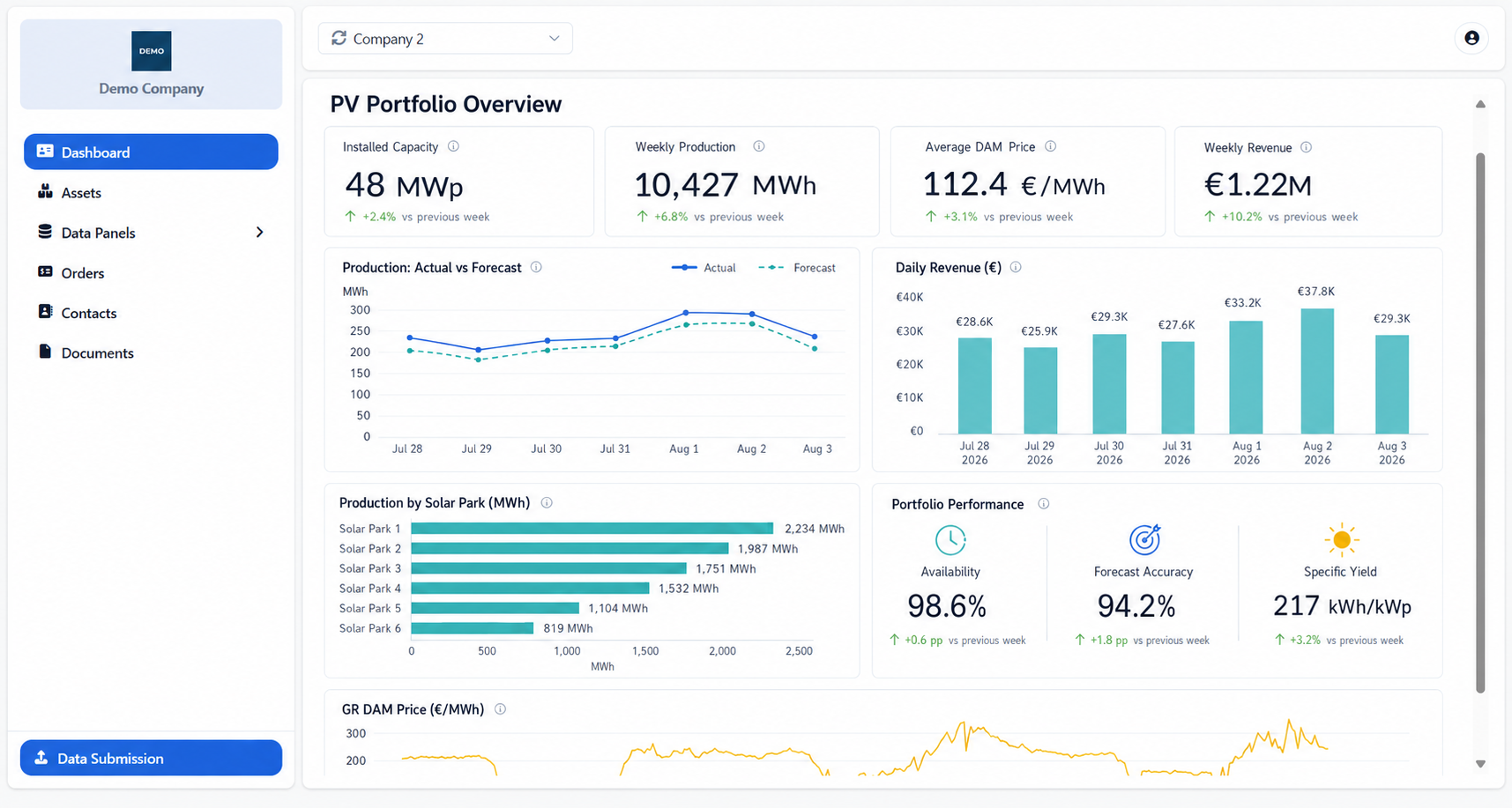
After signing in, the portal opens on the Dashboard, which serves as the home screen. It displays the report selected by the organization managing the portal and may include charts, indicators, tables and other information relevant to your company.
Use the navigation area on the left to access the other sections available to you.
The navigation menu may include:
Dashboard – View dashboards and key information.
Assets – Review the assets associated with your organization.
Data Panels – Explore available data, such as asset timeseries.
Orders – Review your invoices and their details.
Contacts – View the available contact information.
Documents – Access and download shared documents.
Select a menu item to open the corresponding section. Items with an arrow can be expanded or collapsed to display their available pages.
The Data Submission button is displayed at the bottom of the navigation area. Use it to submit or update data.
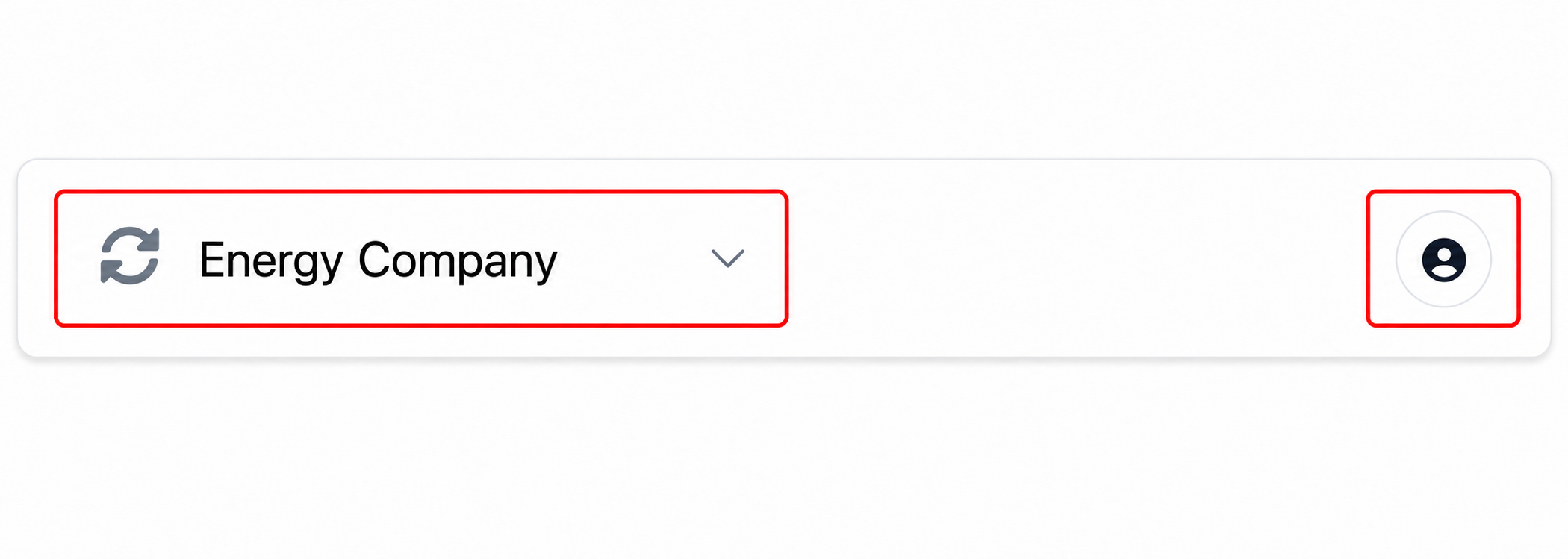
At the top of the portal, you can:
Select Refresh to reload the latest available information.
Use the company selector to switch between companies, if your account is associated with more than one company.
Open the user menu to change your display preferences or sign out.
The sections and actions displayed may vary depending on the access provided to your organization.
Was this helpful?