Uploading Asset Data
The Data Submission workflow allows users to submit timeseries values for one or more assets directly through the Customer Portal. The submission follows a guided process, from selecting the relevant assets and timeseries to entering and reviewing the values.
Select Data Submission from the bottom of the navigation panel to begin.
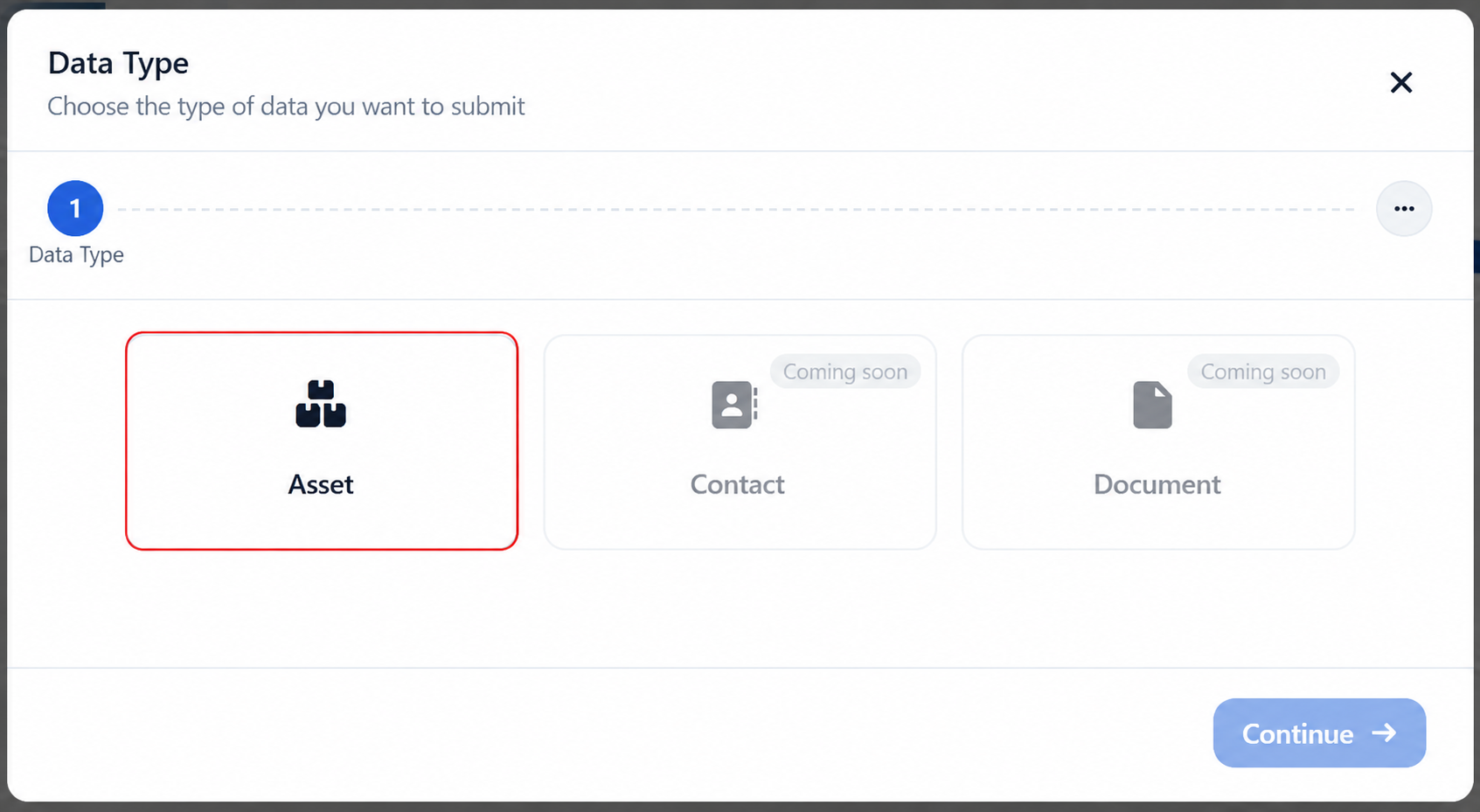
Select the Data Type
Select Asset to submit data associated with assets available to the selected company, and then select Continue.
Select the Assets
The Entity Selection step displays the assets available for the submission. Use the search field to locate a specific asset and select one or more records from the list.
The number of selected assets is displayed below the grid. Only timeseries associated with these assets will be available in the following step.
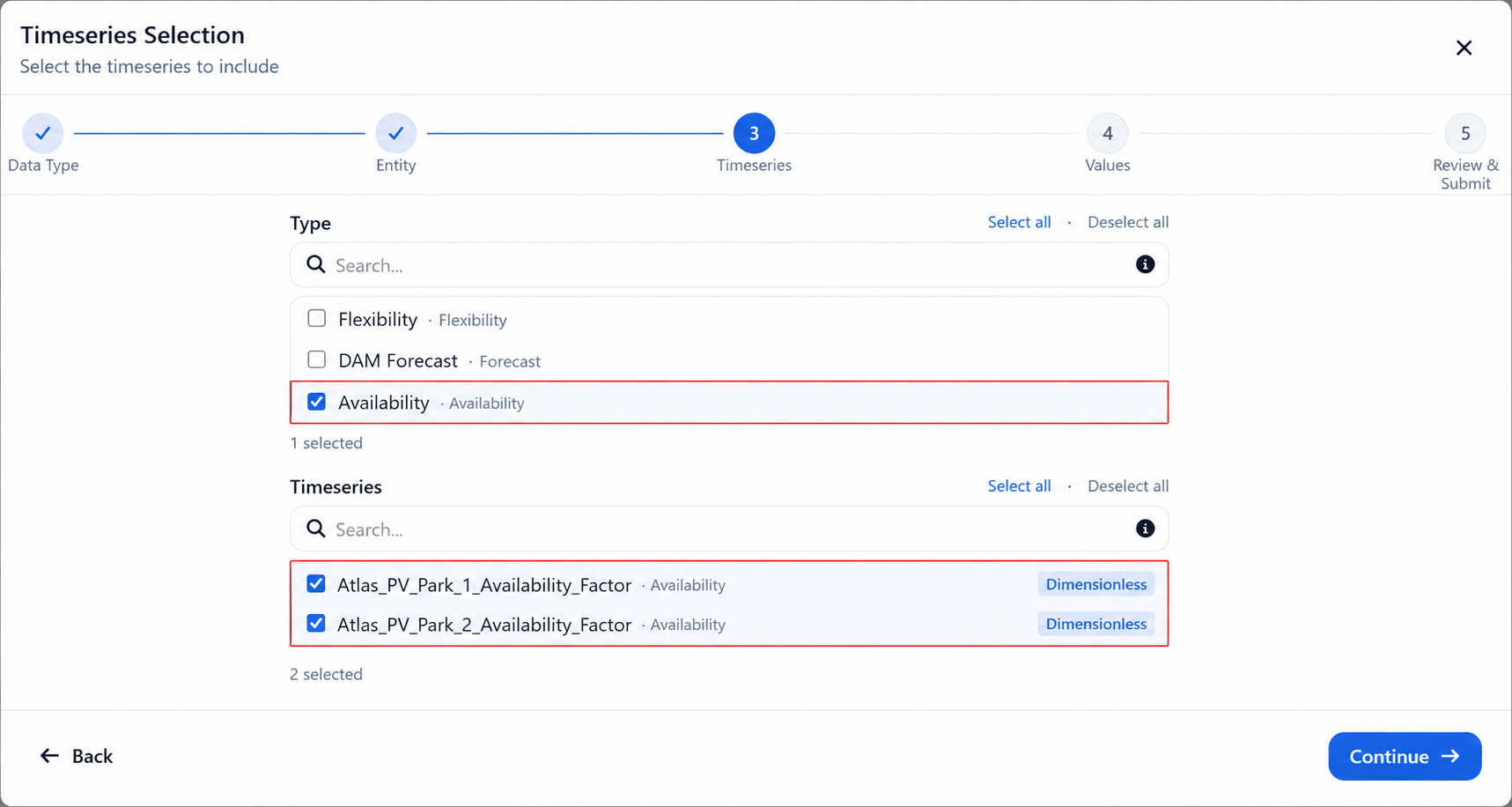
Select the Timeseries
Select the required timeseries Type, followed by the specific timeseries to be included in the submission. Multiple timeseries may be selected.
The search fields help locate the required type or timeseries, while Select All and Deselect All update all available selections.
Enter the Values
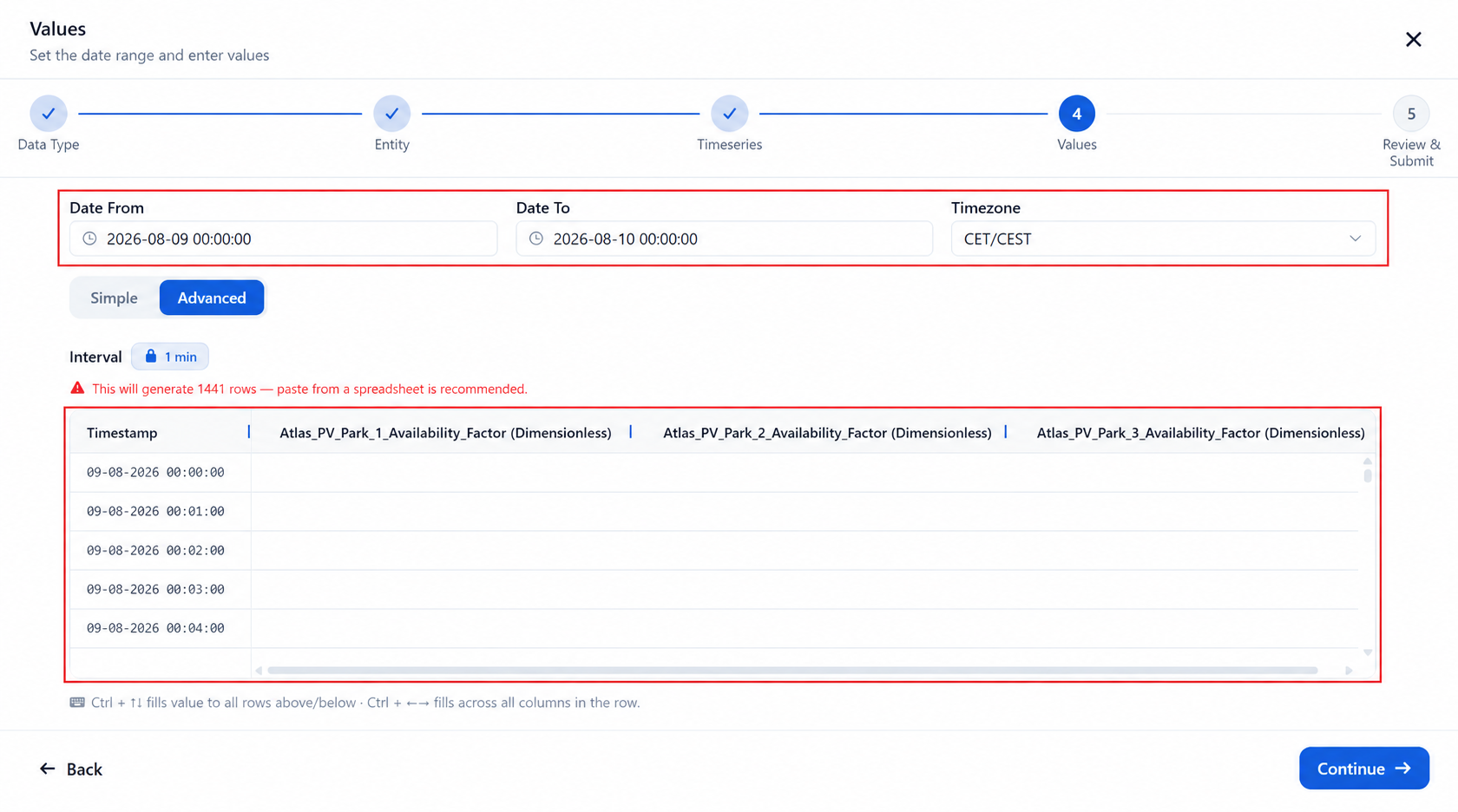
Define the submission period using Date From and Date To, and select the timezone used for the timestamps.
Values can be entered in two modes:
Simple mode applies the same value to all selected timeseries throughout the specified period.
Advanced mode generates rows according to the timeseries interval and allows separate values to be entered for each timestamp and timeseries. Values can also be pasted from a spreadsheet when working with larger datasets.
In Advanced mode, the number of generated rows depends on the selected period and interval.
Review and Submit
The final step summarises the selected data type, assets, timeseries type, submission period, entry mode and individual timeseries.
Review the information carefully before completing the submission. Select Back to return to a previous step and make corrections, or select Submit to upload the values.
Was this helpful?