Viewing Your Assets
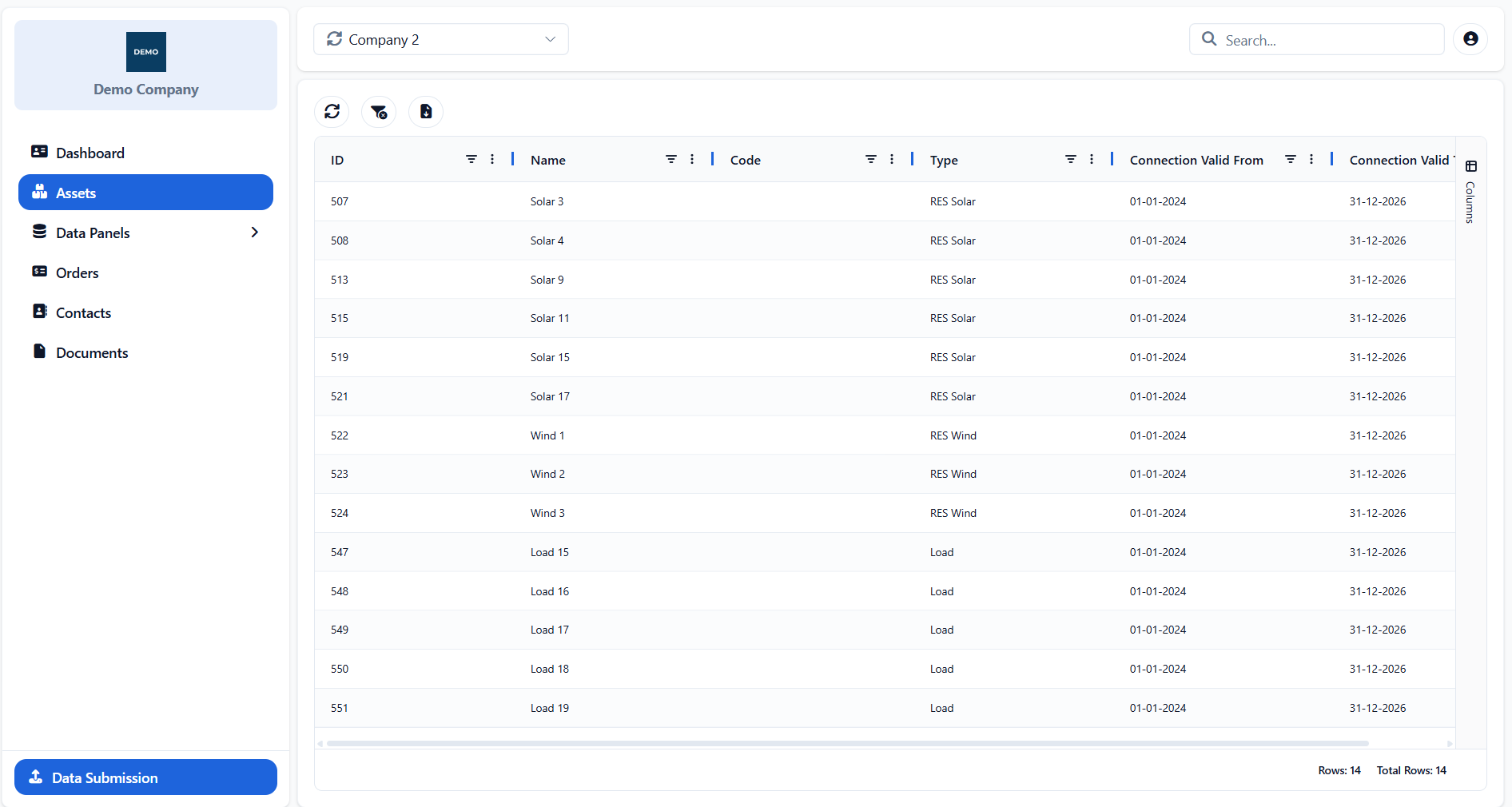
The Assets page displays all assets associated with the selected company. The information is read-only and includes both currently connected assets and historical records for assets that are no longer linked to the company.
For each asset, the table provides its ID, Name, Code, Type and connection validity period. Connection Valid From indicates when the asset became associated with the company, while Connection Valid To shows when that association ended, where applicable.
The Search field can be used to find an asset based on any information displayed in the table. The common filtering, sorting, column-management and export options described in Searching, Filtering and Exporting Information are also available.
Appendix - Field Details
Field / Element | Description |
|---|---|
ID | System-assigned numeric identifier of the asset. |
Name | Display name of the asset. |
Code | Short alphanumeric code used to identify the asset. |
Type | Classification of the asset, such as solar, wind, hydro or load. |
Connection Valid From | Date from which the asset is associated with the company. |
Connection Valid To | Date on which the asset’s association with the company ends. |
Was this helpful?