4.13 Calendar
Overview
The Calendar screen is used to maintain calendar information required for date-based calculations across the platform. A calendar defines working days, weekends, holidays, and other date attributes according to specific country or market rules.
Calendar data acts as a reference for Back Office processes that depend on business day calculations. For example, when Payment Terms are configured based on Business Days, the selected calendar determines the applicable dates by excluding weekends and holidays.
These calculations support downstream processes such as Order Item generation and settlement, ensuring that financial timelines follow the configured contractual rules.
Calendar information may be exported to Excel or CSV format using the Data Export option.
Viewing Calendar Information
Info Tab
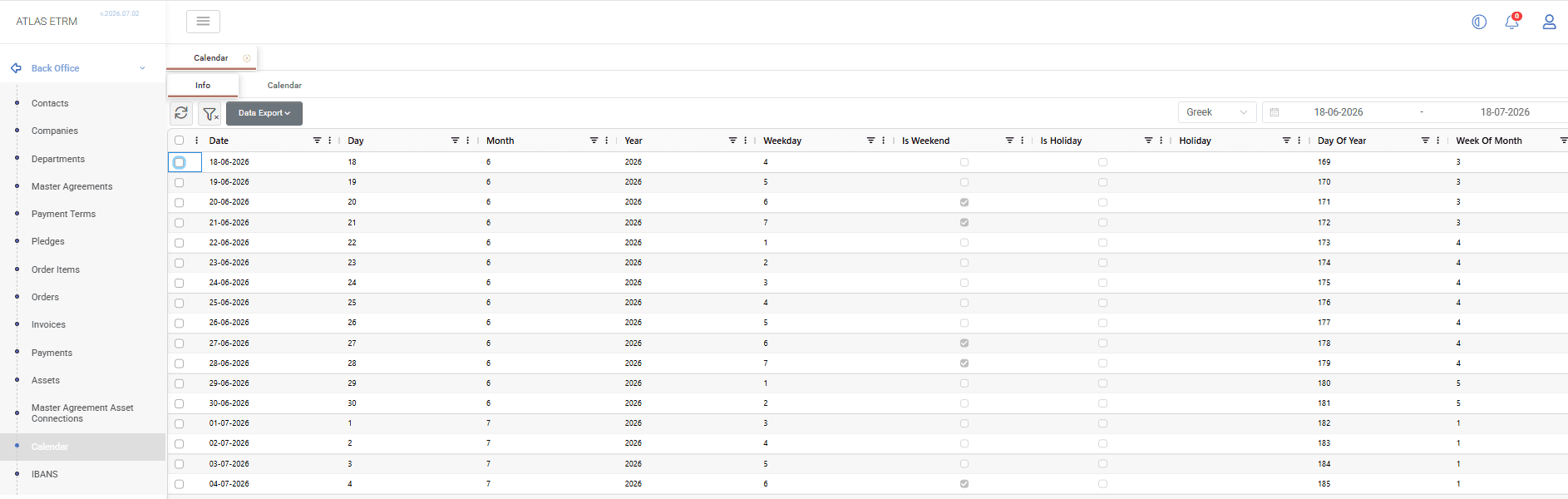
The Info tab displays the daily records of the selected calendar in a grid format. Users can select the calendar they want to review and adjust the displayed time window using the calendar selector and date range fields located in the upper-right section of the screen.
The following information is available for each calendar date:
Field | Description |
|---|---|
Date | Displays the specific calendar date. |
Day | Indicates the day number within the selected month. |
Month | Indicates the month number of the selected date. |
Year | Indicates the year of the selected date. |
Weekday | Identifies the day of the week based on the calendar configuration. |
Is Weekend | Indicates whether the date is classified as a weekend and excluded from standard business days. |
Is Holiday | Indicates whether the date is configured as a holiday. |
Holiday | Displays the holiday name or related holiday information when applicable. |
Day Of Year | Shows the sequential number of the day within the year. |
Week Of Month | Indicates the week number of the selected date within the corresponding month. |
Week Of Year | Indicates the week number of the selected date within the year. |
These attributes define how each date is interpreted by the system and are used in calendar-based calculations, such as business day adjustments applied in Back Office processes.
Calendar Tab
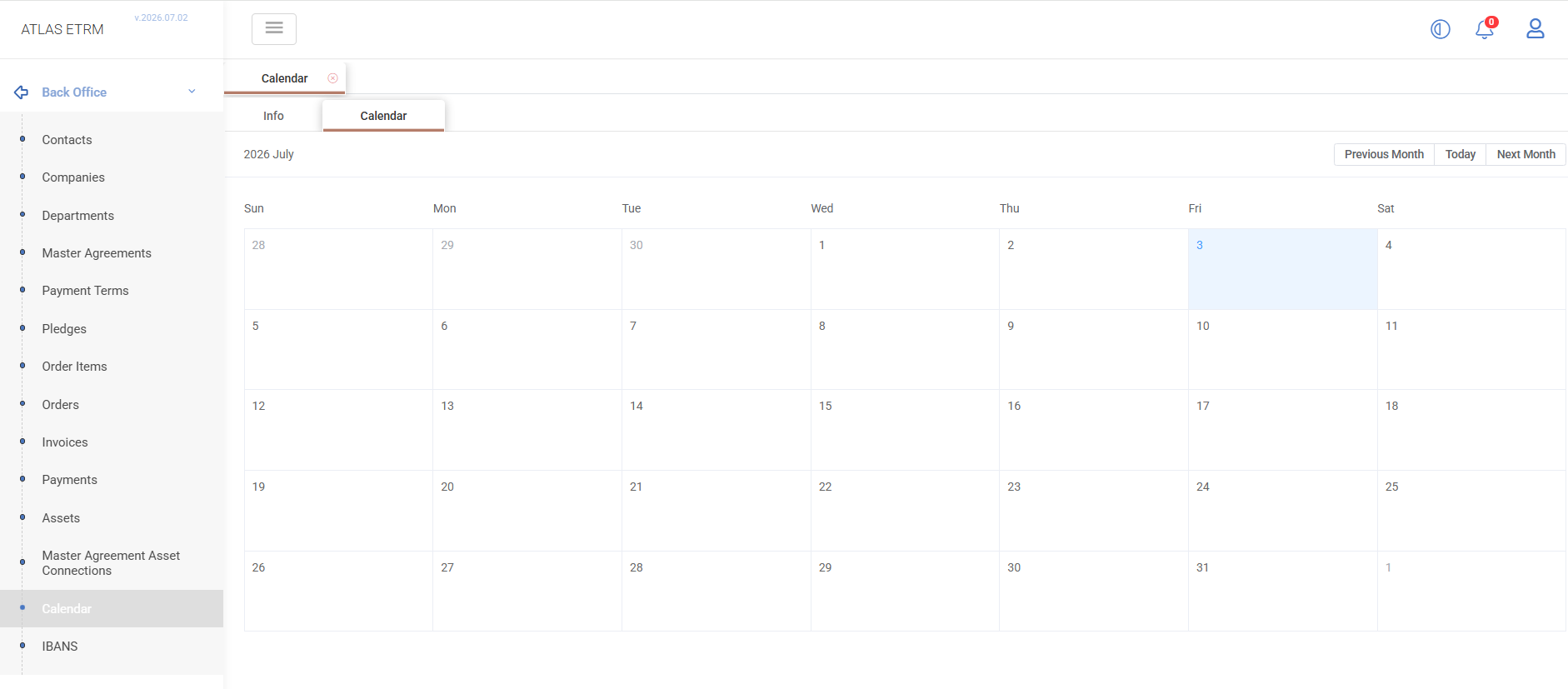
The Calendar tab provides a visual representation of the selected calendar, allowing users to navigate through months and review date information in a calendar format.
This view helps users easily identify weekends, holidays, and other date-related details, providing a clearer overview of the calendar configuration used by the system.