4.11 Assets
Overview
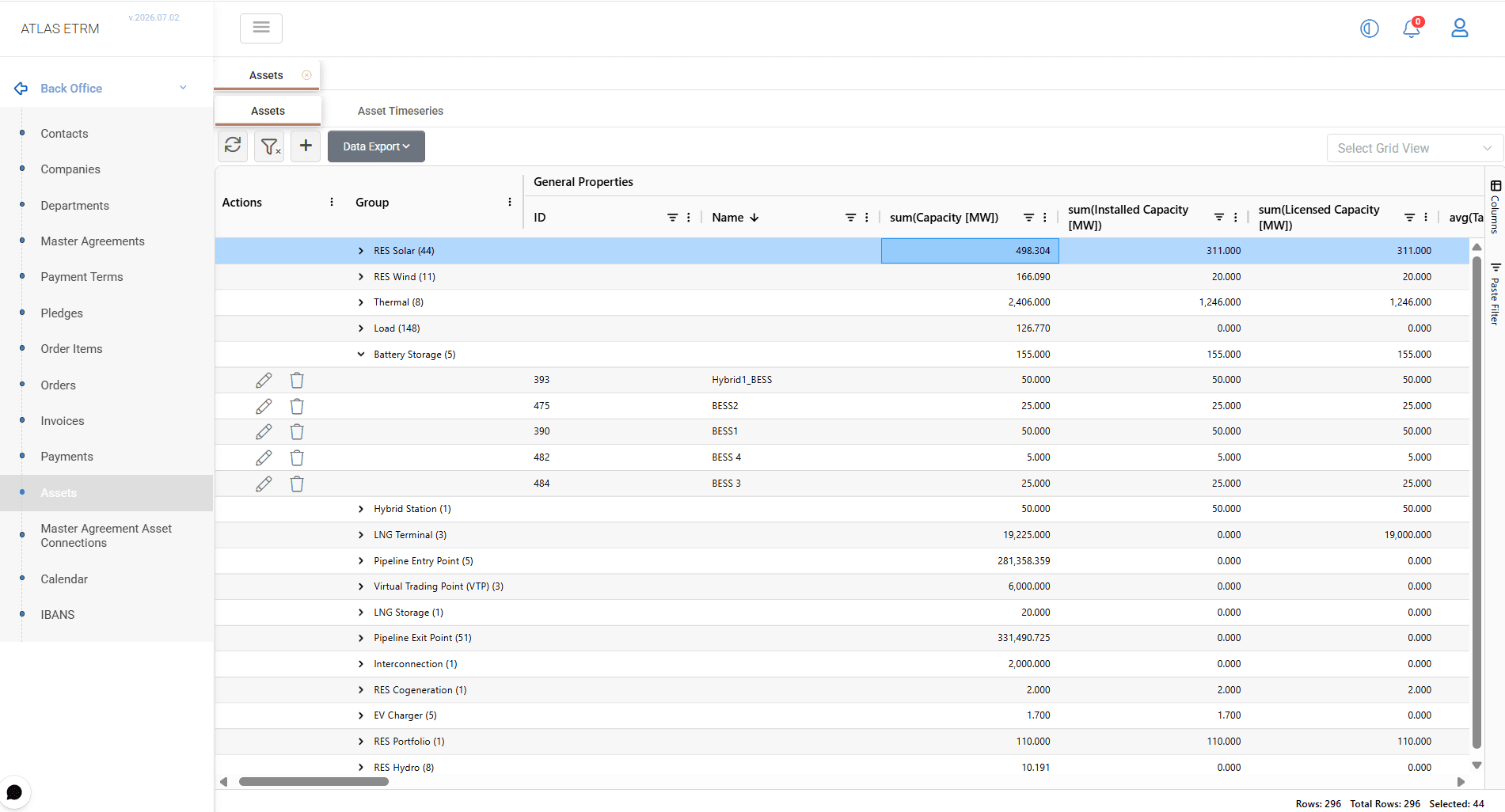
The Assets screen represents the physical layer of the ETRM, where actual operational units are maintained. Assets can represent different types of physical entities, such as renewable units, thermal units, storage assets, load meters, interconnections, etc.
For the complete list of supported Asset types, refer to the References - Data Options section.
Each asset type may have different characteristics depending on its role in the business processes. Asset records maintain all relevant information, including technical parameters, location details, linked timeseries, and associated deals. This information is then used across the platform to support market participation, calculations, settlement, and reporting.
The Assets module consists of two main tabs:
Assets – Allows users to create, maintain, and manage asset records and their related information.
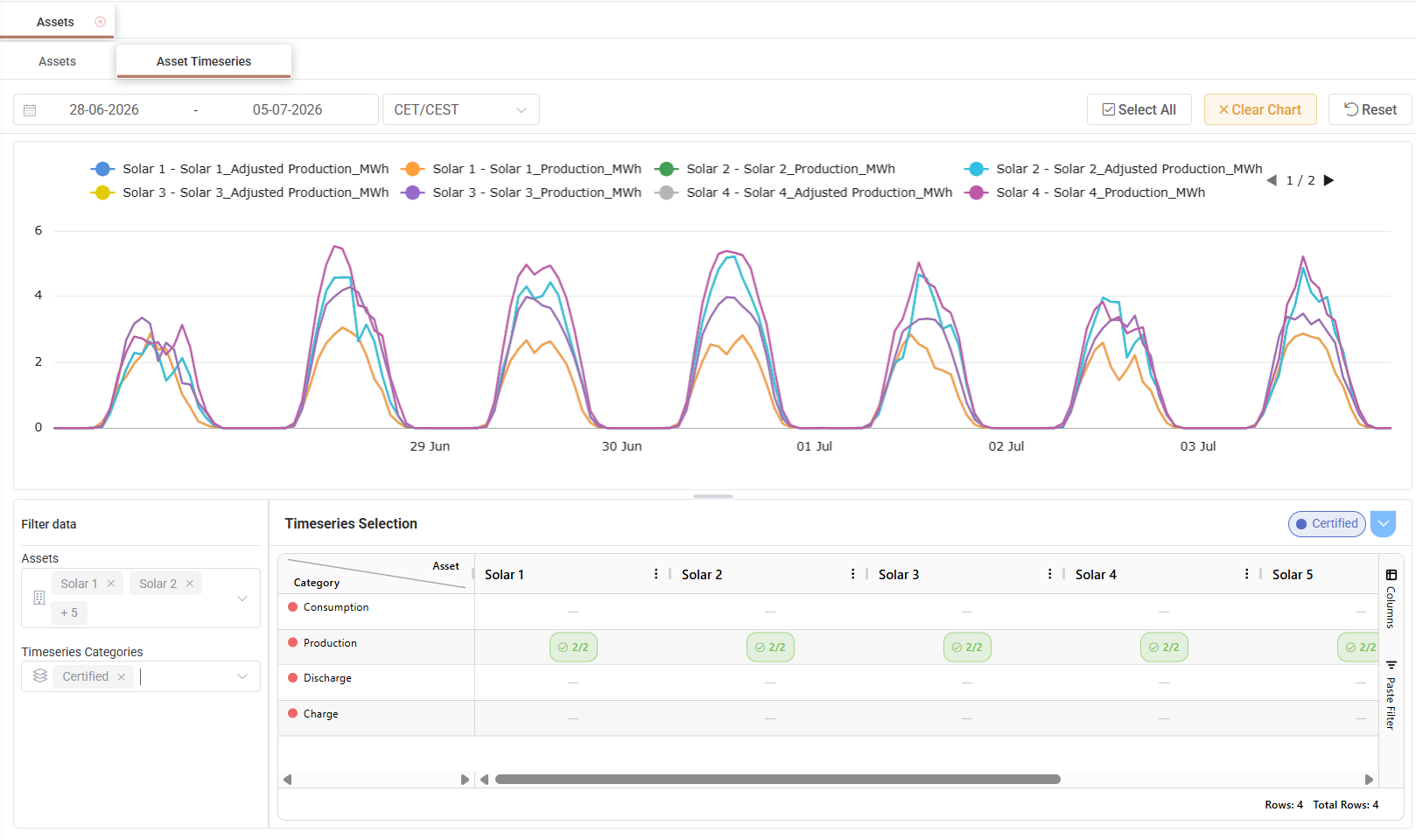
Asset Timeseries – Allows users to analyse timeseries data associated with assets. Users can select the required assets, choose one or more timeseries categories, define the time window, and visualize the selected data in chart format. The Select All option automatically selects all actual timeseries linked to the selected asset(s), excluding categories where no timeseries data is available.
Asset information may be exported to Excel or CSV format using the Data Export option.
Creating an Asset
Click the + button at the top of the Assets grid. A new asset form opens where the required asset information can be entered.
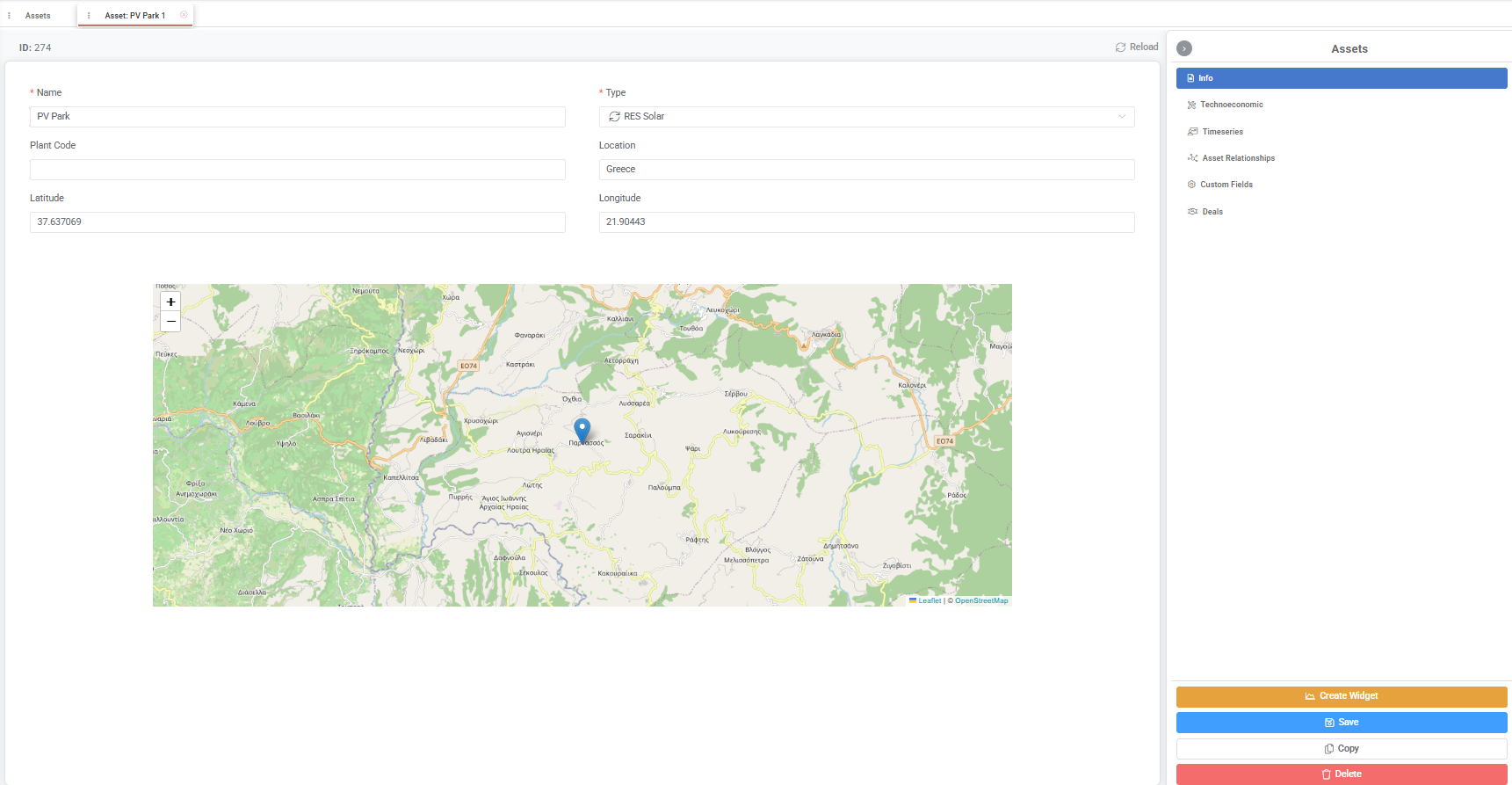
The Name and Type fields are mandatory. Additional information, such as plant code, location, latitude, and longitude, may also be maintained. When coordinates are entered, the map is updated to display the asset location.
Once all required information has been entered, click Save.
Editing and Deleting Assets
Editing an Asset
To edit an asset, double-click the desired record in the grid or click the Pencil icon displayed in the Actions area. Update the required information and click Save.
The Copy button creates a new asset by duplicating the currently displayed record. The copied information can then be modified as required before saving it as a new asset.
Asset information is organized into the following tabs:
Info – Displays the asset’s general information, including name, type, plant code, location, coordinates, and map visualization.
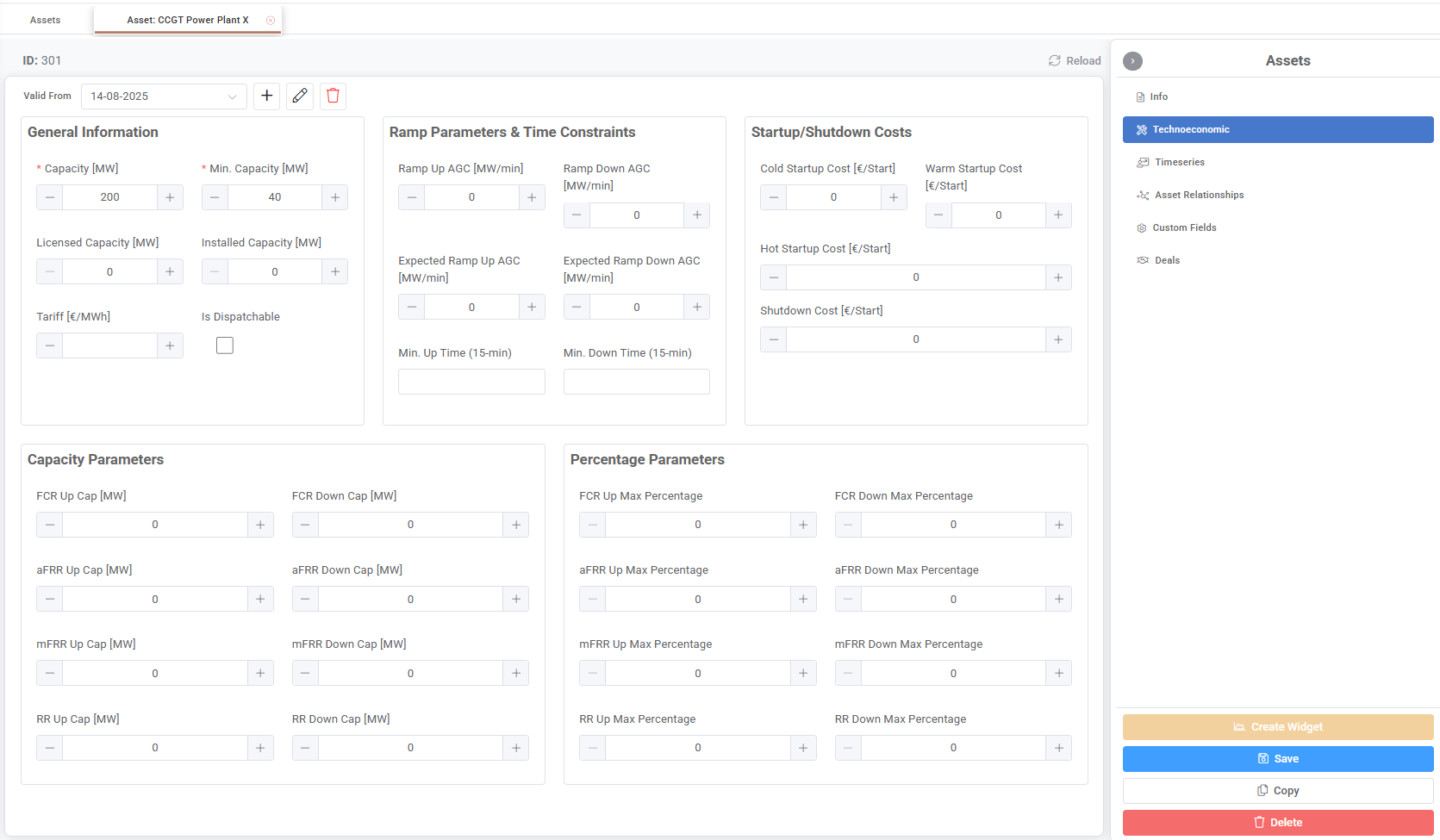
Technoeconomic – Displays technoeconomic parameters related to the asset, such as capacity and minimum capacity. Changes to these parameters can be maintained historically by defining different validity periods through the Valid From field. For the complete set of Technoeconomic tab fields, including UoM and applicable asset types, see the Appendix - Field Details section.
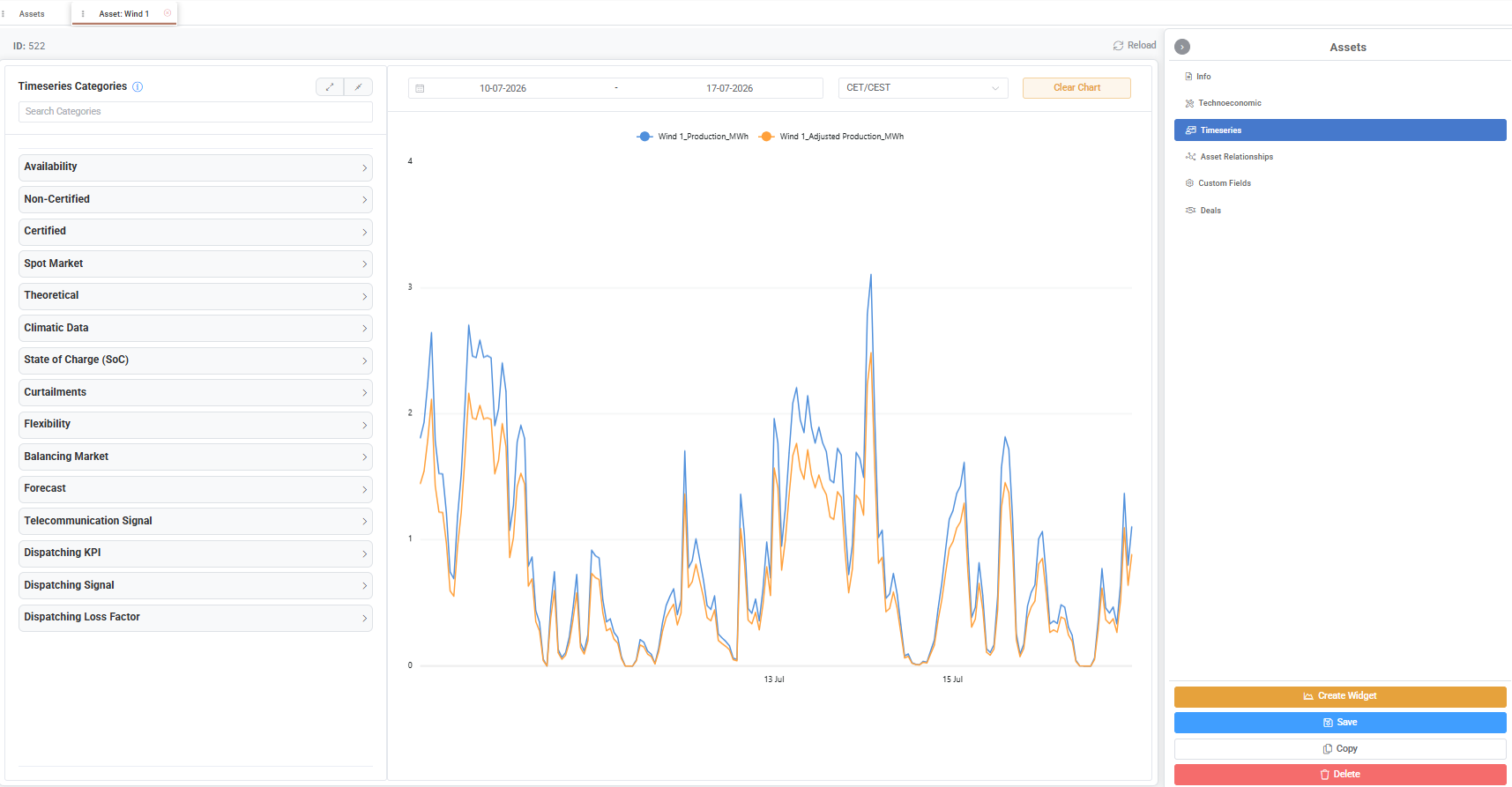
Timeseries – Displays and manages the timeseries linked to the selected asset. Asset timeseries represent different categories of operational data, such as forecasts, measurements, certified production, dispatching signals, or other asset-related values.
These timeseries are used across the platform to support processes such as market participation, monitoring, calculations, and settlement. For example, a production forecast timeseries may be used for market operations, while a certified production timeseries may be used in deal calculations and settlement processes.
Users can also create dashboard widgets based on the asset’s timeseries data using the Create Widget button.
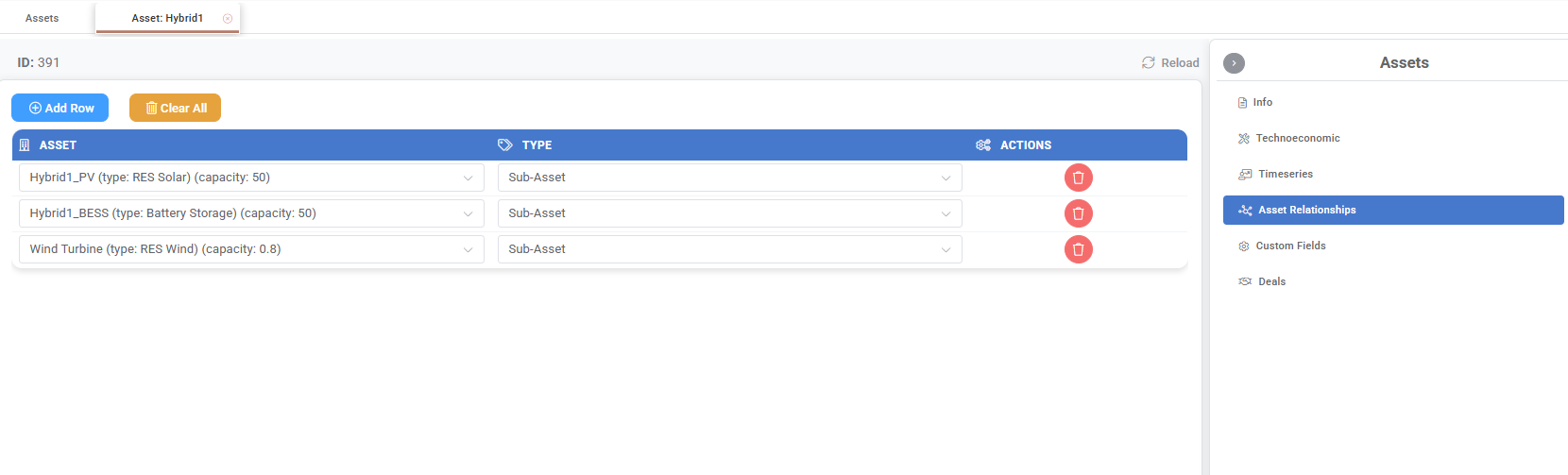
Asset Relationships – Defines relationships between the selected asset and other assets registered in the platform. This allows complex asset structures to be represented, where multiple assets operate as part of a larger configuration. For example, a hybrid station may be linked with its individual components, such as a PV unit, battery storage system, or wind turbine.
Custom Fields – Displays additional user-defined fields configured according to specific business needs. Custom fields allow users to extend the standard asset information model by maintaining additional attributes that are relevant to their processes. These values can also be used across the ETRM, for example as inputs in formulas and calculations through the Math Editor.
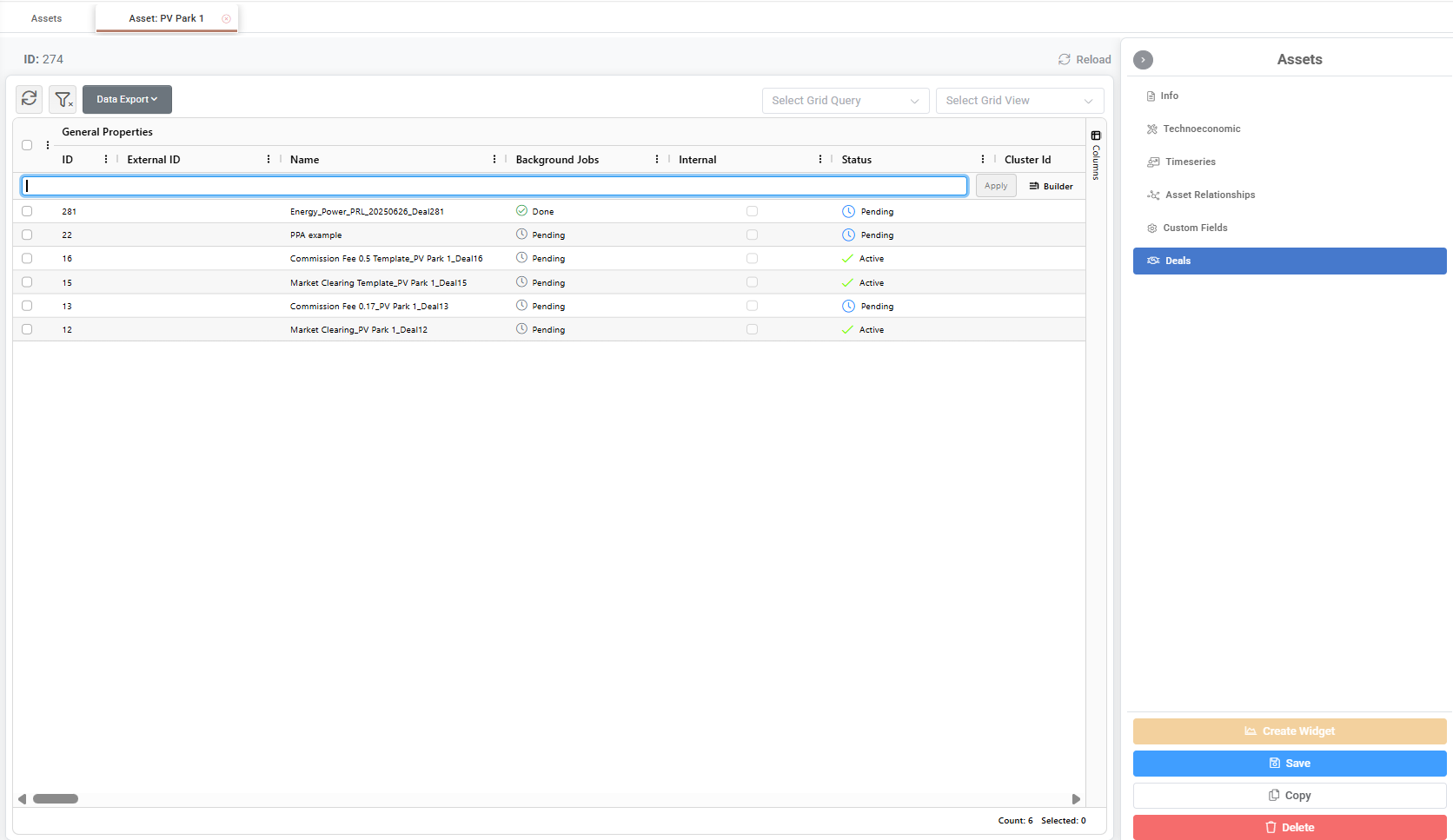
Deals – Displays deals associated with the selected asset.
Deleting Assets
An asset may be deleted from the asset view by clicking the Delete button within the selected asset record.
Assets may also be deleted directly from the Assets grid by using the Trash Can icon displayed in the Actions area, or by selecting one or more assets and choosing Delete Asset from the right-click menu.
The user must confirm the deletion before the selected asset records are permanently removed from the system.
Mass Actions
Mass actions are available from the Assets grid by selecting one or more asset records and opening the right-click menu.
View Deals per Asset
Redirects the user to the Portfolio Management area and displays the deals associated with the selected asset(s) by applying the corresponding asset filters.
View Timeseries
Opens the Asset Timeseries tab with the selected asset(s) already pre-filled.
Users can then select the required timeseries categories and data series, adjust the time window, and review the selected information through the generated chart.
Update Custom Fields
Allows users to update configured custom fields for the selected asset(s).
If the selected custom field is configured as time-sliced, the user must also define the applicable validity date.
Appendix - Field Details
Info Tab
Field / Element | Required | Description |
|---|---|---|
ID | No | System-generated unique identifier of the Asset. It is assigned automatically when the Asset is created and cannot be modified. |
Name | Yes | Name of the Asset. This value is used throughout the system to identify the Asset. |
Type | Yes | Classification of the Asset according to its business function. The selected type determines the characteristics and behaviour of the Asset within the system. Standard Asset Types are described in the References → Data Options section. |
Plant Code | No | External code used to uniquely identify the physical plant or installation associated with the Asset. |
Location | No | Free-text description of the geographical location of the Asset. |
Latitude | No | Geographic latitude of the Asset location, expressed in decimal degrees. |
Longitude | No | Geographic longitude of the Asset location, expressed in decimal degrees. |
Technoeconomic Tab
Field / Element | UoM | Applicable Asset Types |
|---|---|---|
General Information | ||
Capacity | MW | All |
Min Capacity | MW | All |
Licensed Capacity | MW | All |
Installed Capacity | MW | All |
Tariff | €/MWh | All |
Is Dispatchable | Boolean | All |
Ramp Parameters & Time Constraints | ||
Ramp Up AGC | MW/min | All |
Ramp Down AGC | MW/min | All |
Expected Ramp Up AGC | MW/min | All |
Expected Ramp Down AGC | MW/min | All |
Min. Up Time (15-min) | QHrs | All |
Min. Down Time (15-min) | QHrs | All |
Min Up Charging Time (15-min) | QHrs | Battery Storage |
Min Down Charging Time (15-min) | QHrs | Battery Storage |
Min Up Discharging Time (15-min) | QHrs | Battery Storage |
Min Down Discharging Time (15-min) | QHrs | Battery Storage |
Min Resting Time (15-min) | QHrs | Battery Storage |
Startup/Shutdown Costs | ||
Cold Startup Cost | €/Start | Thermal, Virtual Thermal |
Warm Startup Cost | €/Start | Thermal, Virtual Thermal |
Hot Startup Cost | €/Start | Thermal, Virtual Thermal |
Shutdown Cost | €/Start | Thermal, Virtual Thermal |
Capacity Parameters | ||
FCR Up Cap | MW | All |
FCR Down Cap | MW | All |
aFRR Up Cap | MW | All |
aFRR Down Cap | MW | All |
mFRR Up Cap | MW | All |
mFRR Down Cap | MW | All |
RR Up Cap | MW | All |
RR Down Cap | MW | All |
Percentage Parameters | ||
FCR Up Max Percentage | % | All |
FCR Down Max Percentage | % | All |
aFRR Up Max Percentage | % | All |
aFRR Down Max Percentage | % | All |
mFRR Up Max Percentage | % | All |
mFRR Down Max Percentage | % | All |
RR Up Max Percentage | % | All |
RR Down Max Percentage | % | All |
Generic Data | ||
Ramp Up | MW/min | Thermal, Virtual Thermal |
Ramp Down | MW/min | Thermal, Virtual Thermal |
AGC Max | MW | Thermal, Virtual Thermal |
AGC Min | MW | Thermal, Virtual Thermal |
Fuel & Emissions Data | ||
Heat Rate A | GJ/h | Thermal, Virtual Thermal |
Heat Rate B | GJ/MWh | Thermal, Virtual Thermal |
Heat Rate C | GJ/MW²h | Thermal, Virtual Thermal |
Must Run Weight | Unitless [0-1] | Thermal, Virtual Thermal |
CO₂ Emissions | T/MWh | Thermal, Virtual Thermal |
Fuel Lower Heating Value | GJ/qmu | Thermal, Virtual Thermal |
Carbon Content | Unitless [0-1] | Thermal, Virtual Thermal |
CO₂ Tonne Coefficient A | T | Thermal, Virtual Thermal |
CO₂ Tonne Coefficient B | T/MWh | Thermal, Virtual Thermal |
CO₂ Tonne Coefficient C | T/MW²h | Thermal, Virtual Thermal |
Operating Timings Data | ||
Sync Time Hot (15-min) | QHrs | Thermal, Virtual Thermal |
Sync Time Warm (15-min) | QHrs | Thermal, Virtual Thermal |
Sync Time Cold (15-min) | QHrs | Thermal, Virtual Thermal |
Desync Time (15-min) | QHrs | Thermal, Virtual Thermal |
Soak Time Hot (15-min) | QHrs | Thermal, Virtual Thermal |
Soak Time Warm (15-min) | QHrs | Thermal, Virtual Thermal |
Soak Time Cold (15-min) | QHrs | Thermal, Virtual Thermal |
Idle Time Hot To Warm (15-min) | QHrs | Thermal, Virtual Thermal |
Idle Time Warm To Cold (15-min) | QHrs | Thermal, Virtual Thermal |
Cost Data | ||
Maintenance AddVar Cost | €/MWh | Thermal, Virtual Thermal |
Human Res AddVar Cost | €/MWh | Thermal, Virtual Thermal |
Improvement AddVar Cost | €/MWh | Thermal, Virtual Thermal |
Thermal Soak Steps | ||
Thermal State | Enum (Hot / Warm / Cold) | Thermal, Virtual Thermal |
Step 1–24 | MW | Thermal, Virtual Thermal |
Energy Storage Characteristics | ||
Charging Efficiency | % | Battery Storage |
Discharging Efficiency | % | Battery Storage |
Battery Round Trip Efficiency | % | Battery Storage |
Storage Capacity | MWh | Battery Storage |
Max Stored Energy | MWh | Battery Storage |
Min Stored Energy | MWh | Battery Storage |
Max Limited Energy Flag | Boolean | Battery Storage |
Min Limited Energy Flag | Boolean | Battery Storage |
Max Daily Energy | MWh | Battery Storage |
Min. Daily Energy | MWh | Battery Storage |
Max Cycles Per Day | cycles/day | Battery Storage |
Max Depth of Discharge | % | Battery Storage |
Max Self Discharge Rate per month | % | Battery Storage |
Power Conversion & Electrical Losses | ||
PCS Loss Coefficient 0 | Unitless | Battery Storage |
PCS Loss Coefficient 1 | Unitless | Battery Storage |
PCS Loss Coefficient 2 | Unitless | Battery Storage |
Total PCS Capacity | MW | Battery Storage |
PCS Standby Losses | MW | Battery Storage |
Transformer Rating | MVA | Battery Storage |
Transformer Copper Losses p.u. | Unitless [0-1] | Battery Storage |
Transformer No Load Losses | kW | Battery Storage |
Auxiliary Systems & Thermal Management | ||
Battery Management System Power Consumption | kW | Battery Storage |
Auxiliary Systems Power | kW | Battery Storage |
Safety Systems Standby Power | kW | Battery Storage |
Total Fixed Losses | kW | Battery Storage |
HVAC Baseline Power | kW | Battery Storage |
HVAC Setpoint Temperature | °C | Battery Storage |
Reference COP | °C | Battery Storage |
COP Degradation Coefficient per °C | Unitless / °C | Battery Storage |
Reference Temperature | °C | Battery Storage |
Cooling Activation Temperature | °C | Battery Storage |
Container Thermal Transmittance | W/m²K | Battery Storage |
Total Container Surface Area | m² | Battery Storage |
Solar Heat Gain | W/m² | Battery Storage |
Solar Absorptivity | Unitless [0–1] | Battery Storage |