Overview
The Job Executions page shows every execution of every job within a selected period, together with the executions planned for the coming hours. The page updates in real time, so users can follow running jobs and see new results as soon as they become available, without refreshing.
This gives operations and trading teams a single place to confirm that scheduled processes have run, identify failures quickly and investigate their cause.
Monitoring Executions
The period displayed is set with the date range selector at the top of the page.
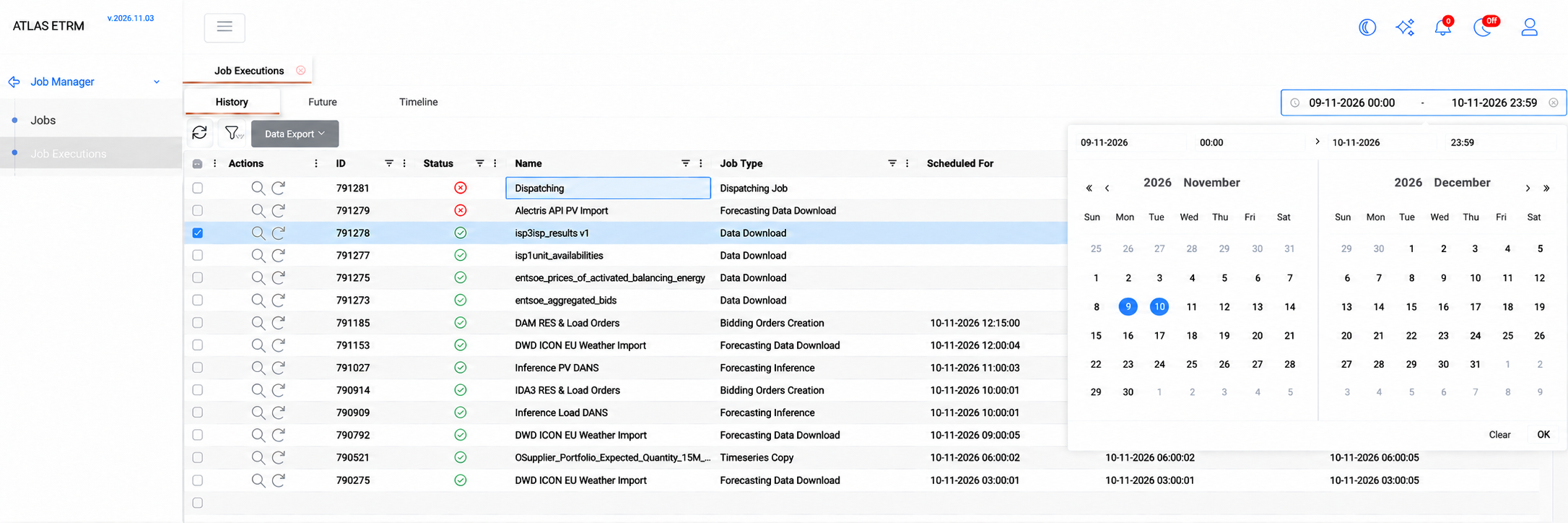
Executions are presented in three views:
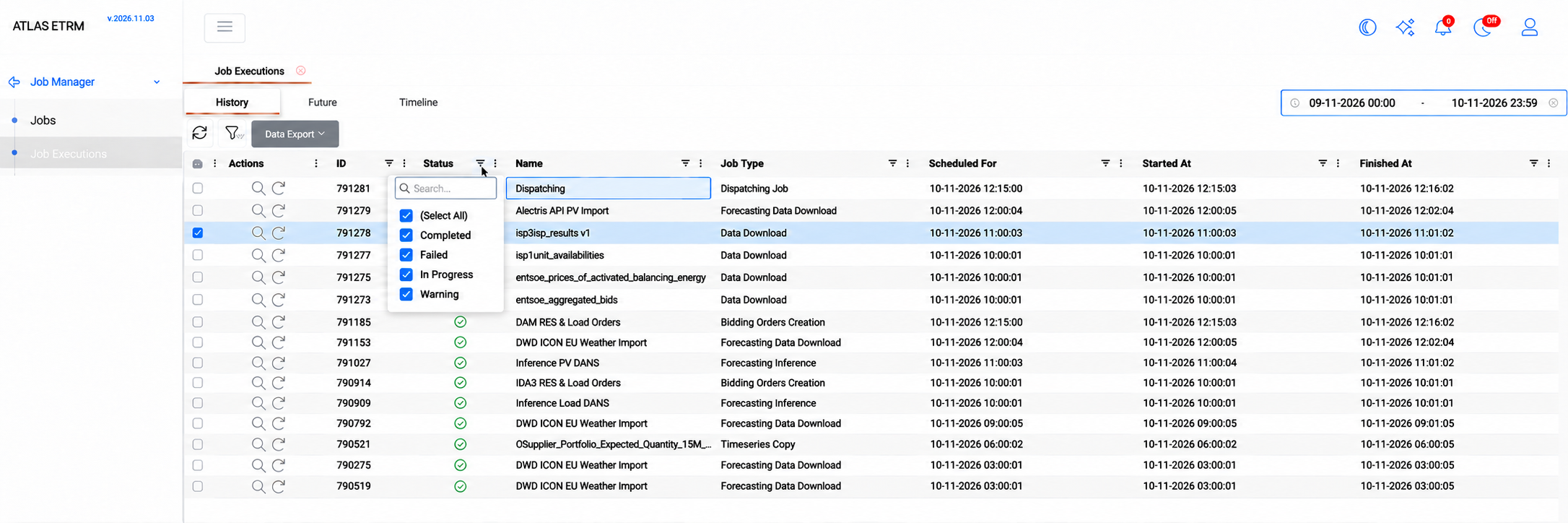
History lists the executions that have run or are running, with their status and start and finish times. From this view, users can open an execution or re-run it.
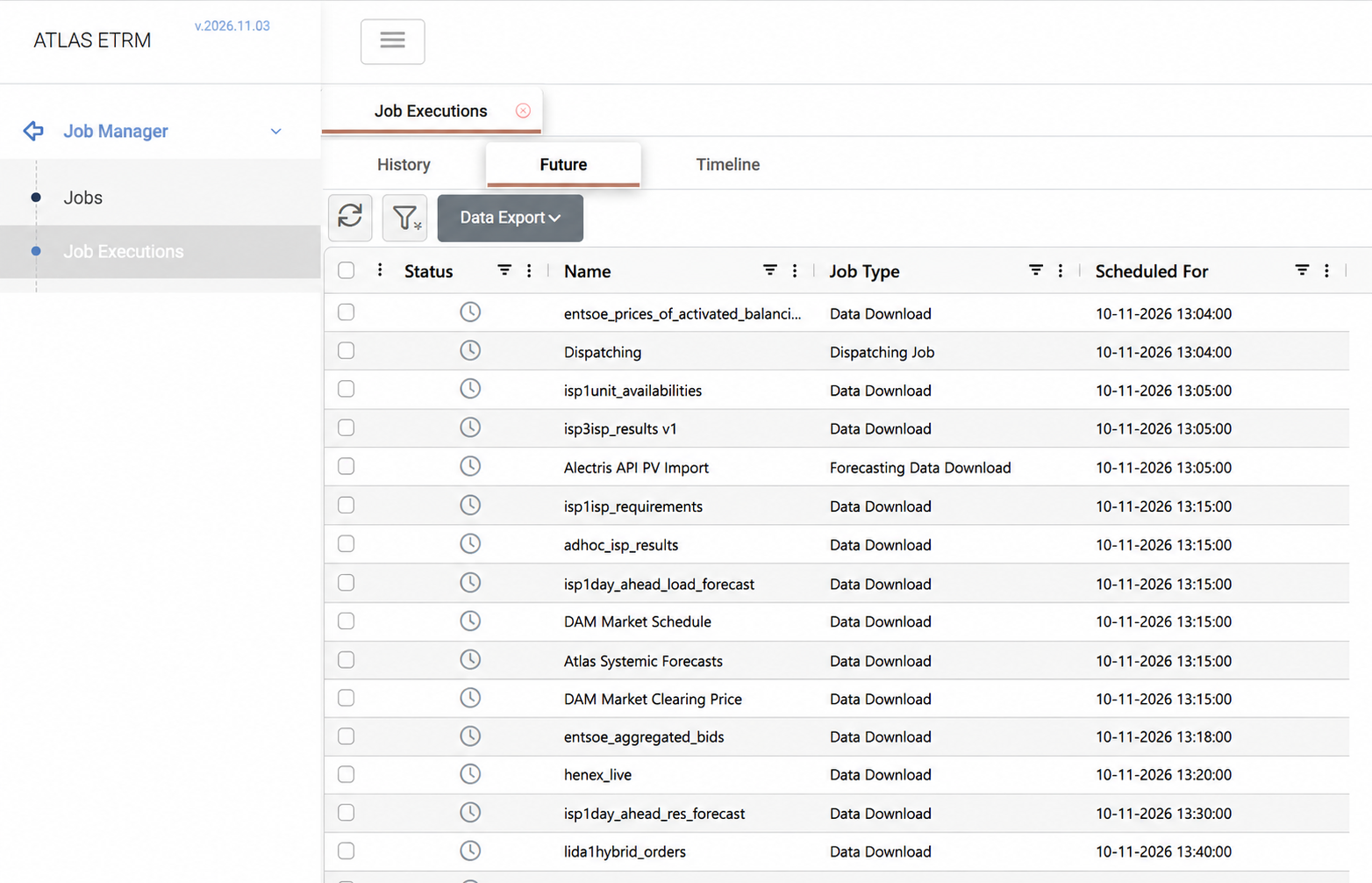
Future lists the executions scheduled to run next, based on the triggers of each job.
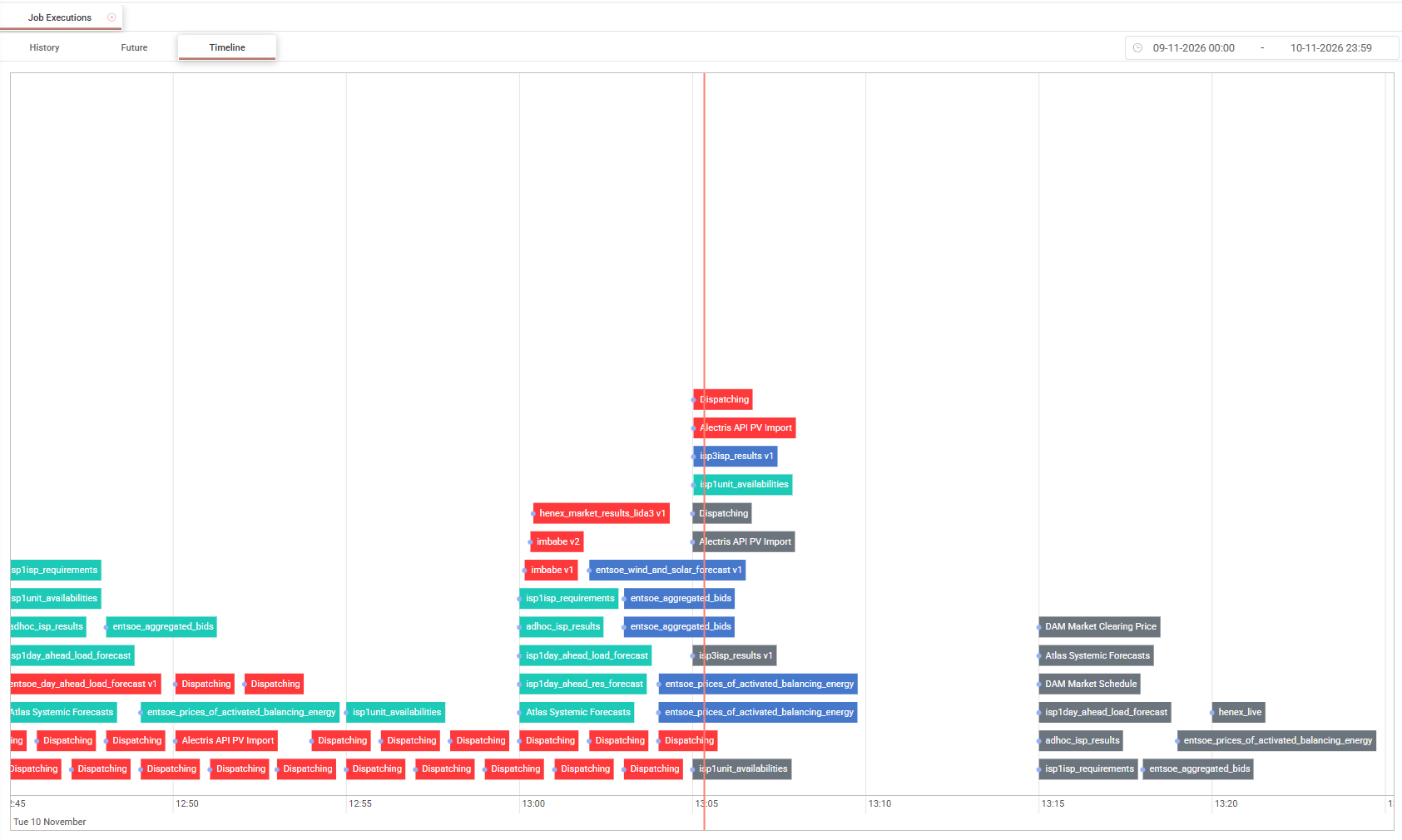
Timeline places past and future executions on a time axis, with a marker for the current time, so users can see how jobs are distributed through the day and where failures occurred. Green indicates a successful execution, red a failed execution, blue an execution in progress and grey a future execution.
For job types that report their progress, such as Timeseries Copy and Data Download, a progress bar shows how far a running execution has advanced.

Execution Details
An execution is opened by double-clicking it or with the View Execution action, and its details are presented in separate tabs.
Info and Input show the execution's general information and the parameters it used, as they were at the time of the execution. Later changes to the job do not affect this record, which makes it possible to trace exactly what a past run did.
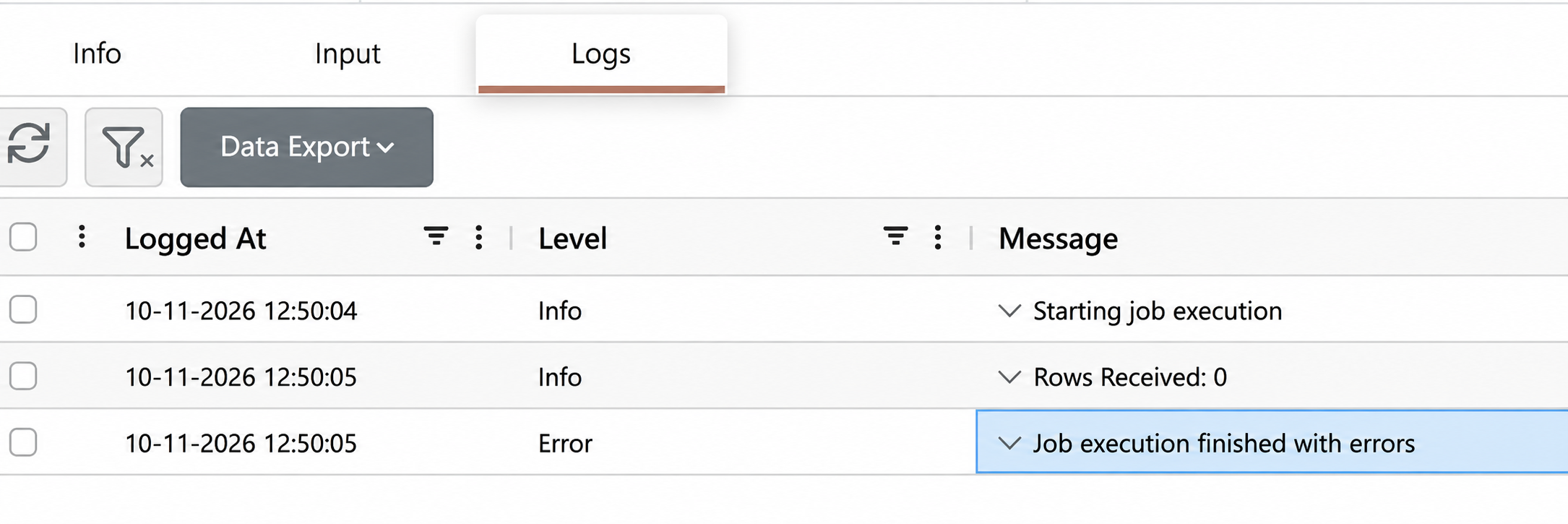
Logs lists the messages recorded during the execution, in chronological order, with their severity.
Logs are updated while the execution is running and are the first place to look when a job fails.
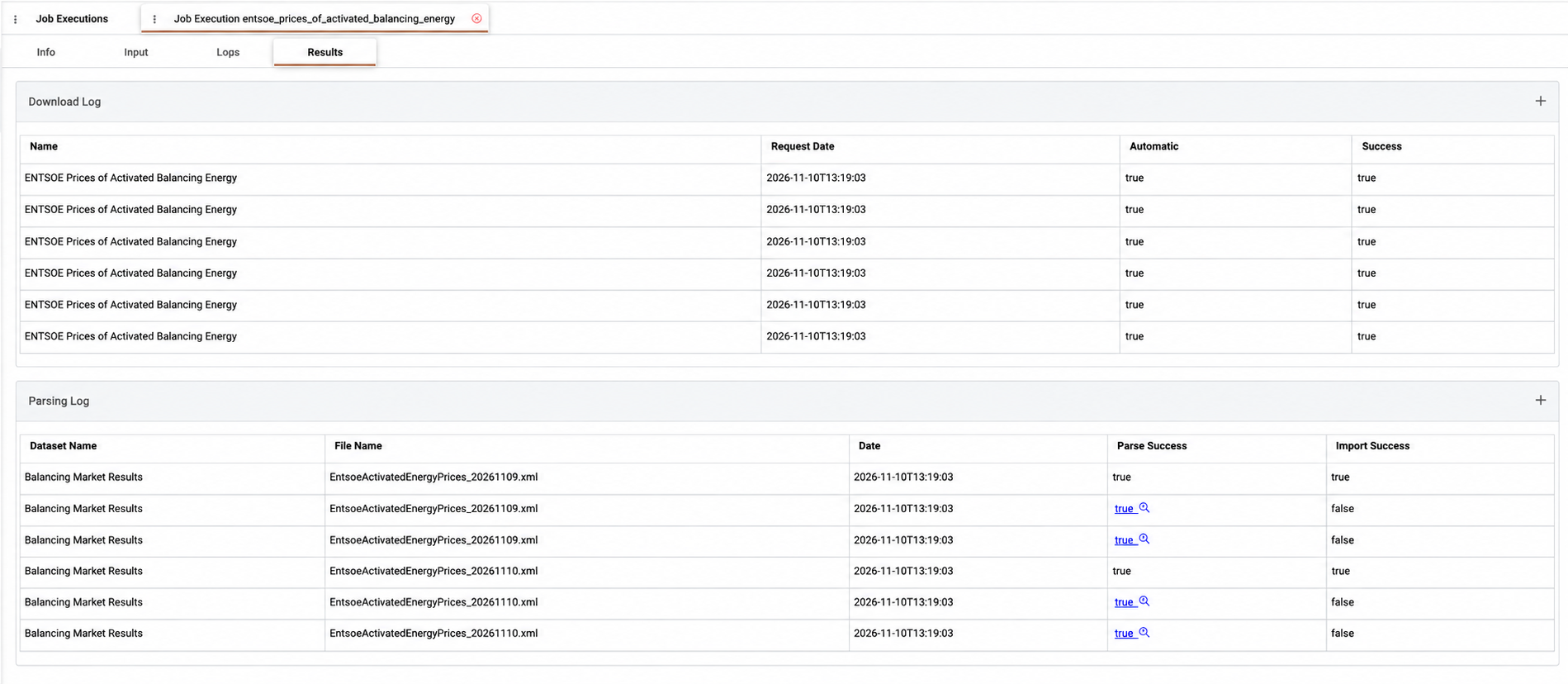
Results shows the output of the execution, where the job type produces one. It is not available for failed executions.
Appendix – Field Details
History
Field / Element | Description |
|---|---|
Actions | View Execution opens the execution details. Re-Run Execution runs the execution again. |
ID | Unique identifier of the execution. |
Status | Result of the execution: Completed, Warning when only part of the work succeeded, In Progress or Failed. |
Name | Name of the job. |
Job Type | Type of the job. See [Job Types]. |
Scheduled For | Date and time the execution was scheduled for. Empty for manual executions. |
Started At | Date and time the execution started. |
Finished At | Date and time the execution finished. |
Future
Field / Element | Description |
|---|---|
Status | Status of the planned execution. |
Name | Name of the job. |
Job Type | Type of the job. |
Scheduled For | Date and time the execution is scheduled to run. |
Execution Info
Field / Element | Description |
|---|---|
Name | Name of the job. |
Status | Status of the execution: In Progress, Completed, Warning or Failed. |
Scheduled For | Date and time the execution was scheduled for. |
Started At | Date and time the execution started. |
Finished At | Date and time the execution finished. |
Logs
Field / Element | Description |
|---|---|
Logged At | Date and time the message was recorded. |
Level | Severity of the message, such as Info or Error. |
Message | Content of the message. Long messages can be expanded. |