Permissions
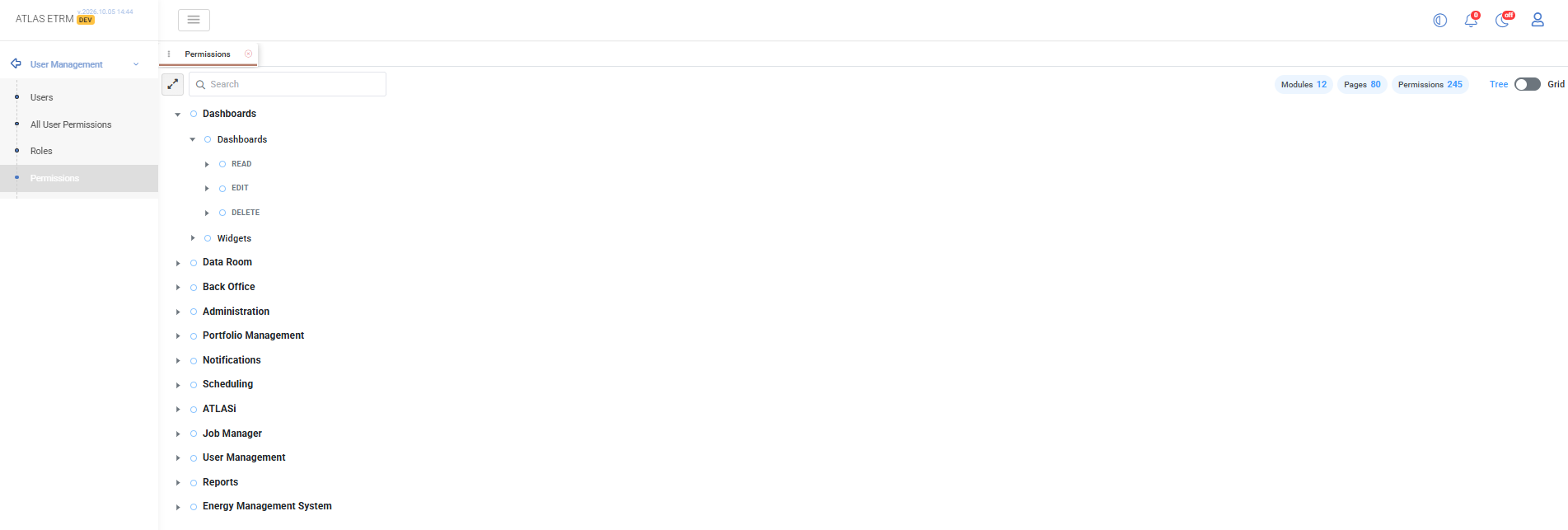
The Permissions tab provides an overview of the permissions available in ATLAS. It allows users to review how permissions are organised across modules and pages. Permission assignments are maintained separately within the relevant user or role record.
In Tree view, expand a module to display its pages, then expand the relevant page and access level to view the individual permissions. For example, expanding Dashboards → Dashboards → Read displays the Dashboards Read permission.
The arrows beside each branch expand or collapse the corresponding section. The expand icon above the tree expands the hierarchy, while Search locates permissions within the catalogue. The Modules, Pages and Permissions counters summarise the available catalogue.
Select Grid through the Tree / Grid switch to view the permissions in tabular form, or return to Tree for hierarchical navigation.
Was this helpful?