Overview
The Balancing Orders Creation job automates the preparation of offers for the balancing market, including energy offers, reserve offers and commissioning schedules. Depending on the selected action, the job generates the offers, submits them to the market and notifies the relevant users by email.
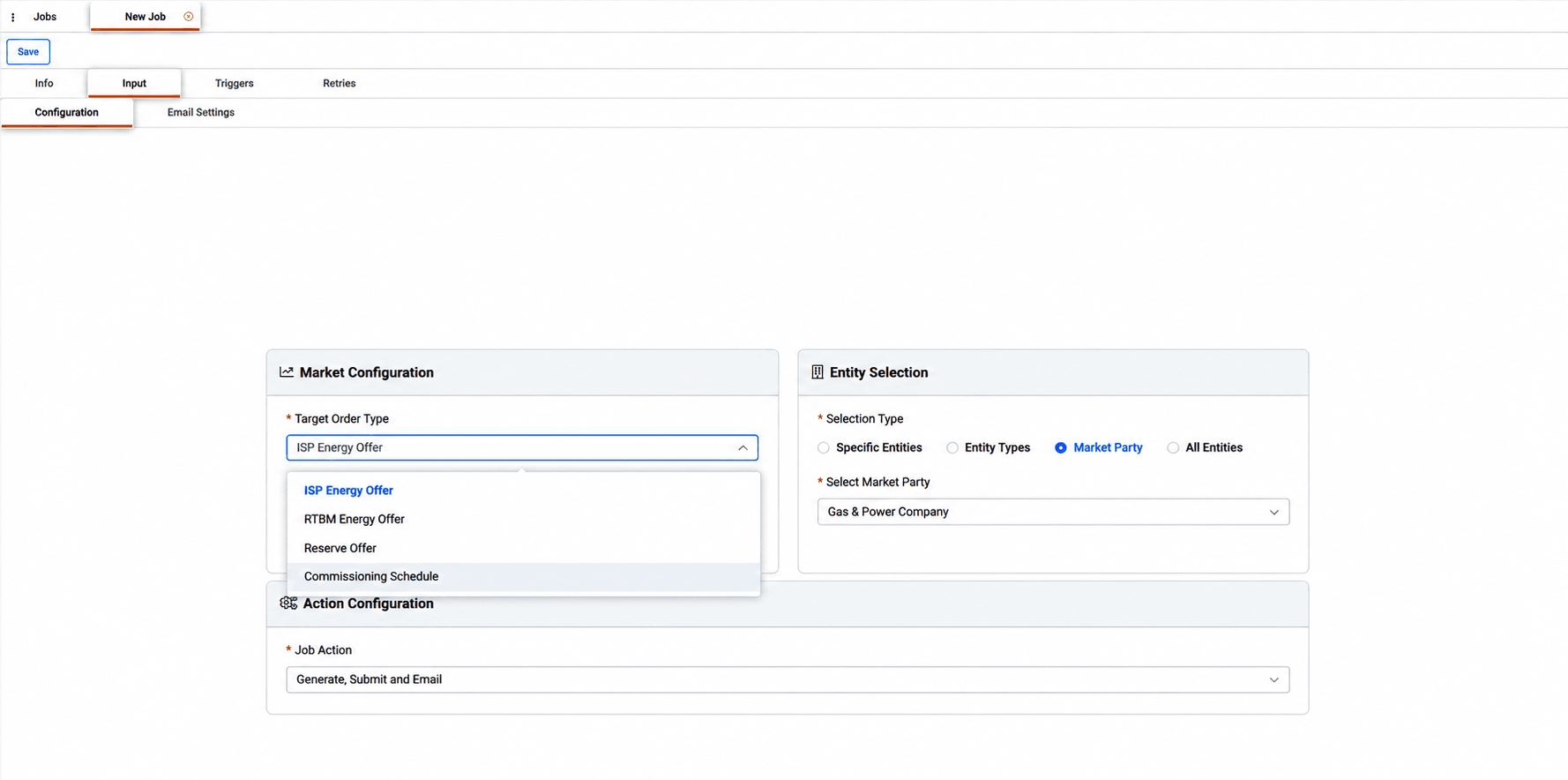
The target order type determines which offer is produced: energy offers for the Integrated Scheduling Process (ISP) or the real-time balancing market (RTBM), reserve offers, or commissioning schedules. Generation and submission can also be set up as separate jobs, so that offers are reviewed before they are sent to the market.
Input Configuration
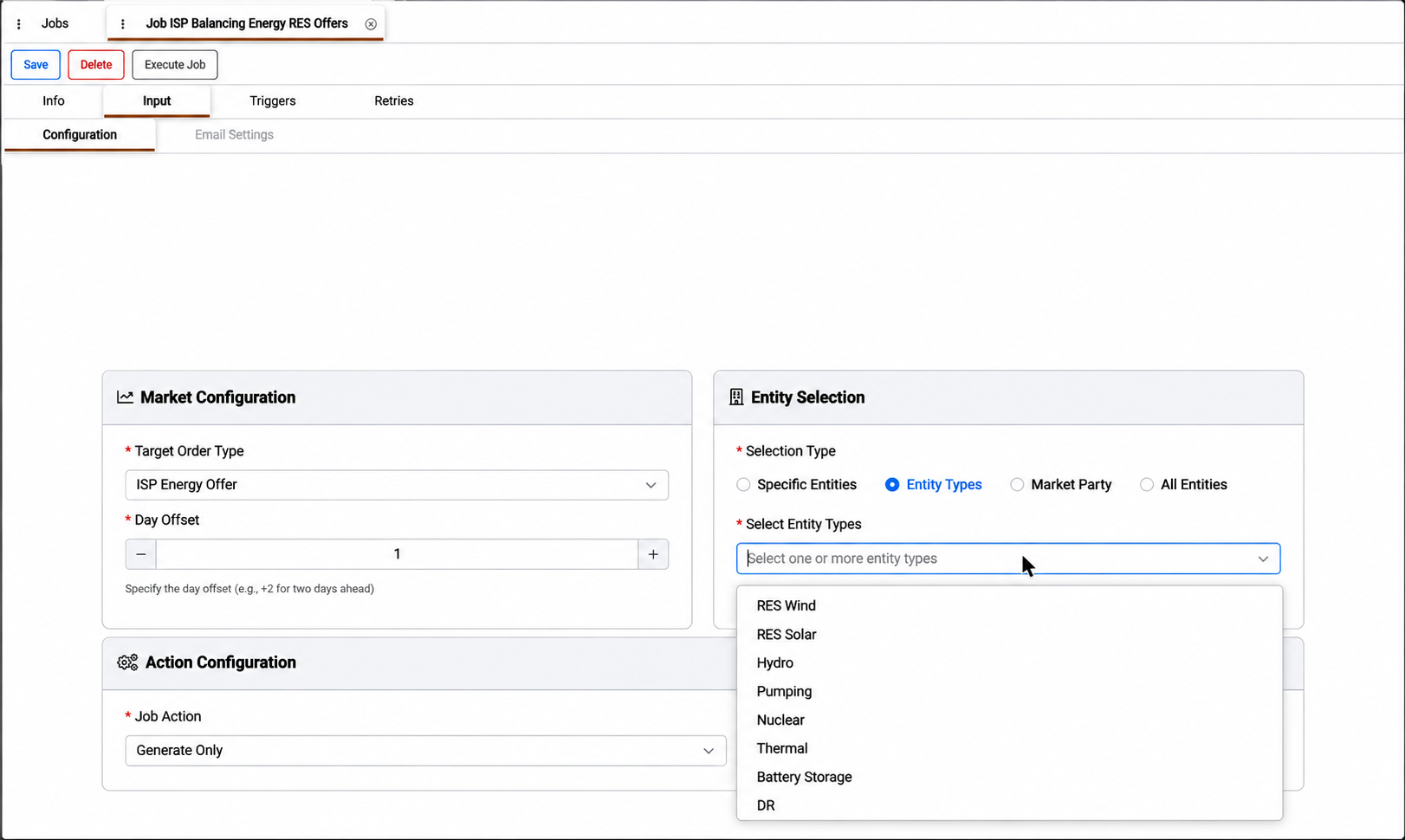
The Configuration sub-tab is arranged in panels. Market Configuration sets the target order type and the delivery day, expressed as a day offset from the execution date, for example +1 for next-day delivery. Entity Selection defines which entities are included: selecting by entity type or market party keeps the job aligned with the portfolio as entities are added, while specific entities fix the selection. Action Configuration sets what the job does with the offers, from generating them only, to submitting them to the market, to sending an email notification. Submitting existing offers without generating new ones allows offers to be generated, reviewed and then sent by a separate job.
When the selected job action includes an email, the Email Settings sub-tab becomes available. There, users define the recipients, the conditions under which the email is sent, and the subject and body of the message, which can include dynamic variables describing the execution.
The subject and body are pre-filled with a default template that summarizes the execution, and they can be edited freely in the rich-text editor. The information icon next to Subject Template lists all available variables, and typing { in the subject or body shows suggestions. The market files can be attached to the email, and the email can be sent after successful executions, failed executions or both.
Appendix – Field Details
Field / Element | Required | Description |
|---|---|---|
Target Order Type | Yes | Type of balancing order to create. Available options are ISP Energy Offer, RTBM Energy Offer, Reserve Offer and Commissioning Schedule. |
Day Offset | Yes | Delivery day relative to the execution date. For example, +2 means two days ahead. |
Selection Type | Yes | Determines how entities are selected. Available options are Specific Entities, Entity Types, Market Party and All Entities. |
Select Entities | Conditional | Individual entities to include. Shown when Specific Entities is selected. |
Select Entity Types | Conditional | Entity types to include, such as RES Wind, RES Solar, Hydro, Thermal or Battery Storage. Shown when Entity Types is selected. |
Select Market Party | Conditional | Market party whose entities are included. Shown when Market Party is selected. |
Job Action | Yes | Determines whether the job generates orders, submits them to the market or sends an email. See [Job Action Values]. |
Email Settings | Conditional | Configures recipients, send conditions, the subject and body, and market file attachments. Available when the selected Job Action includes email. See [Email Settings]. |