Overview
The Timeseries Copy job copies values from one or more source timeseries into target timeseries on a schedule. It is used to keep derived or working series aligned with their source data.
Typical uses include keeping a working copy of a nomination or forecast series that other processes can adjust without changing the source, and storing the output of Math Editor series so that it is available to processes that read stored data. For running executions, a progress bar in Job Executions shows how far the copy has advanced.
Input Configuration
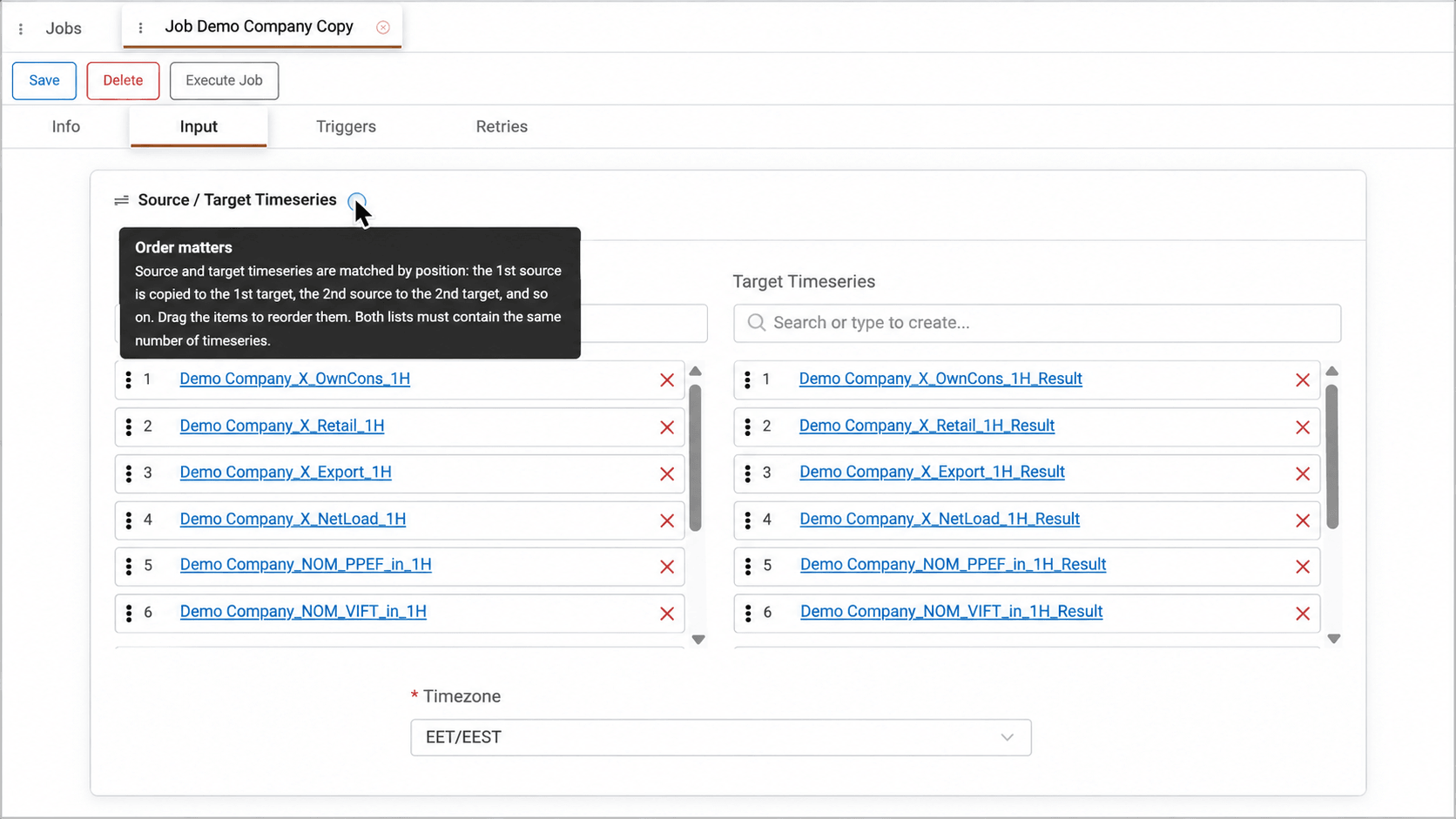
Users select the source timeseries, which can be stored series or Math Editor series, and the target timeseries. A target can be an existing timeseries or a new one created by typing its name, with the same settings as its source. Source and target timeseries are matched by position, so the first source is copied to the first target, and both lists must contain the same number of timeseries.
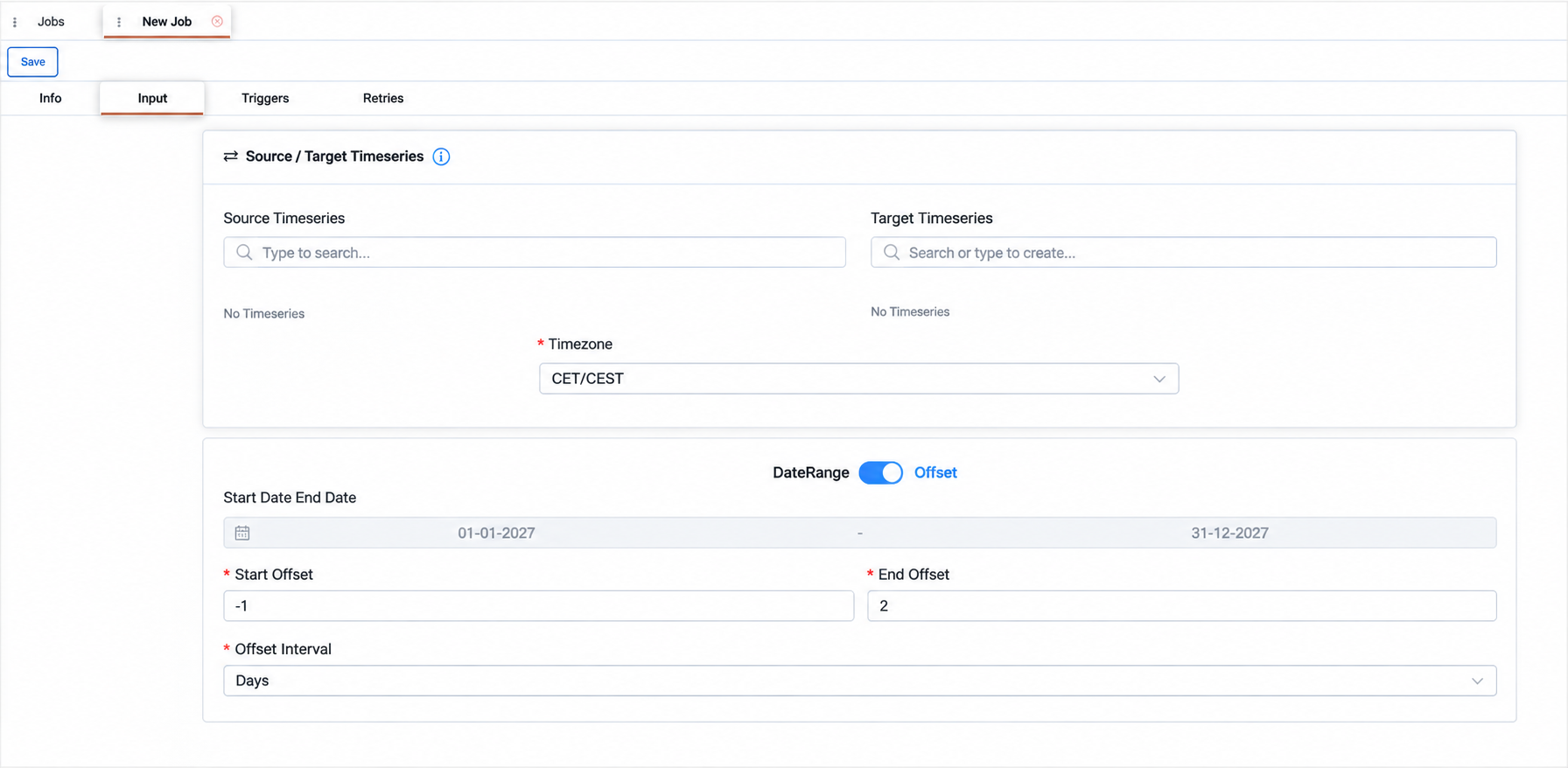
The period to copy is defined either as a fixed date range or as an offset relative to the execution time, which keeps the copied window moving with each run.
For example, a Start Offset of -1 and an End Offset of 2 in Days covers the period from one day before to two days after the execution, so a daily run always refreshes yesterday, today and the next days.
Appendix – Field Details
Field / Element | Required | Description |
|---|---|---|
Source Timeseries | Yes | Timeseries whose values are copied. Items can be reordered by dragging. |
Target Timeseries | Yes | Timeseries that receive the copied values. Select an existing timeseries or create one by name. Items can be reordered by dragging. |
Timezone | Yes | Timezone used to interpret the copy period. For the available options, see Data Options. |
DateRange / Offset | Yes | Switches between a fixed date range and a relative offset. |
Start Date / End Date | Conditional | Start and end dates of the fixed period to copy in DateRange mode. |
Start Offset | Conditional | Start of the copy period relative to the execution time in Offset mode. |
End Offset | Conditional | End of the copy period relative to the execution time in Offset mode. |
Offset Interval | Conditional | Unit used in Offset mode. Available options are Seconds, Minutes, 5 Minutes, 10 Minutes, Quarter Hour, Half Hour, Hours, Days, Weeks, Months, Quarters and Years. |