Overview
The Orders Creation job groups calculated order items into orders of a selected type, preparing them for invoicing and settlement without manual grouping.
Orders combine the order items that belong on the same invoice or payment, for example all items of one counterparty and commodity for a month.
Scheduling the job after Order Items Calculation produces up-to-date orders at the end of each period.
Input Configuration
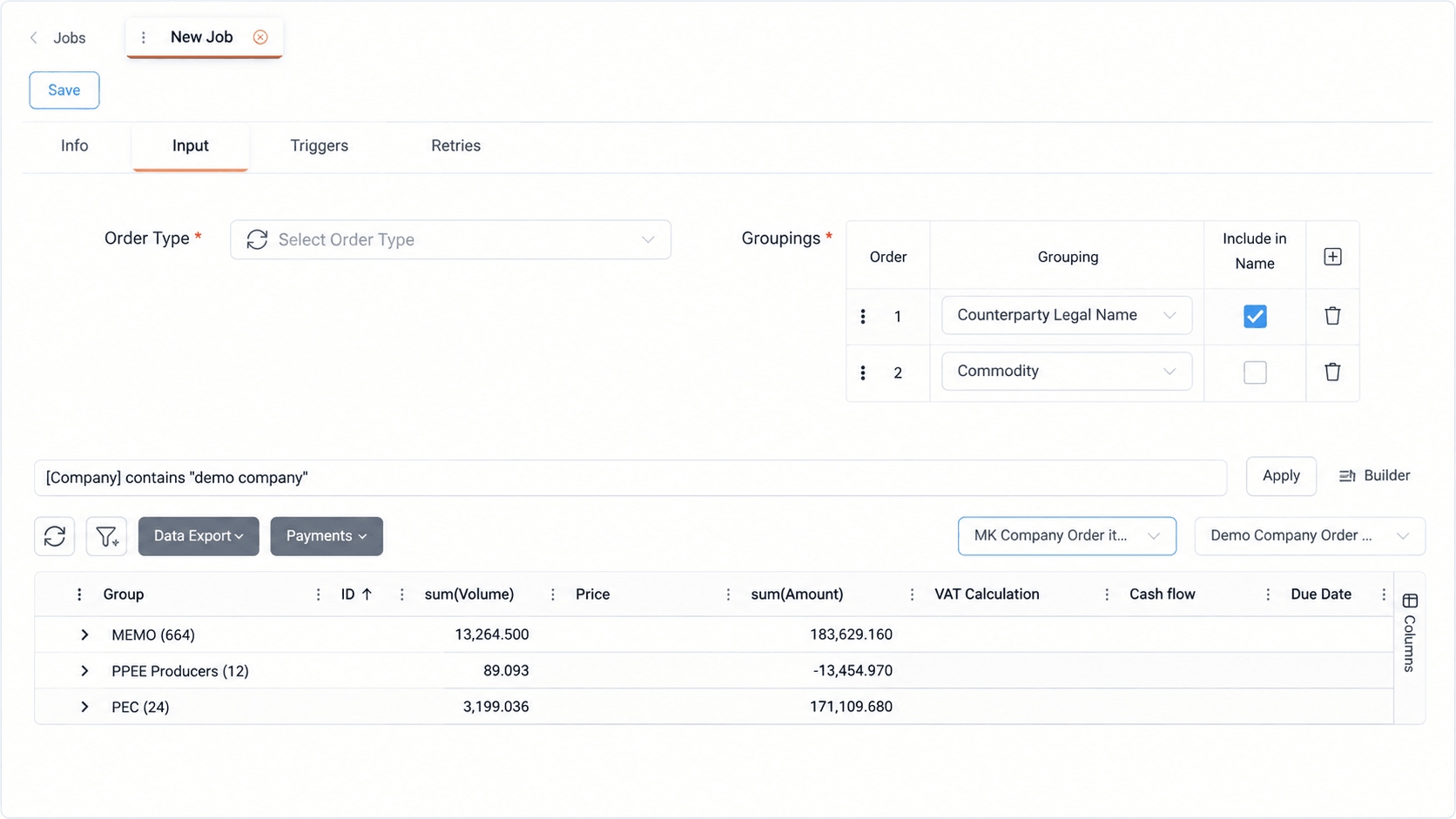
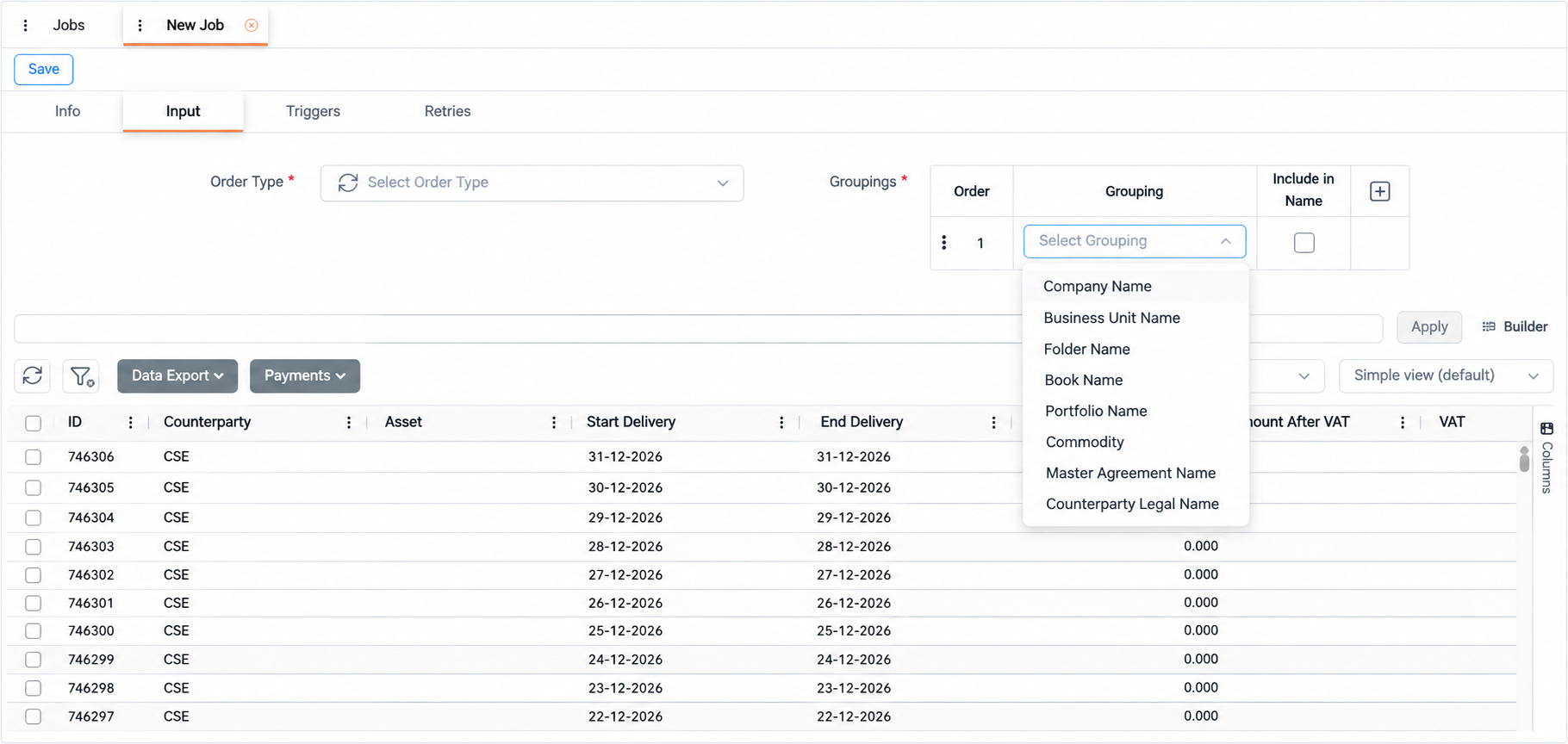
Users select the order type to assign to the orders created by the job and define one or more groupings, such as counterparty or commodity. The order of the groupings determines how order items are grouped, and each grouping can optionally be included in the order name. The items to process are selected through a query on the order items grid.
Order items are grouped by the first attribute, then within each group by the second, and so on. Each distinct combination of grouping values produces one order. Grouping rows are added with +, reordered by dragging and removed with the delete icon. Selecting Include in Name adds the grouping value to the order name. For example, selecting it for both counterparty and commodity includes both values in the name.
A grid view configured with grouping and totals displays the volume and amount for each group, so users can review the grouped items before running the job.
Appendix – Field Details
Field / Element | Description |
|---|---|
Order Type | Type assigned to the orders created by the job. The list displays the order types configured in Administration → Dynamic Types. |
Groupings | Ordered list of attributes used to group order items. Add rows with + or remove them with the delete icon. |
Order | Position of the grouping in the grouping sequence. Drag rows to reorder them. |
Grouping | Order item attribute used for grouping, such as counterparty or commodity. |
Include in Name | When selected, the grouping value is included in the order name. |
Query | Expression that selects the order items to process, with Apply, Builder, Select Grid Query and Select Grid View. For more details, see Reference-Query. |
Order Items Grid | Displays the order items that match the query. A grid view configured with grouping and totals displays volume and amount totals per group. For more details, see Order Items. |