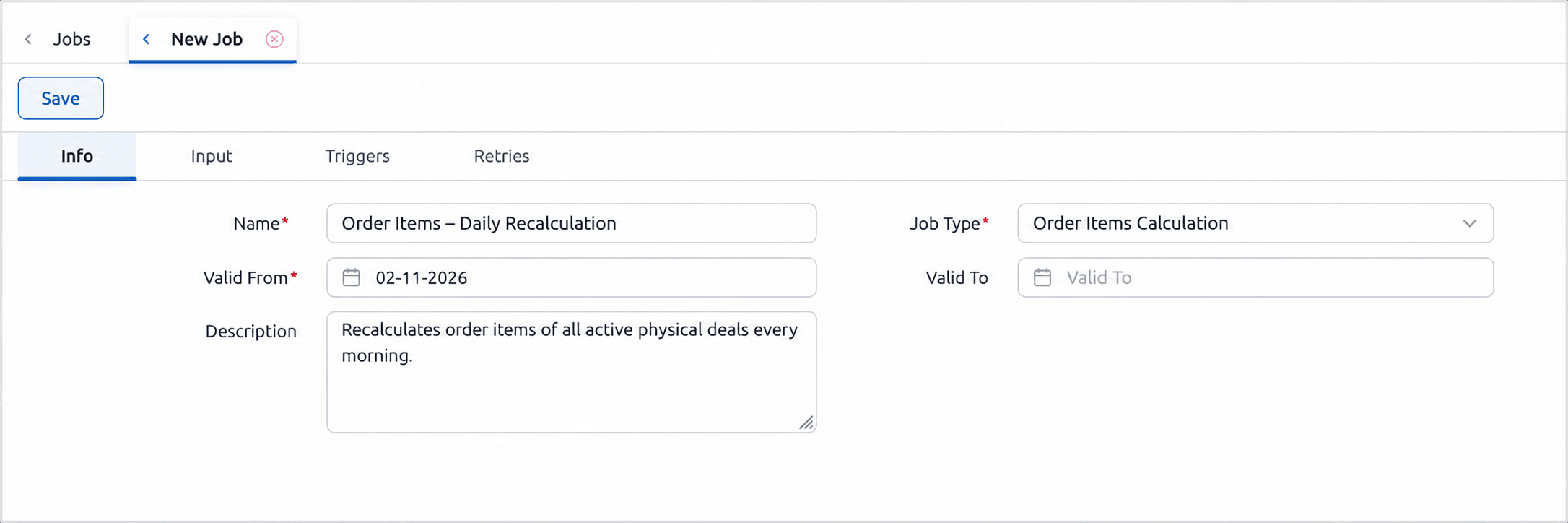
Overview
The Order Items Calculation job calculates the order items of a selection of deals, so that settlement-ready items are kept up to date without manual recalculation. Order items are always calculated for inclusion in settlement.
Running the calculation on a schedule ensures that changes to deals, prices or volumes are reflected in the order items before invoicing, without users having to start the calculation from the deals grid.
It is typically scheduled ahead of the Orders Creation job, which then groups the calculated items into orders.
Input Configuration
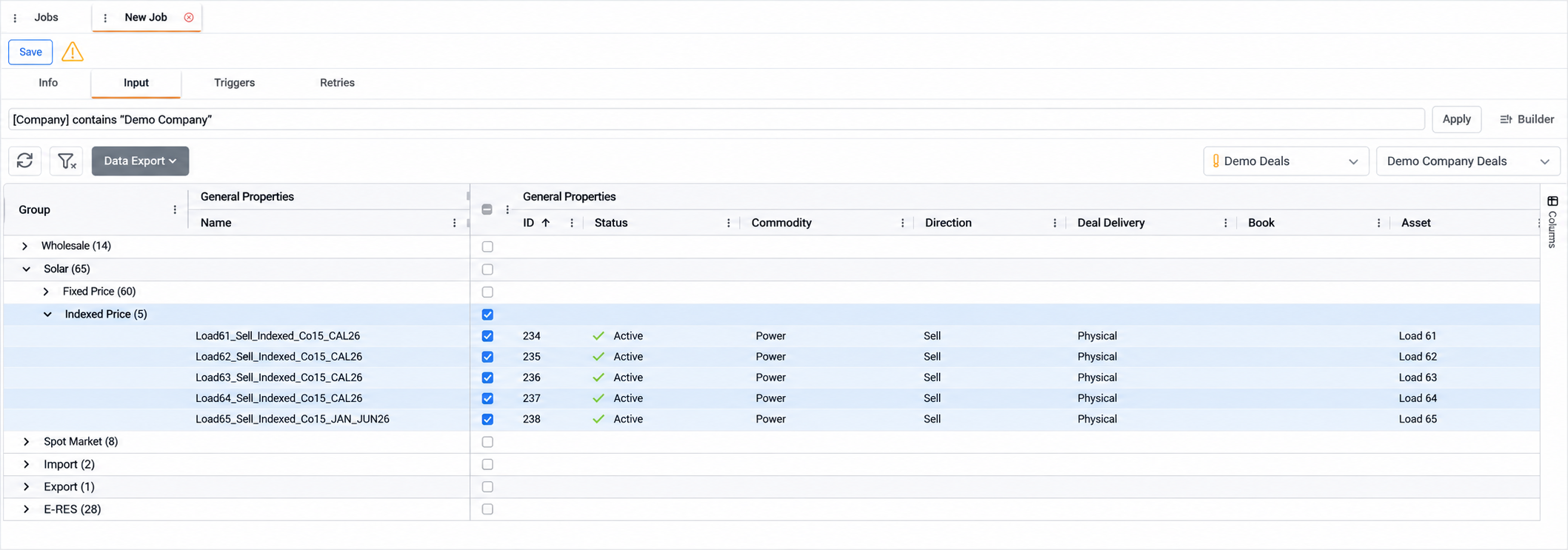
Users define the deals to process through a deal query. They can select a saved grid query or build a new one with the query builder, and review the matching deals in the grid before saving the job.
Selecting a saved grid query fills the query bar with its expression, for example [Company] contains "Demo Company", and applies the grid view linked to it. The expression can then be refined in the query bar or with the Builder, which combines conditions in AND and OR groups.
Because the query is saved with the job, deals captured later that match it are included in future executions.
Appendix – Field Details
Field / Element | Description |
Query | Expression that selects the deals to process. Applied with Apply. For more details, see References-Query. |
Builder | Opens the query builder to define the deal query. For more details, see References-Query. |
Select Grid Query | Saved deal query to use as the job's selection. |
Select Grid View | Saved grid view used to display the matching deals. |
Deals Grid | Deals that match the query |